Solved
Draft invoices disappear a day or so after I create them - does anyone have a fix?
Original commenter did not share additional details


Thanks for bringing this to our attention, @adrian-mccusker-. No worries, I’m here to guide you on how to fix and locate missing draft invoices.
Normally, all saved drafts should sync on the Invoices page. If you're unable to find them, we can perform some troubleshooting steps to resolve this by accessing your account using a private web. There are times that the browser is full of frequently accessed page resources, which causes some errors and/or unusual responses.
You can use either of these shortcut keys:
If it works successfully, you'd want to clear your regular browser's cache to prevent any unexpected behavior. Also, you can use another compatible web in QBO.
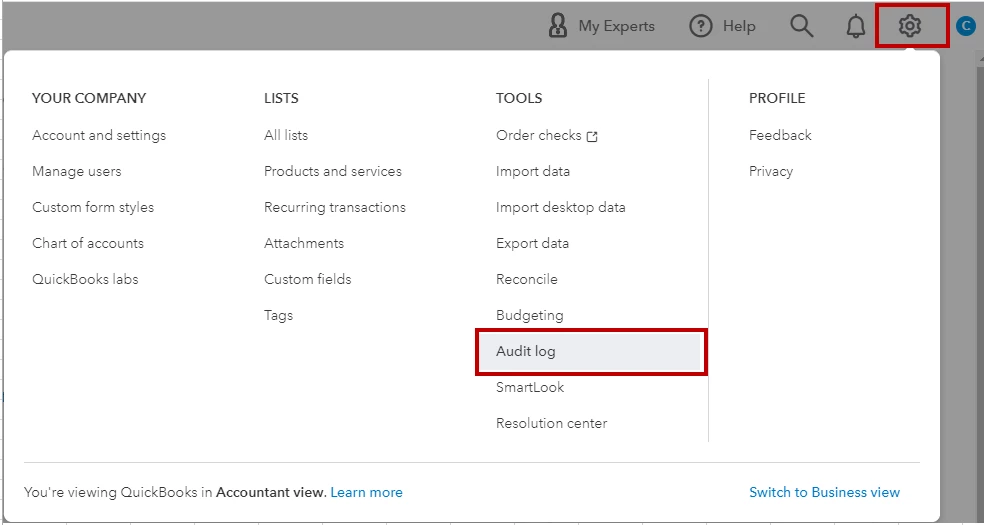
Otherwise, you can review the audit log. It could be that the invoices were deleted. QuickBooks Online keeps track of your activities where you can see who made changes to your books and what they did.
To verify, here's what you need to do:
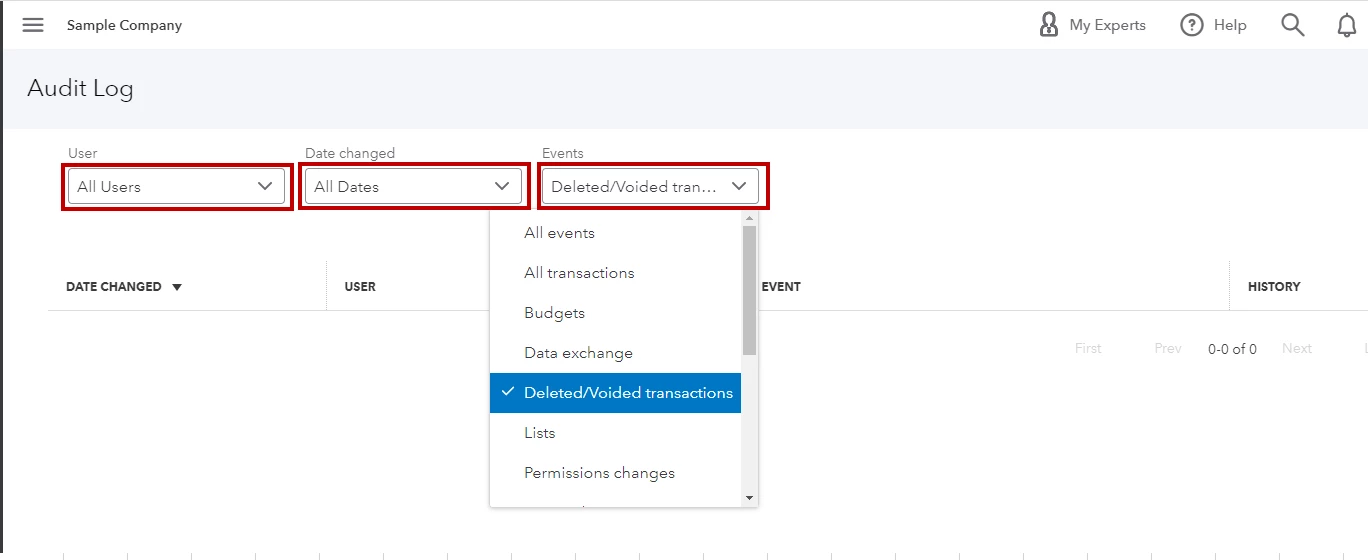
If the invoices didn't show in the audit log, I recommend getting in touch with our support team. This way they can further investigate the root cause of your issue.
Additionally, I'll be sharing this resource to guide you enter and send invoices in QuickBooks. It also includes steps on how to process the payments: Create invoices.
Keep in touch if you need more help managing your invoices in QuickBooks. I'm always around ready to assist you. Have a wonderful day.
Enter your E-mail address. We'll send you an e-mail with instructions to reset your password.