

Question
Email payment link "balance" doesn't match invoice "balance"
I wonder if anyone can help.
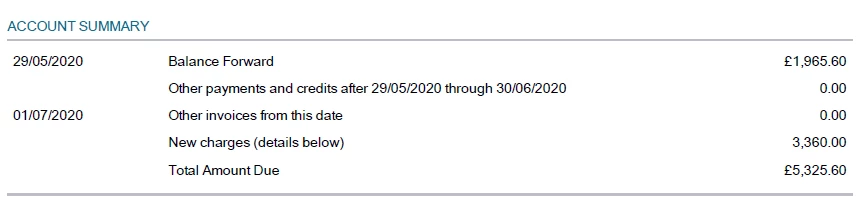
When we prepare invoices we wish to include an account summary. This is fine. It comes out like this:
Then at the bottom of the invoice we have this:
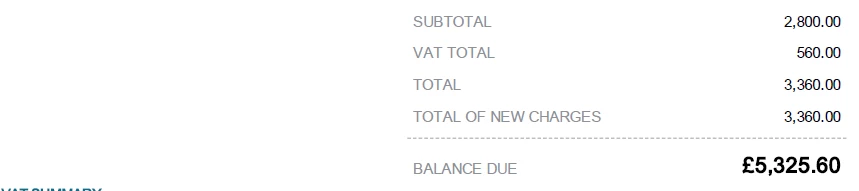
Which indicates the new charges and the total balance due. This is pretty confusing for clients, who just want to know the amount they need to pay on this invoice. Surely it should say "Total balance due". Is it possible to change this?
Then the email says:
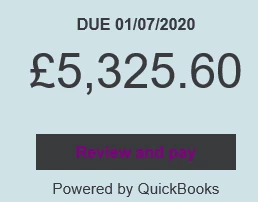
Which at least matches the invoice, but isn't the amount due on that invoice.
Then finally, when clients click the payment link in the invoice email, they get this:
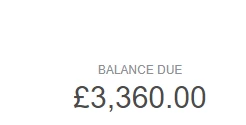
Which is back to the amount due on that invoice again.
This is a mess right? How do we fix this?