June 23, 2019
Solved

Entering payments received in bank to outstanding invoices, is it just a case of going to invoice and making payment to bank account? will the match up?

  • June 23, 2019
  • 1 reply
  • 0 views
Original commenter did not share additional details

Best answer by
Is there a report that shows when an account has been renamed? As I'm still not sure what account is accounts receivable

I can summarize the most important discussions on this thread for you, Jonboy1210.


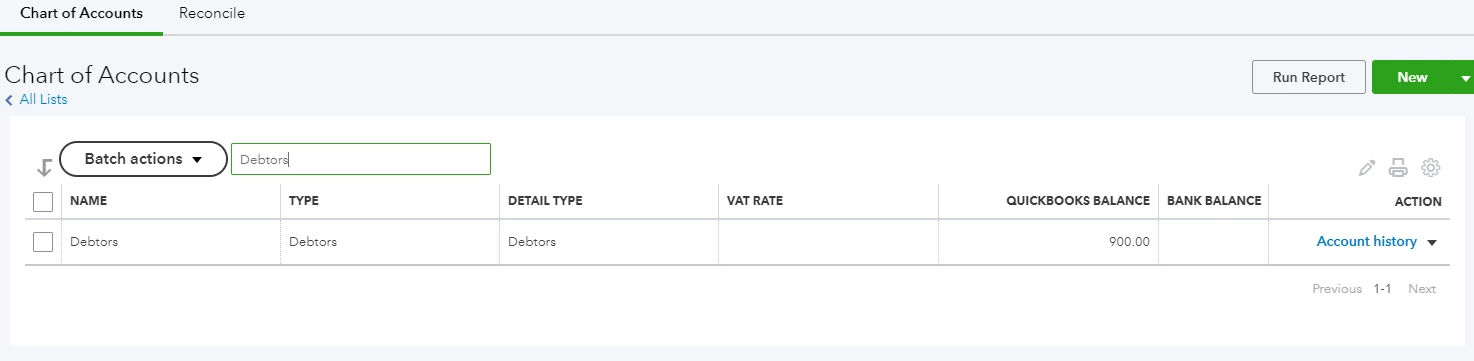
Accounts Receivable (A/R) is an asset account used for most regions. In the UK region, Debtors is the corresponding account for it. That is the reason you can't see it from your Chart of Account list.  Therefore, there's no need for your to pull up a report to show when the account has been named. 


Here's what will happen when you add deposits from the Banking page to an open invoice.


QuickBooks Online will allows you to use the Find match function for bank deposits to be able to add them to an open invoice. Once they are added, the invoice's balance reduces. 


Let say for example, I have an invoice for 1,000 pound. 


When partial bank deposits are downloaded, use the Find match function to add these deposits one by one.


In the Match transactions page, expand the date range and choose All from the Show drop-down to see the open invoice. Select the invoice and click on Save.


To view if the payment was posted, please open the invoice. The deposit added from the Banking page is already posted to the bank account, and the invoice balance reduces. You don't need to make any receive payment transactions or link the deposits. 


I'm pretty sure after following the screenshots above you're all caught up. 


We are happy in helping you with your other concerns. Just go ahead and post them here. 

1 reply

June 23, 2019

Hello, Jonboy1210.


Entering invoice payments directly from the bank is one way of recording these transactions. These payment transactions from your bank will be downloaded automatically in QuickBooks (If online banking feature was activated).  In your the For Review page, the system will suggest the closet open invoice that will match the downloaded payment transaction. 


For additional information, please refer to this article: https://quickbooks.intuit.com/community/Banking/Match-and-categorise-your-downloaded-bank-transactions/m-p/239044


Please let us know if you have additional questions about processing invoice payments. We’re always here to help you with your QuickBooks concern.  
 

June 25, 2019

Hi the problem I have is the payments are part payments against open invoices so they don't ever match up.

Am I too do I receive payment against an invoice then that will match up with the card payments?

Or will doing a receive payment do a double deposit in the bank as you have to say where the money is deposited on a receive payment.

hope that makes sense?

June 25, 2019

Hello,


You can manually find match for partial payments by selecting the transaction in Banking and click 'find match' - this should bring up open invoices, which you can then filter, and apply the partial payments against. You can also manually make payment against the invoice (selecting receive payment next to the invoice), making sure to select the correct bank account, which should then show as an automatic match in the banking feed.


Please let us know if you would like us to clarify this further.


Thanks,


Talia
