Solved
Hi, does anyone know how to match multiple payment tranactions to a invoice. At the moment it says the match has to be the same amount as the outstanding invoice.
Original commenter did not share additional details


You got it correct, @contact-humaiyra.
You'll want to unlink or exclude the payment from your transactions to match and link it to your invoice. Let me show you how.
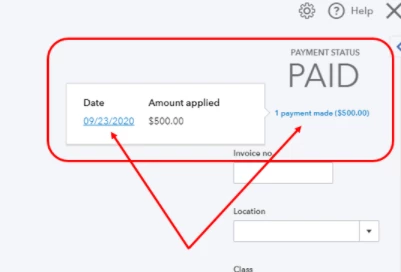
Once done, you can now match or link your deposit to your invoice. You can also refer to this article for guidance: How to link a deposit to an invoice.
You'll also want to run the Invoices and Received Payments report. It lists all payments you’ve received and the invoices that go with them. Just go to the Reports menu and type in Invoices and Received Payments in the search bar.
Let me know if you need more help managing your transactions. I'd be glad to get back here and assist you again. Keep safe!
Hello Community Users! We just wanted to drop into this thread and add some clarification. It is not possible to match multiple transactions to an invoice in the banking section in one transaction. If it was 2 payments you could receive one of the payments directly on the invoice and then go to the banking page and match that and then select the line of the other payment>find a match and then the invoice should show to tick to clear the remainder amount.
You could also do bank deposits for the multiple amounts in the add funds to this deposit section of the bank deposit and then allocate them to the invoice usually the receive payment icon which you should then in the banking section see a match for. Any questions feel free to ask on this thread, we've included a helpful article on how to do create the deposit so that you are then able to link it to the invoice using the receive payment option here.
Enter your E-mail address. We'll send you an e-mail with instructions to reset your password.