Solved
Hi, I need to change the email address invoices are sent from but the system won’t accept it as it ends with .agency
Original commenter did not share additional details


Thanks for sharing an update with us, Clare.
If you've set the email address as your new company email, then yes, it'll update on the invoice. Once you sent an invoice to your customer, the address will be shown on the invoice form.
If you don't want to change your company email address and just want to use the address as the sender, you'll want to add it as a customer facing email. Let me show you how.
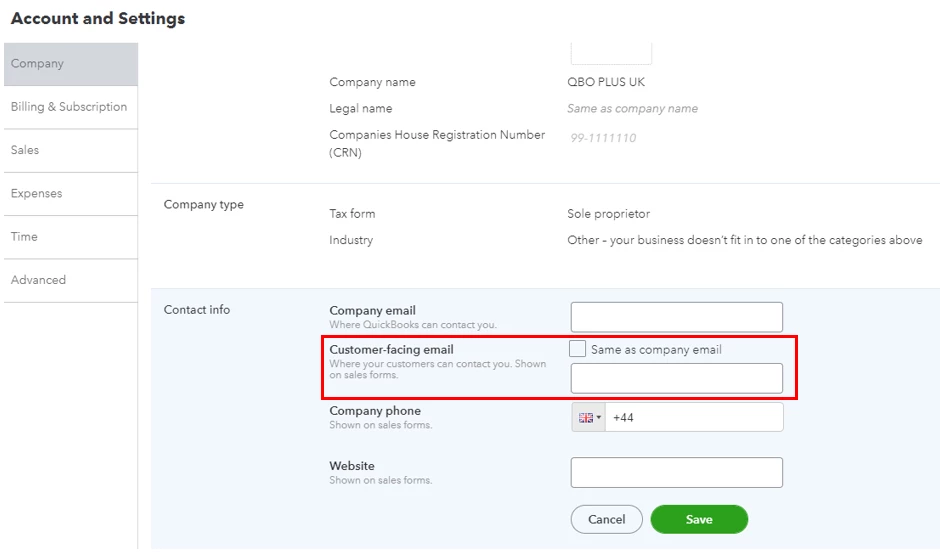
If you're referring to changing the default email from (quickbooks@notification.intuit.com.), the option to do so isn't possible. This is to protect your account and prevent security risks. Suspicious email can sometimes be a scheme to get your personal info.
Furthermore, I'm adding this link that you can utilize in modifying your invoices and recording your customers' payments:
You're always welcome to tag me in your reply if you have any other questions about the invoice email address. I'm always here to back you up!
Enter your E-mail address. We'll send you an e-mail with instructions to reset your password.