Solved
How do I enter opening balances for individual customers manually. Already raised invoices in QB without putting the opening balance in first so how do I put them in now?
Original commenter did not share additional details


Apologies, as I think I am not being quite clear enough. There is no opening balance entry to find to be able to edit as the greyed out area is £0.00, as I haven't put any opening balances in as yet but have raised invoices in January 2021. I need to retrospectively enter the opening balances.
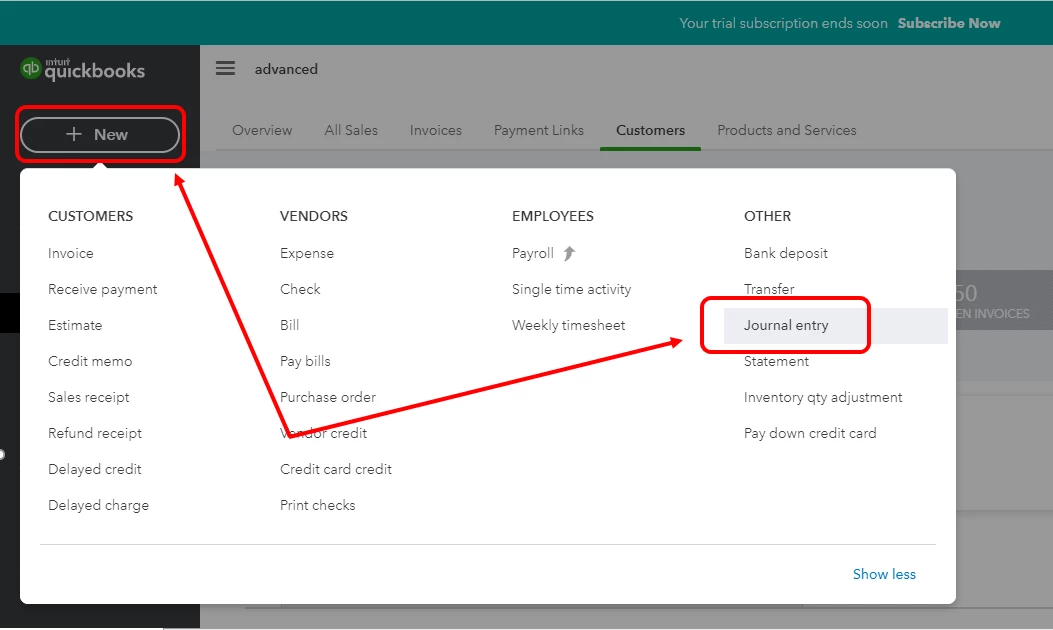
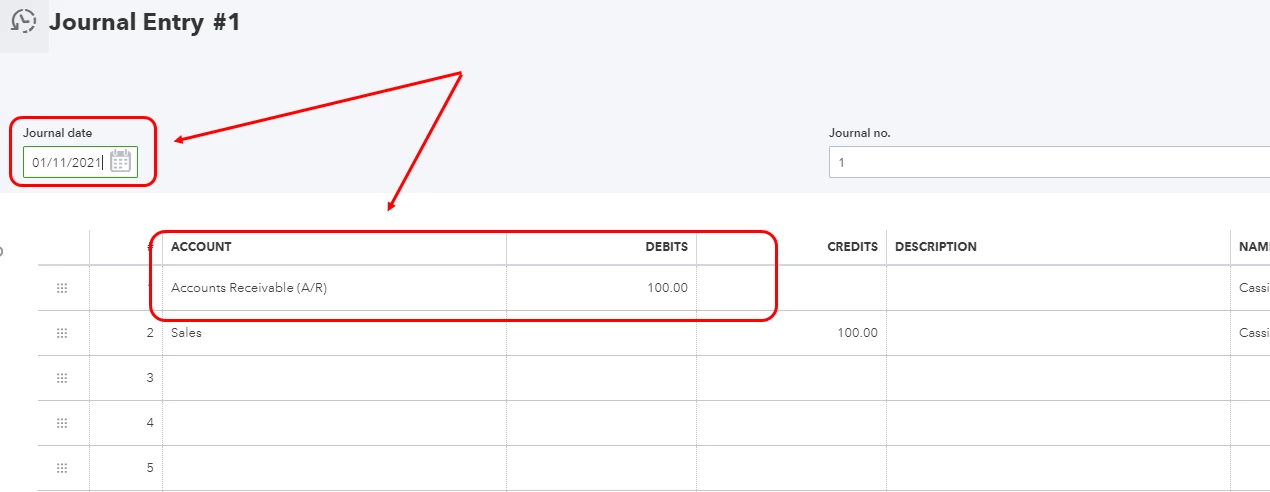
You can create a Journal Entry to enter the customer's opening balance, rita-coastcareho.
Then, debit the Accounts Receivable account to increase the balance. Here's how:
Repeat the same steps for the rest of the customers. Let me share this article for more details about this option: What To Do If You Didn't Enter An Opening Balance In QuickBooks Online.
Just in case you have not completed your year-end tasks, you can check out this article for additional guidance and reference: QuickBooks Online Year-end Guide And Checklist.
I'd be glad to jump right back if you have follow-up questions. I'm always here to help.
Enter your E-mail address. We'll send you an e-mail with instructions to reset your password.