Hello, PARKSG.
Thanks for keeping in touch with the update. I'll ensure you're able to record those transactions properly.
The reason why you cannot choose Undeposited Funds as your option is that the Bank deposit function is already affecting it.
The purpose of the function is move funds from the Undeposited Funds account to your bank, and it's also used to deposit the money to your bank account in QuickBooks.
Now, let's go back to your original post and work out your invoices and payment to the third party company.
Regarding the invoice, I take it that you haven't received a payment for it yet. In this case, create a payment transaction then deposit it to your Undeposited Funds account. Here's how:
- Click the + New icon, then select Receive payment.
- Under Customer, add the client's profile.
- Set the Payment date and method.
- Under Deposit to, select the Undeposited Funds account.
- Check the invoice, then click Save and close to apply the payment.
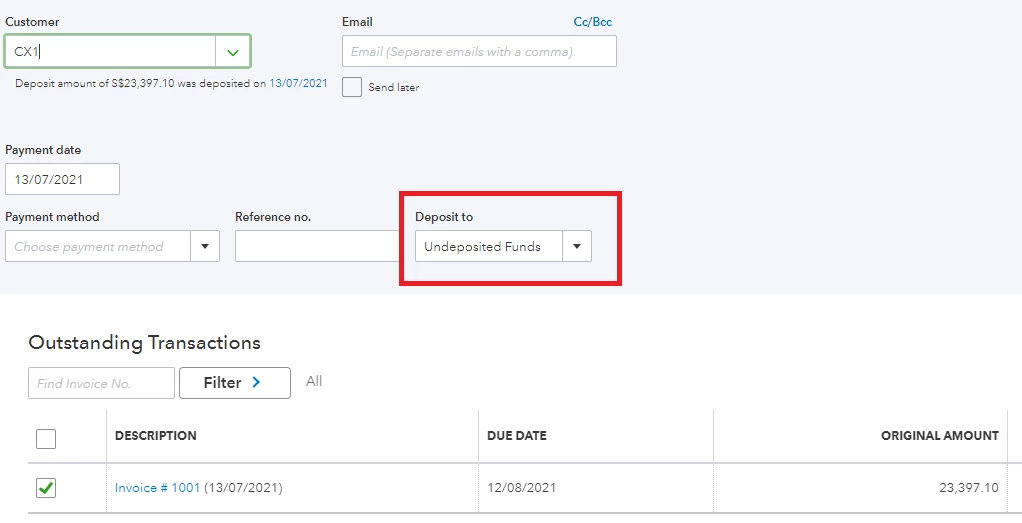
Then, process the transactions through the Bank deposit feature:
- Click the + New icon again, then select Bank deposit.
- Under Account, select the bank account where you want to deposit the money.
- Go to the Select the payments included in this deposit section, then check the invoice payment.
- Under Add funds to this deposit, add the client's profile again on the Received From column.
- Select an account where you want to track the additional sales (it can be an income account).
- Add the bank charge (like the one in your screenshot).
- Click Save and close.
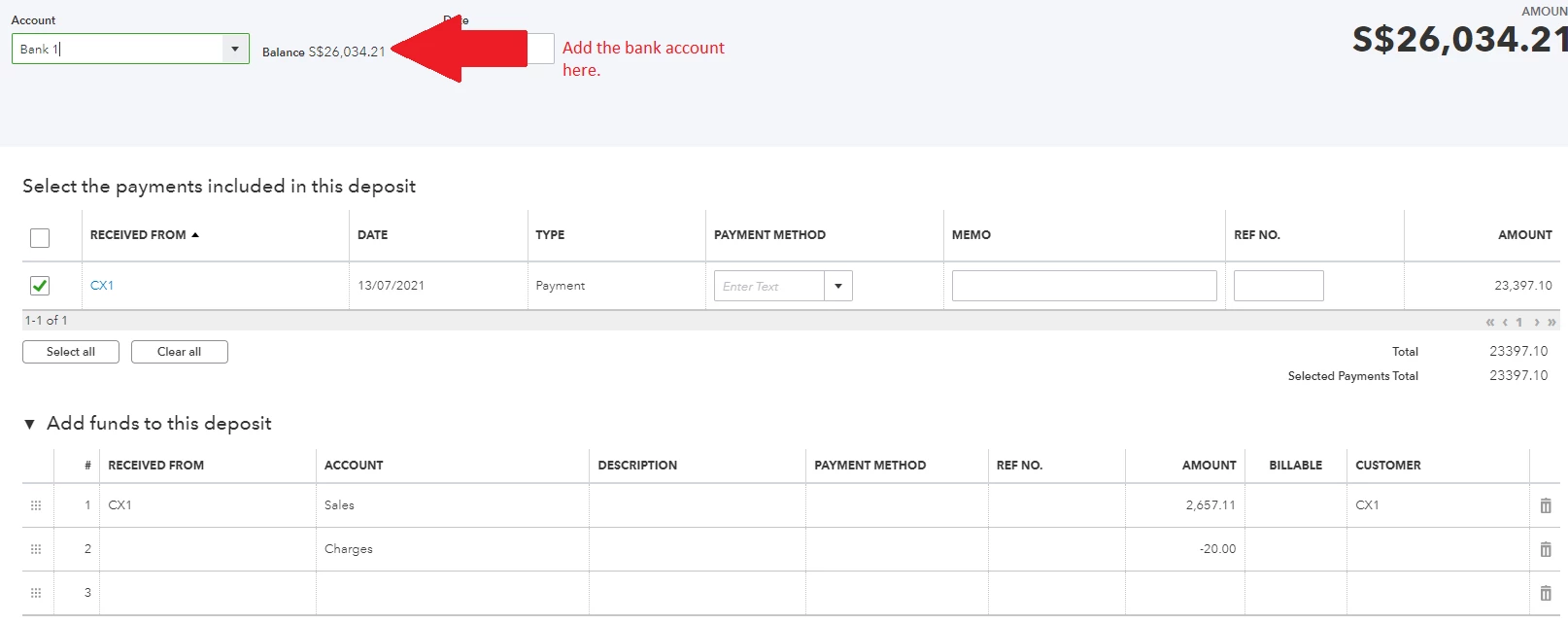
Now, you mentioned that you are being invoiced by the third-party. In this case, create a bill for their share. Click the + New icon, then select Bill. Process the bill payment afterwards when you're ready to pay them.
The account you'll be using depends on how you would want to categorise the transaction. You can select an expense account, but I'd recommend consulting an account first so you'll be guided on what appropriate account to select.
Finally, the Balance Sheet will show the correct transaction flow. You received a total of $26,034.21 to your bank, less the $2,657.11 that you paid to the third-party company:
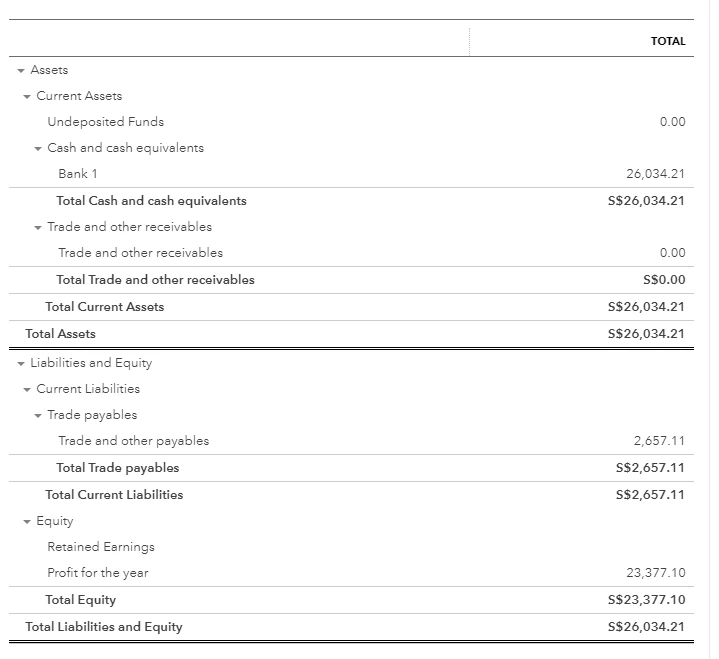
Another option to record your transactions is to use the Billable expense feature to manage the transactions easily. Turn it on from the Account and settings page:
- Click the Gear icon, then select Account and settings.
- Go to the Expenses tab.
- Expand the Bills and expenses section.
- Toggle the Make expenses and items billable option to On.
- Click Save, then Done.
Before you do anything else, delete the previous invoice to record the transaction flow properly. Simply open it, click the More button then select Delete.
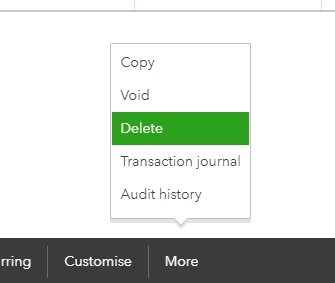
Next, create a bill for the third-party to record their share. Make sure to check the Billable box and map the client's profile to it:
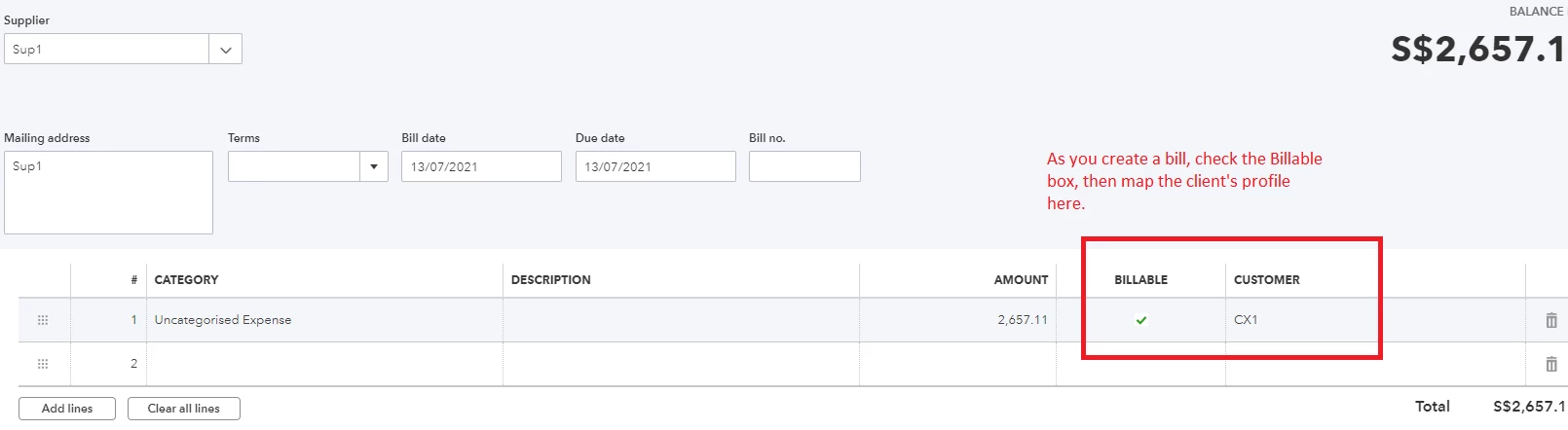
Second, create the invoice and add the amount of $23,397.10. You'll also be prompted to add the billable expense to the invoice:
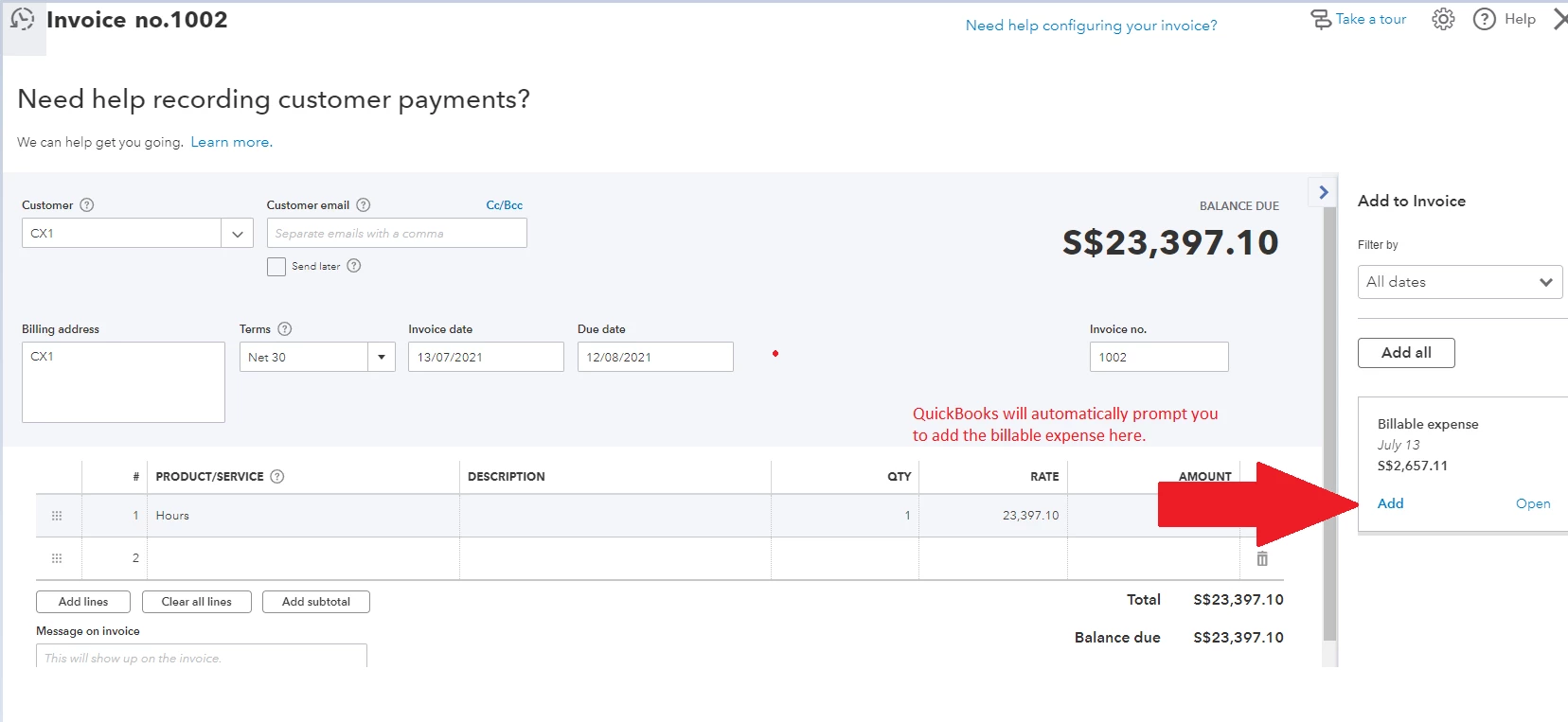
Then, process an invoice payment for the entire amount, and deposit it to your Undeposited Funds account.
Finally, create a Bank deposit transaction to add the bank charge fee altogether:
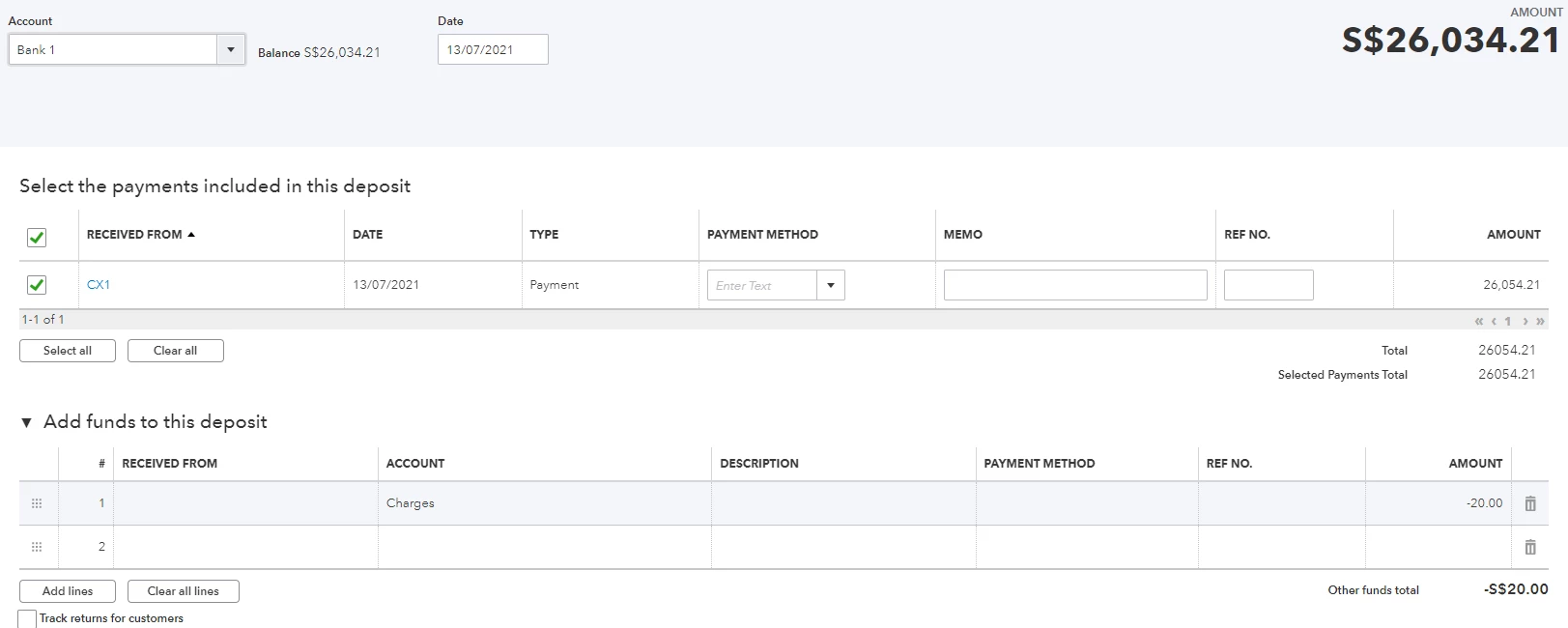
When you're ready, record a bill payment to pay the third-party company for their share.
After taking care of the transactions, I would recommend browsing our tutorials to help you learn the ropes in the program. Also if you need help with your reconciliation, feel free to use this article as a guide: Reconcile an account in QuickBooks Online.
Need to work on other areas in QuickBooks Online or do you need to take care of other transactions? Please let me know and I'll be with you in every step.

