March 17, 2021
Question

Importing Invoice in QBO

  • March 17, 2021
  • 1 reply
  • 0 views


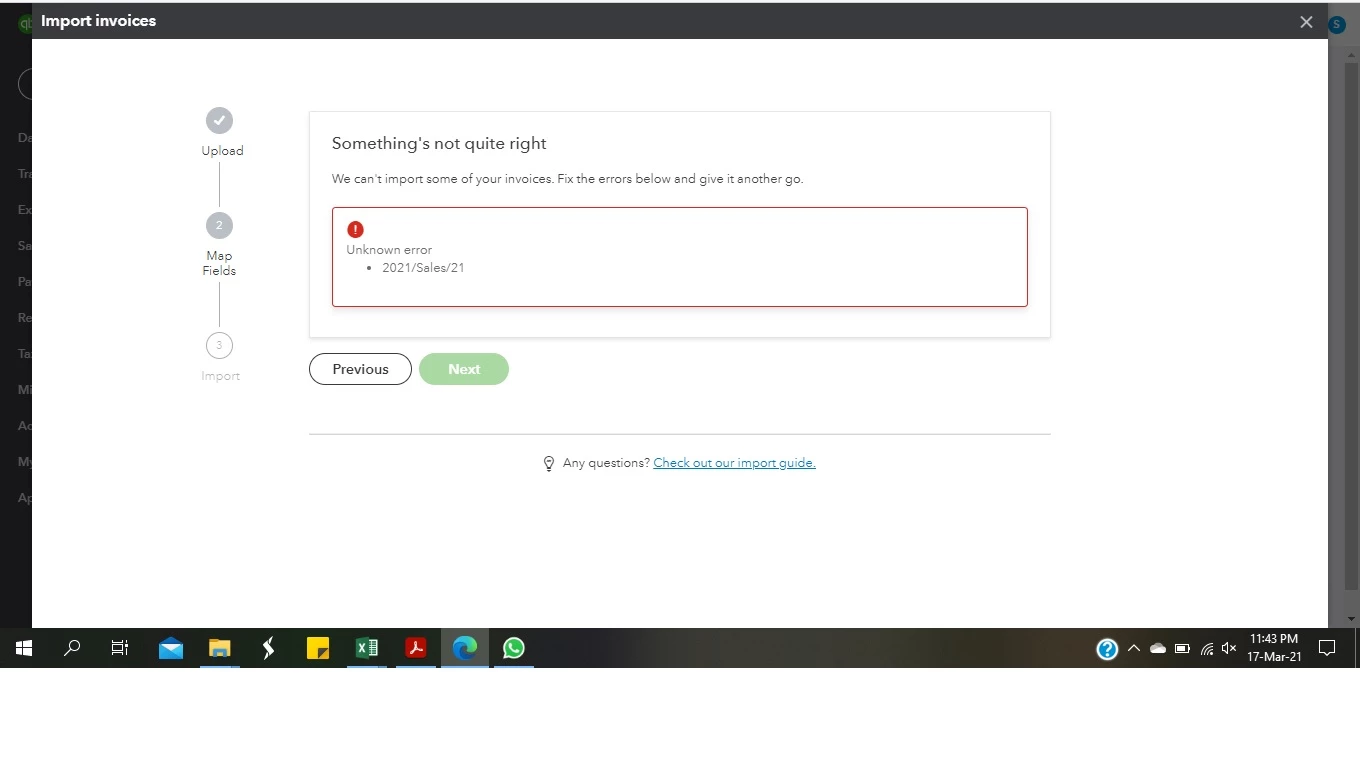
I am trying to import my CSV file for sales mapped in all respect but it shows the error as shown in screen shot, can anyone help to resolve the issue? The error shown is invoice number.



1 reply

March 17, 2021

Hi there, @Zaini.


It could be that invoices were in an incorrect format. This is why you're getting the error message. Before you import your invoices, make sure everything looks good in your spreadsheet.


Let's ensure that the following required columns are filled in: 


  • Invoice number
  • Customer
  • Invoice date
  • Due date
  • Item amount
  • Item tax code


Additionally, here's what you can and can’t import in QuickBooks Online (QBO).


  • You can’t add discounts, credit notes, and negative amounts in general.
  • You can import a maximum of 100 invoices at a time and 1,000 row limit per spreadsheet.
  • You can import invoices with single or multiple line items.
  • You can also import a large volume of customers and suppliers or products and services.


If you already checked the steps above, let's perform some basic troubleshooting to address the issue. There might be a cache build-up in your current browser that's causing the error. 


First, open your account in a private window. Simply press the following shortcut keys:


  • Press Ctrl + Shift + N (Google Chrome).
  • Ctrl + Shift + P (Firefox).
  • Control + Option + P (Safari).


If you're able to import your invoices successfully, go back to your regular browser and clear its cache. You can also use another supported browser as an alternative option. This might be a temporary issue with QuickBooks and the current browser that you use.


Additionally, you can check out this article as an additional reference in importing your sales transactions: How to import multiple invoices at once in QBO.


Let me know how else I can help you with QuickBooks by adding a comment below. I'm more than happy to lend a helping hand. Keep safe!

April 30, 2022

can you import a "Class" when importing an invoice for products

April 30, 2022

Nice to meet you, @TTeare. you'd be glad to know the answer of your question.

You can be able to import multiple invoices at once. However, the option to import a class when importing an invoice for products is unavailable.

As a workaround, you consider checking out third party applications in the Intuit QuickBooks Apps that will allow you to import the invoices with classes.

Here's how:
 

  1. Login to your QuickBooks Online account.
  2. Go to the Apps menu.
  3. Type in the clue word of the specific app or the one that relates to the task you're looking for.
  4. Then select the magnifying glass to search.
     

I'll be adding this article, in case you want to learn more about how to import multiple invoices to QuickBooks Online in one go: Import multiple invoices at once

In case you encounter duplicate transactions, you can refer to this article for the steps on how you can fix it: Void or delete transactions in QuickBooks Online

If you have additional QuickBooks questions or concerns, be sure to let me know by posting a comment below. I’m happy to assist you further.
