Hi there, joanna10.
On the Sales Transactions page, set the transaction Type and Date fields to filter old invoices in QuickBooks Online (QBO).
Let me show you how:
- Sign in to QBO.
- From the Sales menu, choose the All Sales tab.
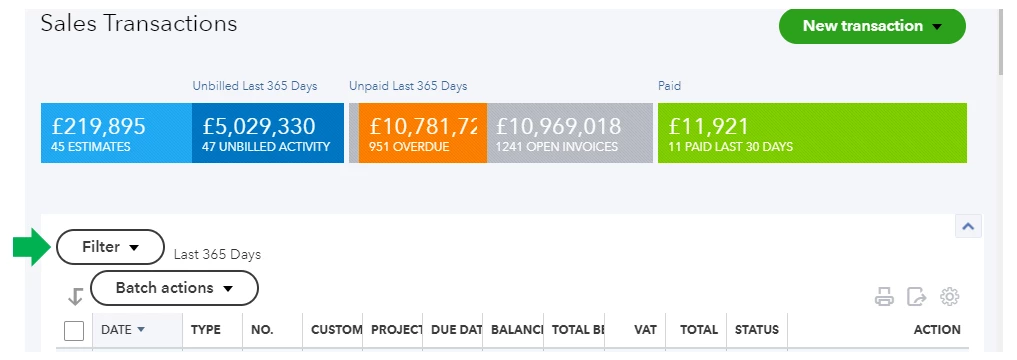
- On the Sales Transactions page, click on the Filter drop down.
- To filter old invoices, fill in the Type, Status, Date, and Customer fields.
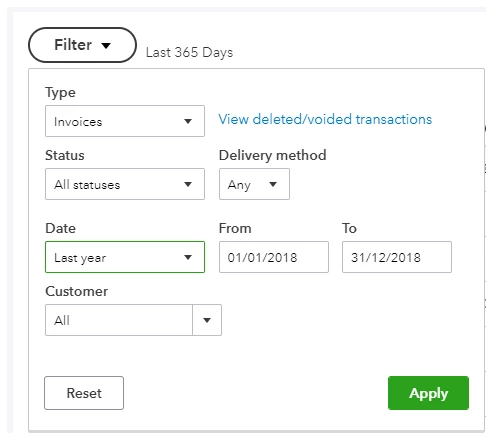
- Click on Apply once done.
See the View sales transactions article for further guidance.
Let me also share this link that will help you in the future: Customise your reports in QuickBooks Online.
Please leave a comment below if you have any follow-ups or other questions. I'm always glad to help. Have a good one.