

December 4, 2020
Question

Matching transaction with its invoice in foreign currency

  • December 4, 2020
  • 1 reply
  • 0 views

Hello


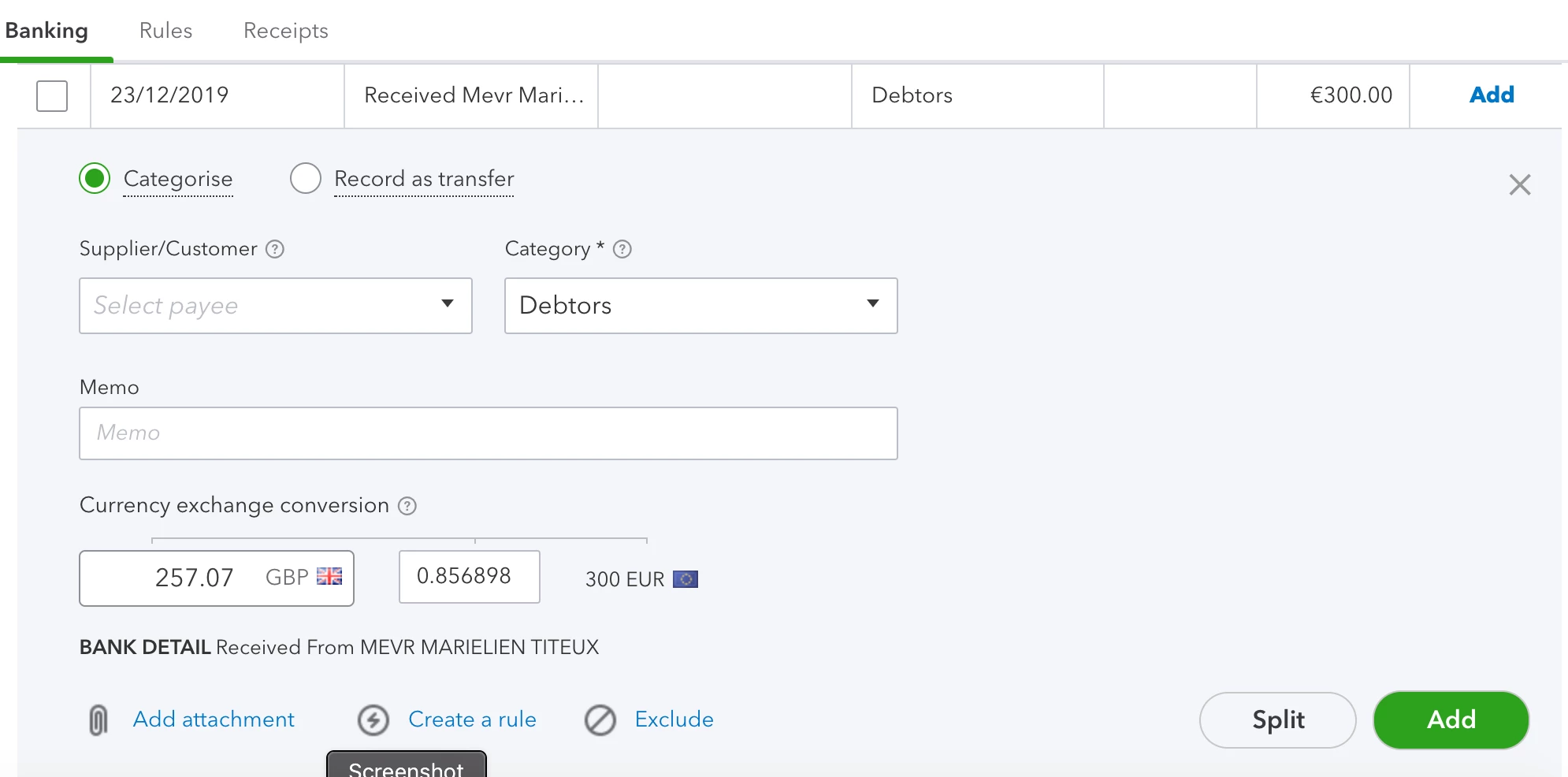
I have Quickbooks Online multi-currency enabled. I have several clients who I invoice and receive payments from in a different currency account (Euros). I am trying to match these euro invoices to their corresponding transactions (which were send to my second, euro account). But unlike when viewing transactions for my home currency account, here there is no “Find Match” button. So I can't match it to the corresponding invoice.


So my question is how do I correctly categorise these transactions while simultaneously marking that the invoice is no longer outstanding?


More info: As you can see in the screenshot, I'm in the list of "For Review" transactions under the Banking > Transactions menu. There is no suggested match (even though the corresponding invoice is on Quickbooks already) nor is there a "Find a Match" button for me to find it manually. So how do I match the two?


Thanks!

Emily

1 reply

December 4, 2020

I can help you match and categorise transactions in QuickBooks, @EmilyKayStoker.


The online banking feature will automatically identify and use your home currency. Thus, you're unable to see the Find Match button when matching foreign transactions or accounts.


I can share two options you can consider performing. First, you can delete and then recreate the said invoices using your home currency. 


Second, you can make manual payments against the invoices using the Receive payment feature. Then, exclude the said entries in the For Review tab. This won't impact your accounts since you've already recorded them in QuickBooks. 


Here's how to do it:


  1. Go to the Banking menu, and then choose the For Review tab
  2. Select the transactions involved by checking them. 
  3. Click the Exclude button to confirm.

After that, you can now categorize them to ensure they go to the right accounts.


When you're ready, you can begin reconciling your account to ensure the accuracy of your books.


Lastly, I recommend checking out our QuickBooks blog page to get you in the loop about the recent news and product enhancements.


Feel ease to comment back if you have additional questions about managing your banking in QuickBooks. I'll be around to help.