Help has arrived, Jackrees. I'm here to ensure you're able to select the correct account for the refund receipts.
In QuickBooks Online, we'll have to edit the income account associated with the product or service items used in the refund receipts. This way, we can change their account. I'll show you how.
- Go to the Gear icon and then select Products and Services.
- From the Action column of the appropriate item, click Edit.
- From the Income account ▼ drop-down menu, choose the account you want to use.
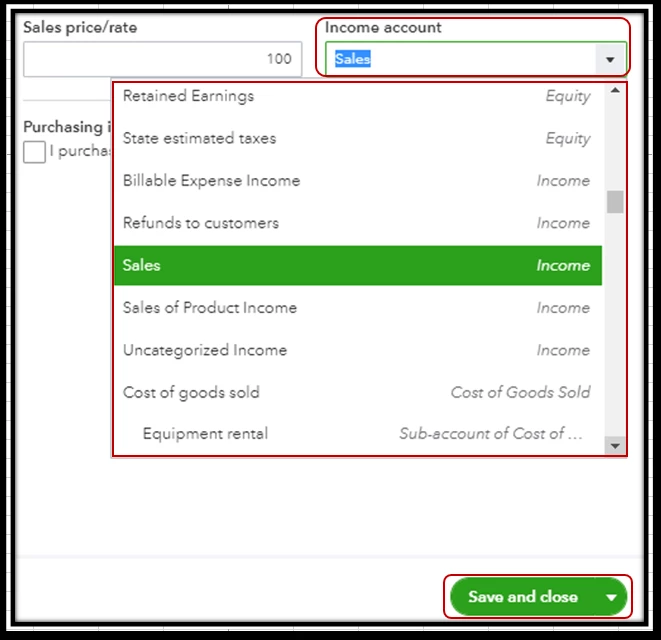
- Once done, click Save and close.
For more details about the process, please see this article: Change the Account for a Product/Service Item.
Additionally, I've added these articles that'll help you record your refund receipts in QuickBooks Online. This ensures your company has an accurate record of your transactions.
Please come back and keep us posted on your progress in selecting the correct account for your refund transactions. It's my priority to ensure your record is accurate.

