April 15, 2018
Question

Stop Auto-fill of Payee on Checks

  • April 15, 2018
  • 3 replies
  • 0 views

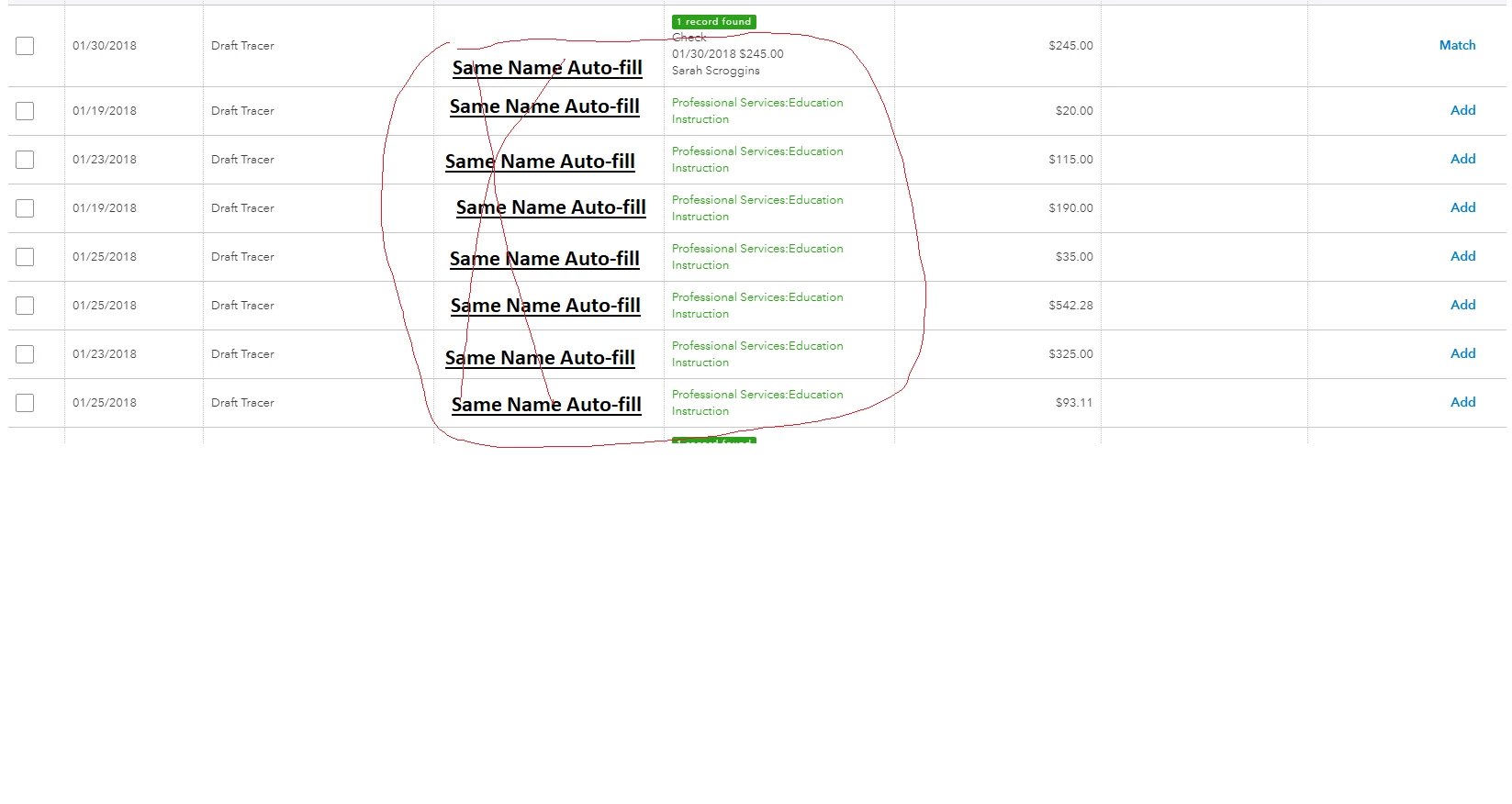
How do I stop the Payee name from auto-filling on transactions?  These checks are to different payees but the system is auto-filling ALL of them with the same Payee name.


3 replies

April 16, 2018

Hi medrozo,


Thank you for contacting community.


On the banking screen it is not possible to change the auto-filled Payee. However, the more transactions you add the more the system will start to remember the categories used or spent/received amounts and you will start to notice the payee names will change to be more accurate.


Otherwise, they will have to be changed manually when you review each transaction.


Let me know if there is anything else I can help with. :)

July 6, 2018

This isn't really a good answer. This issue the number one source of errors in our bookkeeping business. It's ridiculous that there's no way to exclude checks from being auto classified.


And by the way - Quickbooks Online NEVER gets better at classifying checks. It's impossible. So why hasn't the coding been adjusted to allow us to set a rule to never classify like in Quickbooks Desktop?

AshH
August 31, 2018

Hi Ginko.


Unfortunately there wouldn't a way to do this on a permanent default basis.

September 3, 2018

This really is a big nuisance and can be confusing.  Please fix this.

AshH
September 3, 2018

Hi SDR.


I will be sure to submit this as feedback to our Development team so we can hopefully get this resolved in an update.


AlcaeusF
September 18, 2018

Welcome to the Intuit Community, av_123.


With regards to having an option to stop the Payee name from auto-filling on transactions, I couldn't agree more and I believe the more added flexibility the product has the more it will appeal to the wider audience. I have added this request to our own internal product enhancement list, which we send directly to our product development team.


You can also leave your feedback on our Feedback Forum: http://feedback.qbo.intuit.com/


If you need any assistance concerning QuickBooks Online, don't hesitate to reach out to us. We'll be here to help.

September 21, 2018

Yes, this is so disruptive and prone to errors. 

JamesC
September 21, 2018

Hi Italavera, please be sure to add your feedback on our Feedback Forum: http://feedback.qbo.intuit.com/ - Thanks,