May 2, 2019
Solved

Terms and conditions: I have T's and C's on my invoices normally but it doesn't seem possible on Quickbooks?

  • May 2, 2019
  • 1 reply
  • 0 views
Original commenter did not share additional details

Best answer by AlexV

You can customize your invoice, info217.


You can add a footer text on your invoice to include your Terms and Conditions. Here's how:
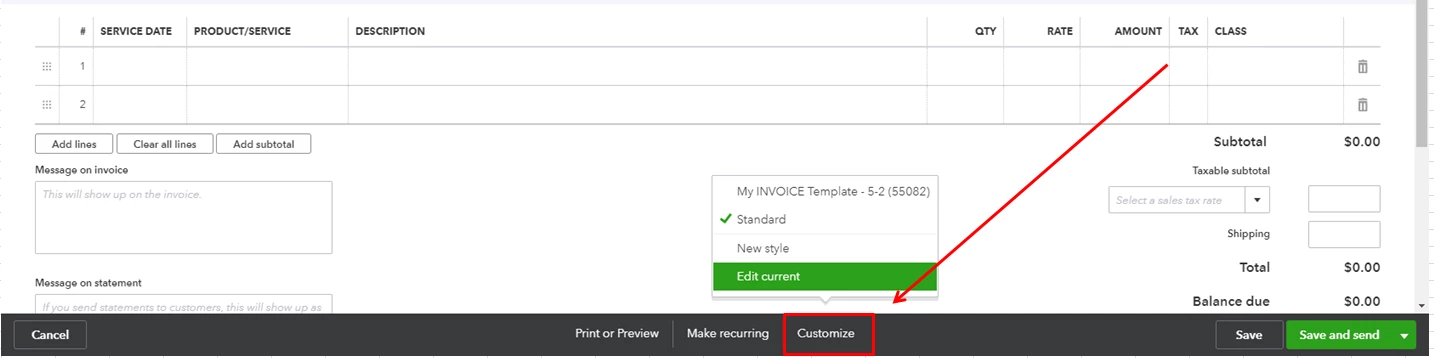
 

  1. Open an invoice and select Customize.
  2. Choose Edit current.

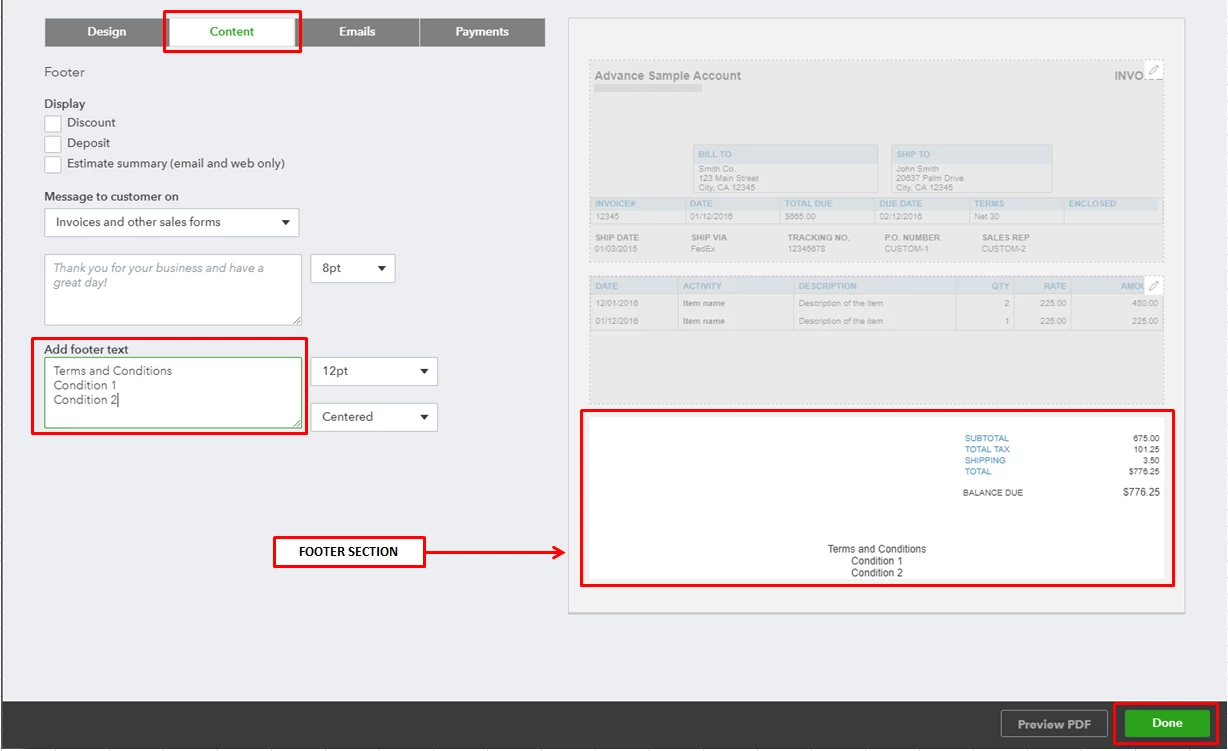
  3. Go to the Content tab.
  4. Select the footer section of the invoice.
  5. Enter your T&C on the Add footer text field.
  6. Select Done.

See How to customize invoices, estimates, and sales receipts article as your guide.


If the text you need to add for the T and C's is a long text it would be a case of creating a document you can add in to the attachments section, in the settings cog in the top right of Quickbooks. Then you can upload the document so it will be available going forward, you can use the paperclip icon within the invoice to attach it to any invoice


Please let me know if you have other concerns. Have a great day!

1 reply

AlexV
AlexVAnswer
May 2, 2019

You can customize your invoice, info217.


You can add a footer text on your invoice to include your Terms and Conditions. Here's how:
 

  1. Open an invoice and select Customize.
  2. Choose Edit current.

  3. Go to the Content tab.
  4. Select the footer section of the invoice.
  5. Enter your T&C on the Add footer text field.
  6. Select Done.

See How to customize invoices, estimates, and sales receipts article as your guide.


If the text you need to add for the T and C's is a long text it would be a case of creating a document you can add in to the attachments section, in the settings cog in the top right of Quickbooks. Then you can upload the document so it will be available going forward, you can use the paperclip icon within the invoice to attach it to any invoice


Please let me know if you have other concerns. Have a great day!

info217Author
May 2, 2019

Great, thanks.


I thought that would probably be the case so I will just have to attach a pdf with each invoice as the box isn't big enough
