January 8, 2020
Solved

Transactions showing as cash

  • January 8, 2020
  • 1 reply
  • 0 views

I am using the QB app on my iPhone.

I have been adding transaction invoices using the + button, using the snap receipt option and then uploading the photo.

i have noticed that some transactions are showing up as cash and not account. 

i very rarely pay for materials with cash and use my bank card.

What am I doing wrong that these transactions are showing as cash?


thanks

Best answer by AlexV

Please allow me to share more details, Betterg.


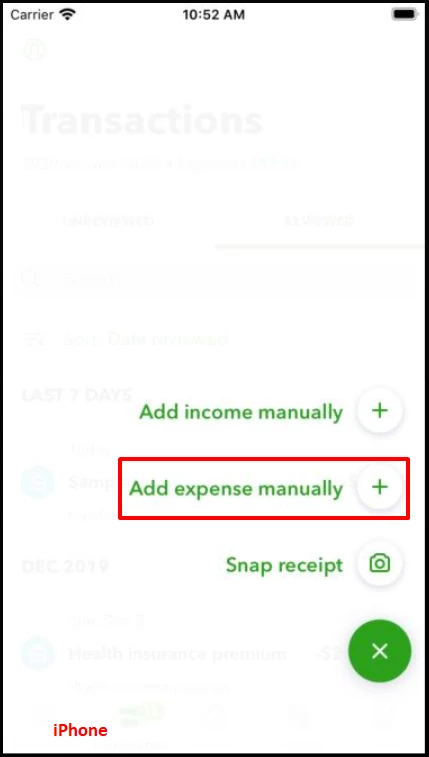
The transactions showing as Cash are those transactions that you've manually entered. Meaning, instead of, Snap receipt, you've selected Add expense manually


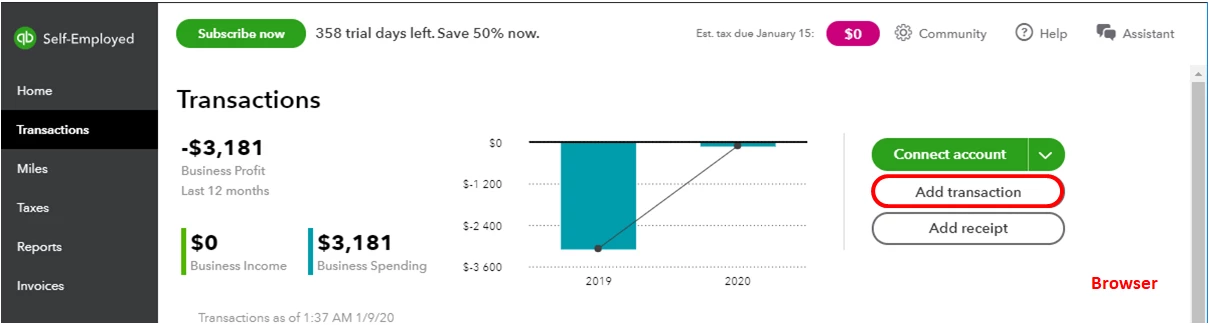
It's the same with the Add transaction button if you're using a browser.


You can also read this article about adding transactions in QuickBooks Self-Employed. It'll walk you through the steps on how to track your income and expenses.


Get back to me anytime of you have any more questions. I'll be happy to help.

1 reply

January 8, 2020

Hi Betterg


When you create transactions you have to also allocate it to the correct account.

BettergAuthor
January 8, 2020

Could you show me how that’s done from the phone app, or does that have to be done from the laptop?


thanks

AlexV
AlexVAnswer
January 8, 2020

Please allow me to share more details, Betterg.


The transactions showing as Cash are those transactions that you've manually entered. Meaning, instead of, Snap receipt, you've selected Add expense manually


It's the same with the Add transaction button if you're using a browser.


You can also read this article about adding transactions in QuickBooks Self-Employed. It'll walk you through the steps on how to track your income and expenses.


Get back to me anytime of you have any more questions. I'll be happy to help.