Solved
As a dental clinic, not VAT registered do I need to record VAT on purchases? If not, what VAT code should I be using?
Original commenter did not share additional details


I'm here to confirm your two questions about VAT, @your.perfect.smi.
There isn't a need to record any VAT on purchases since your dental clinic isn't VAT registered. Also, I'd suggest using No VAT as the code for this. This is in line with the HMRC's guidelines for businesses that aren't VAT registered. For more details, see this article's No VAT section: UK VAT Codes.
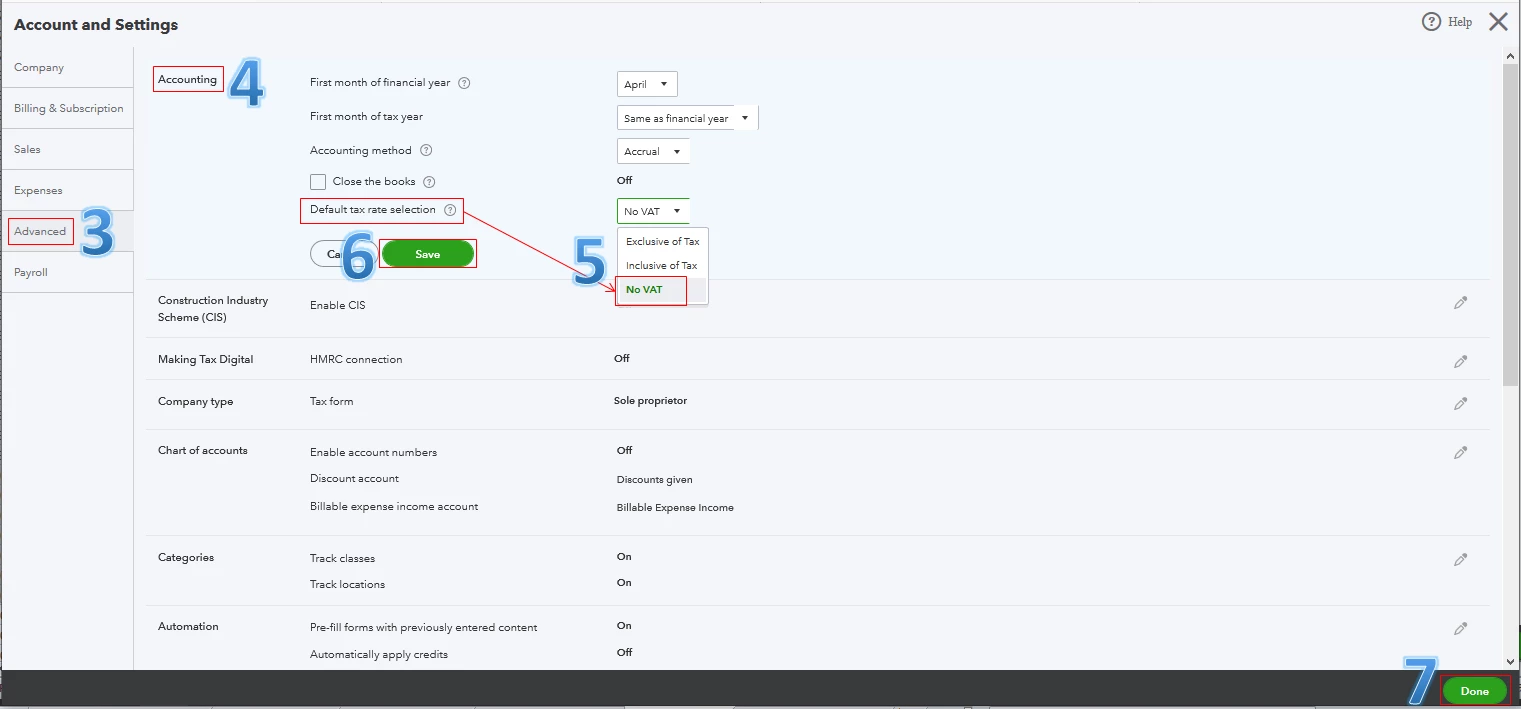
Moving forward, I recommend selecting No VAT as the Default tax rate selection in the settings. This way, the system won't include any VAT each time you create expense transactions. I'll guide you how.
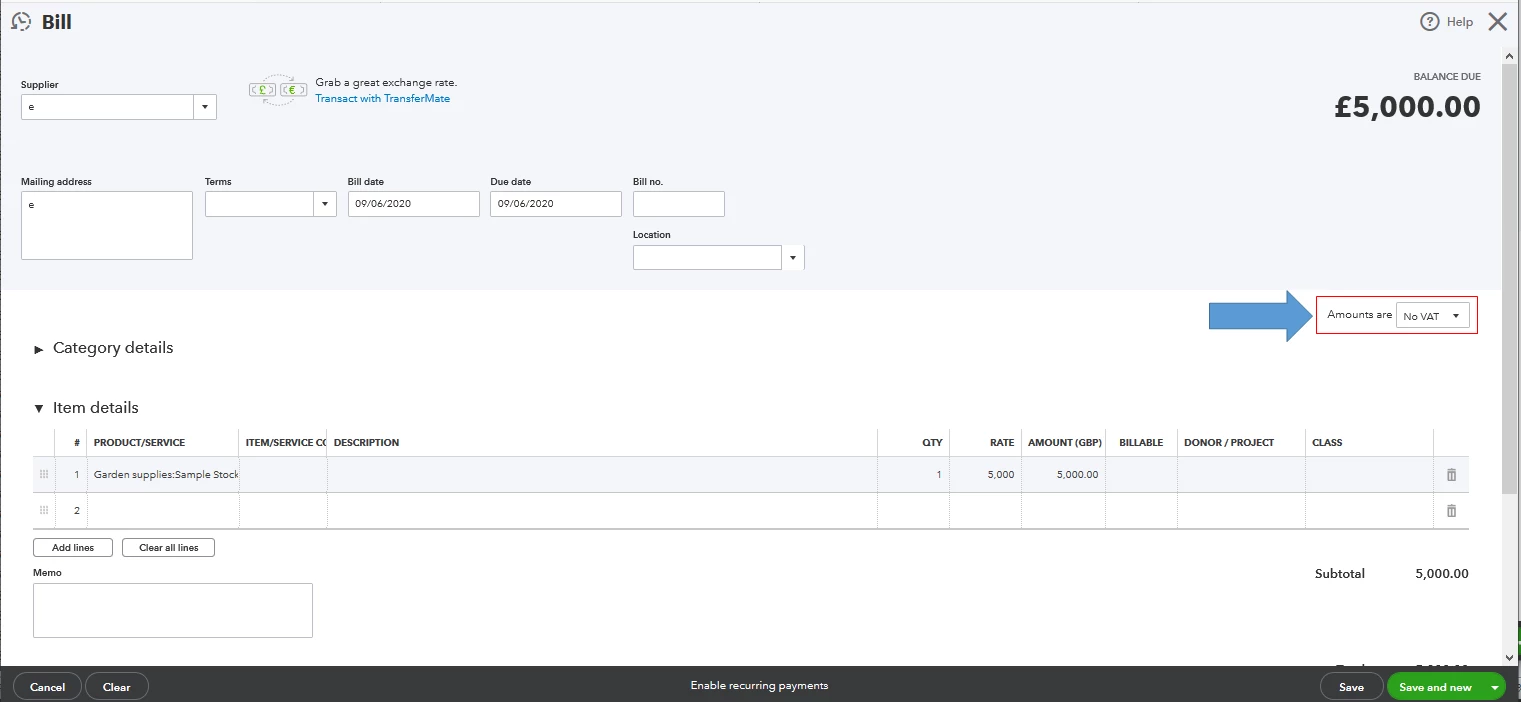
The first screenshot below shows you the last five steps. Also, you'll be able to see the Amounts are field as automatically No VAT in the second screenshot.
If you have another business that is VAT registered, I suggest going to the VAT Centre. From there, you can edit your VAT settings, codes, and rates. You can also set up an additional tax rate, group rate, or custom tax within this page. For more information, visit this website: VAT Centre.
I'll be right here to help if you need anything else. Enjoy the rest of your day, @your.perfect.smi.
Enter your E-mail address. We'll send you an e-mail with instructions to reset your password.