Solved
Can anyone help as to why my quick books won’t recognise my county when trying to set up a tax code
Original commenter did not share additional details


Glad to have you here on the Community page, @j-zysemil.
Setting up tax code in QuickBooks Online (QBO) UK doesn't require any address or country. Therefore, you should be able to set up the tax code seamlessly.
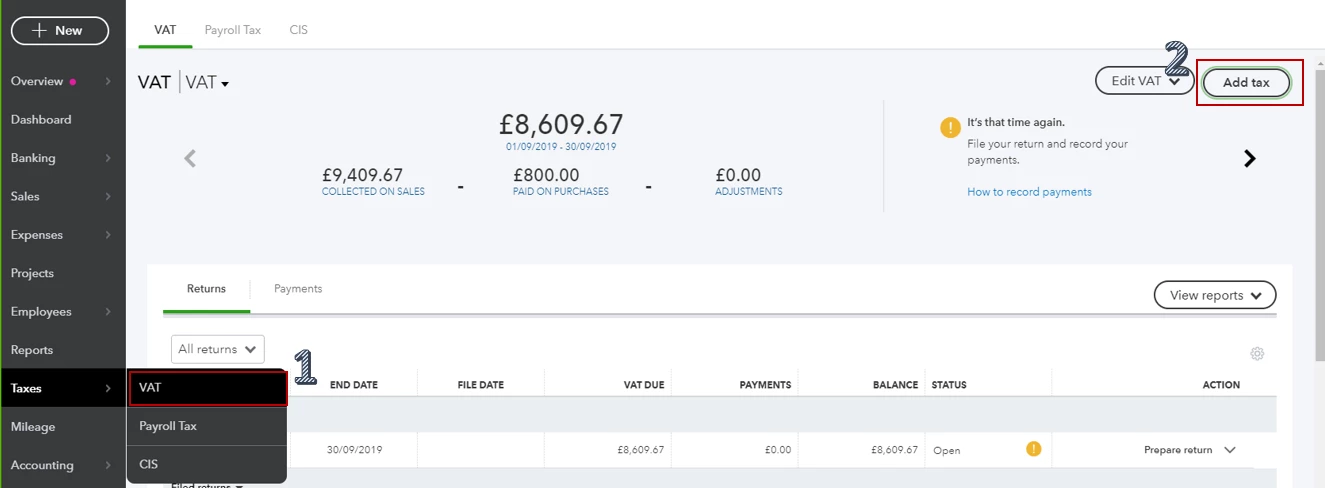
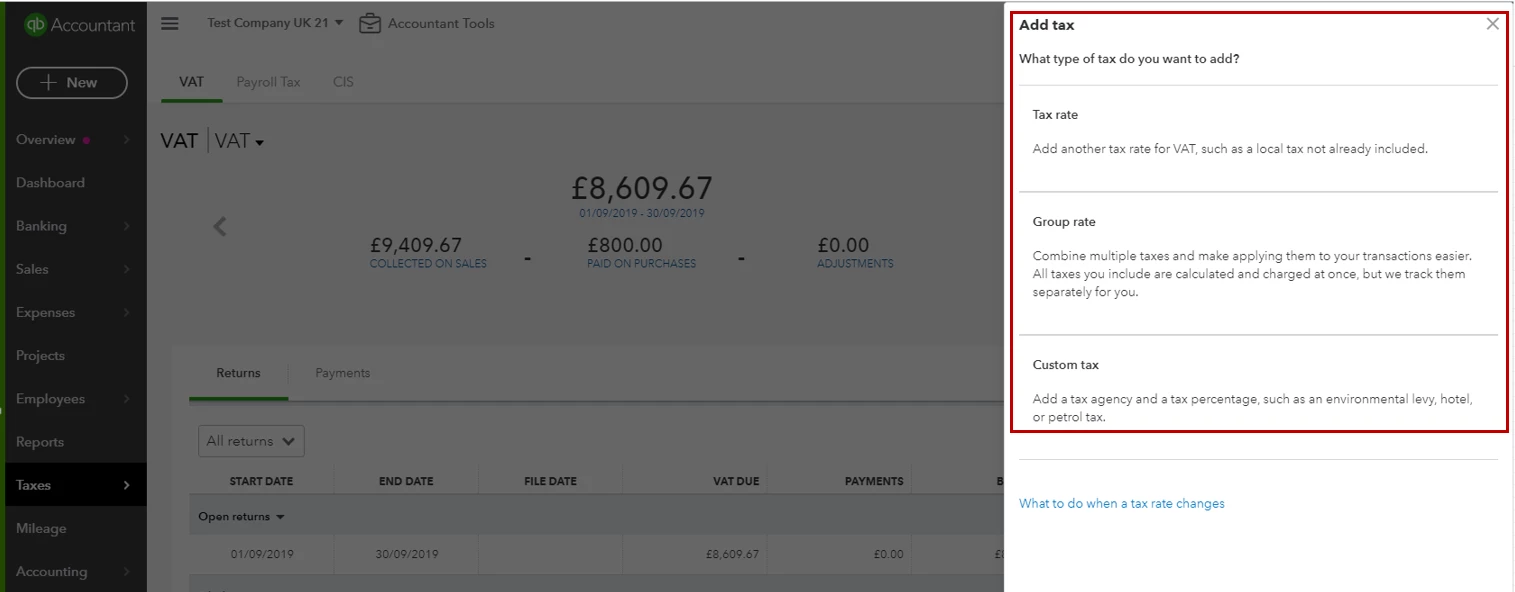
For your guide about adding tax code in QBO, you can follow these steps:
For additional reference about VAT settings and codes, check out these articles:
Leave a comment below if you have any other questions. I'm more than happy to help. Have a good day!
Enter your E-mail address. We'll send you an e-mail with instructions to reset your password.