November 22, 2020
Solved

I am registered for the flat rate vat scheme need to claim back vat on a capital purchase over £2000, how do i record that in QB so vat is reclaimed on vat return?

  • November 22, 2020
  • 1 reply
  • 0 views
Original commenter did not share additional details

Best answer by JenoP

I'll help you make sure that the purchase is recorded accurately so you can reclaim this when filing your VAT Return, jo59.


First, you need to set up the Flat Rate Scheme in your account. Here's how:


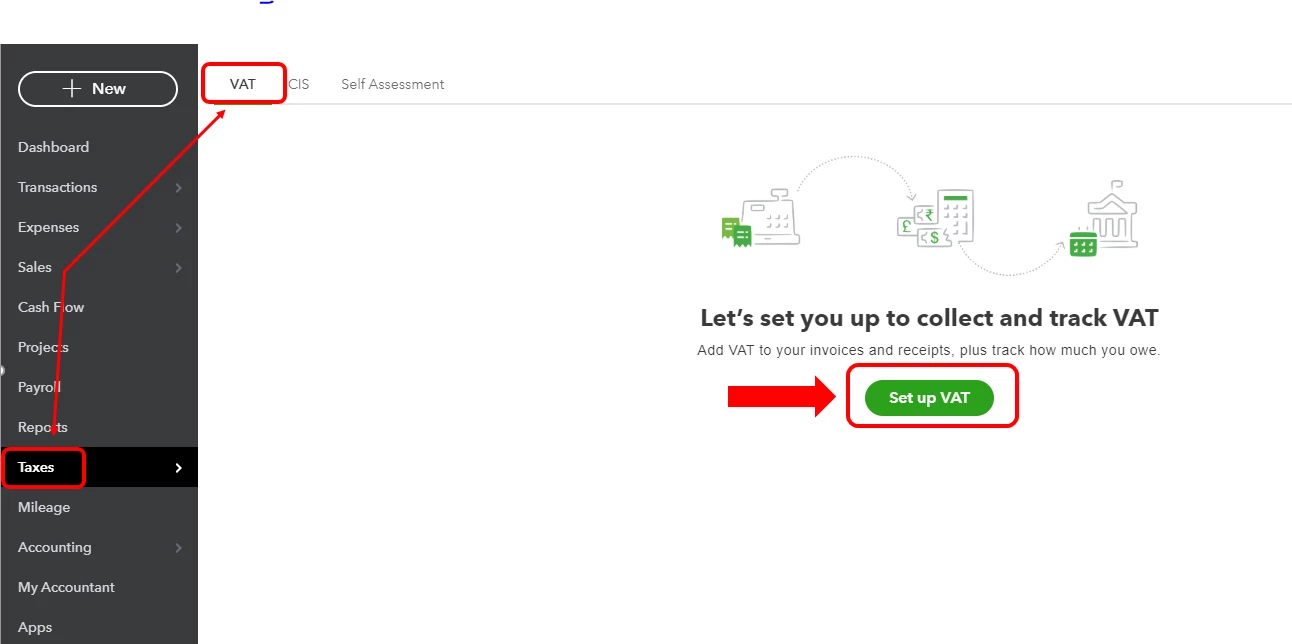
  1. Go to the Taxes menu and select VAT.
  2. Click Set up VAT.
  3. Enter all required details.
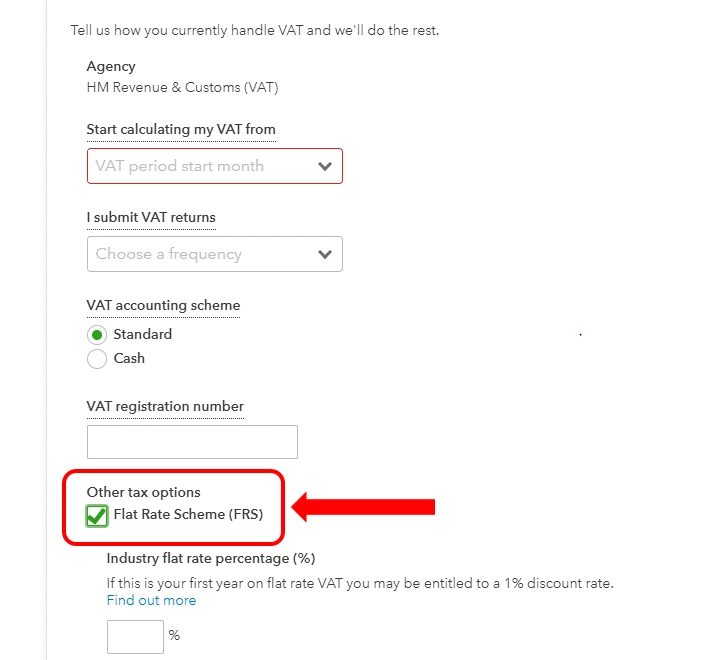
  4. Check the box for Flat Rate Scheme (FRS).
  5. Enter a rate and Tax Registration date.
  6. Click Next, then click OK.

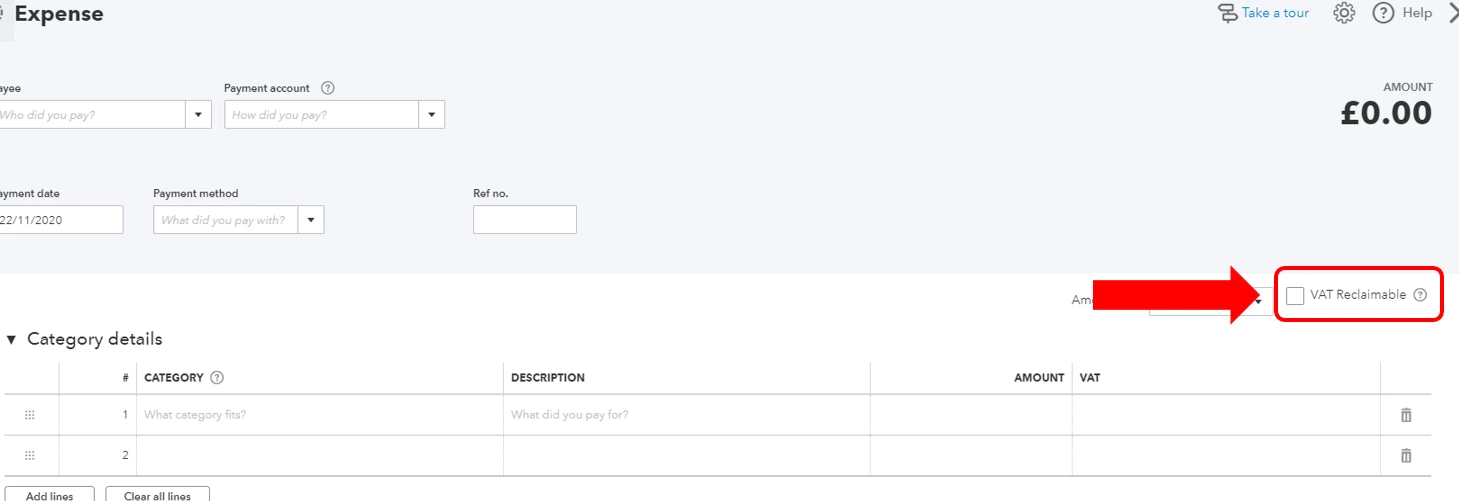
Second, you will see a check box for VAT Reclaimable when creating a bill or expense transaction to record the capital purchase. The reclaimed amount will be reported automatically in Box 4 of your VAT Detail Report.


You can also check out these articles for more details:


Feel free to check out this guide as well on how to submit your VAT return in QBO: Submit A VAT Return In QuickBooks Online.


The Community is always here if you need more help when tracking your VAT amounts. 
 

1 reply

JenoP
JenoPAnswer
November 22, 2020

I'll help you make sure that the purchase is recorded accurately so you can reclaim this when filing your VAT Return, jo59.


First, you need to set up the Flat Rate Scheme in your account. Here's how:


  1. Go to the Taxes menu and select VAT.
  2. Click Set up VAT.
  3. Enter all required details.
  4. Check the box for Flat Rate Scheme (FRS).
  5. Enter a rate and Tax Registration date.
  6. Click Next, then click OK.

Second, you will see a check box for VAT Reclaimable when creating a bill or expense transaction to record the capital purchase. The reclaimed amount will be reported automatically in Box 4 of your VAT Detail Report.


You can also check out these articles for more details:


Feel free to check out this guide as well on how to submit your VAT return in QBO: Submit A VAT Return In QuickBooks Online.


The Community is always here if you need more help when tracking your VAT amounts.