June 19, 2019
Solved

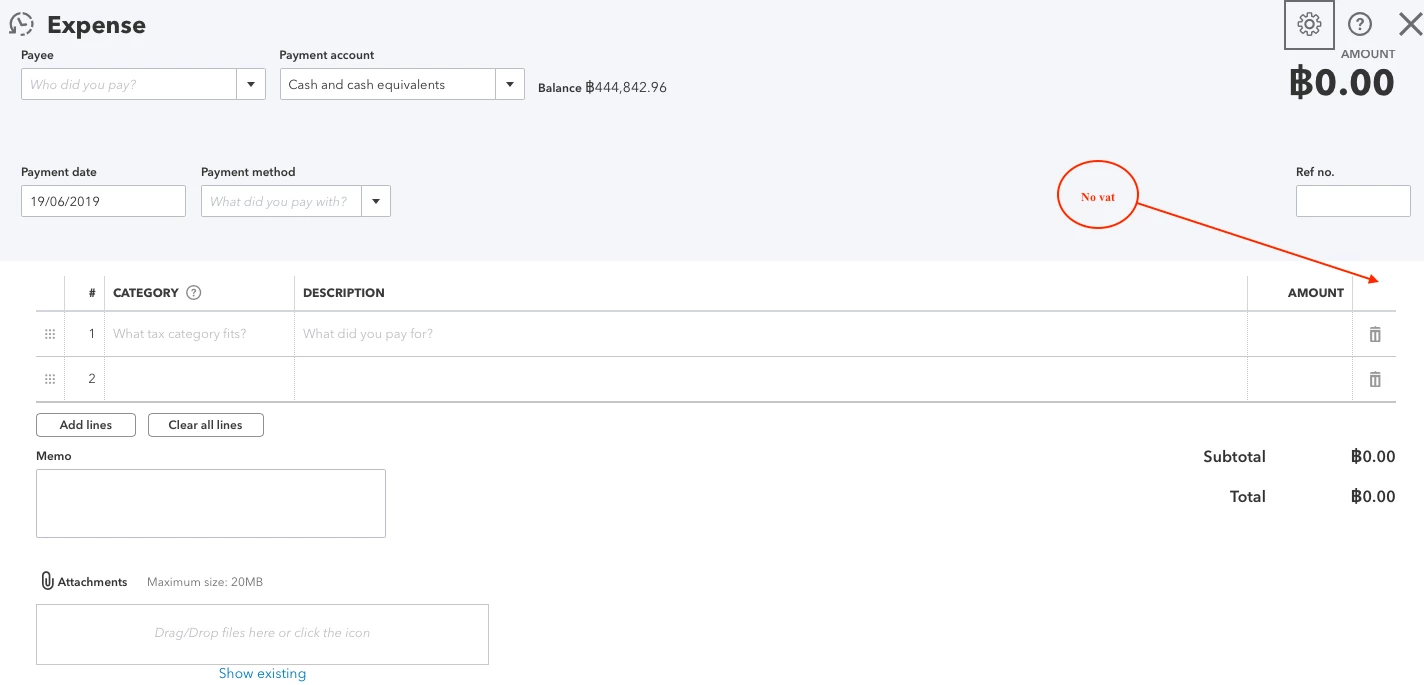
I can't add the vat in expenses.

  • June 19, 2019
  • 1 reply
  • 0 views

I can't see it


Best answer by Mee1977

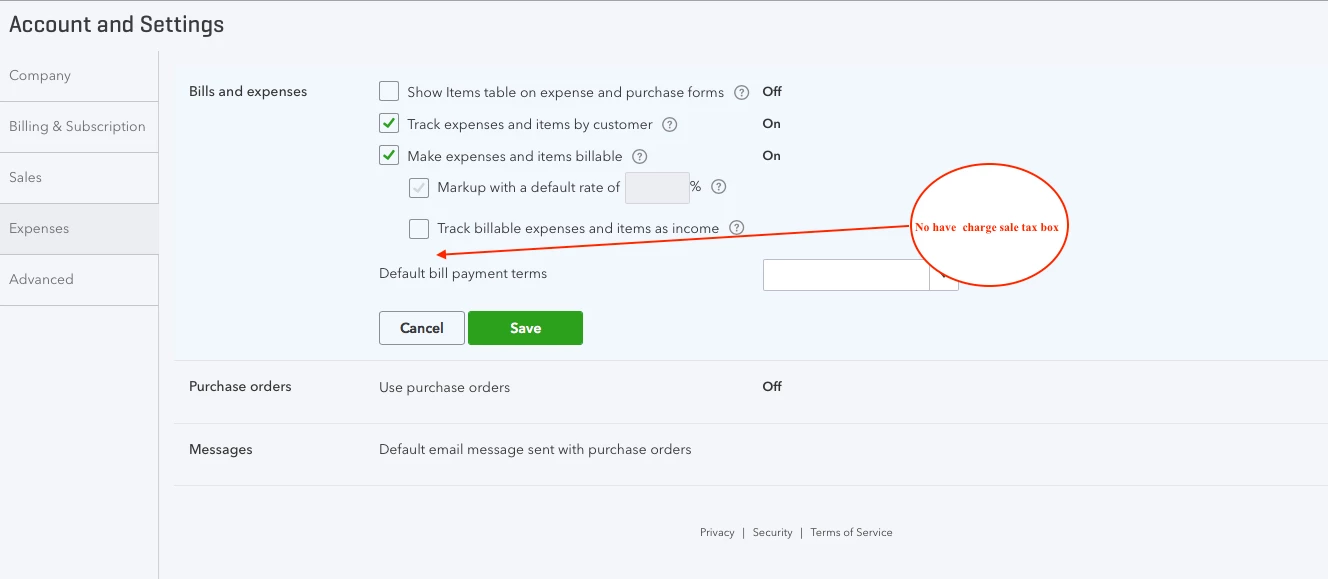
It hasn't charge sale tax box

1 reply

June 19, 2019

Hello Mee1977,


For you to add VAT to your expenses, you'll need to turn on the Make expenses and items billable function. Here's how to do it:

  1. Click the Gear icon in the upper-right corner and select Account and Settings.
  2. Select the Expenses tab and go to the Bills and expenses section.
  3. Mark the Make expenses and items billable box.
  4. Mark the sub-functions if necessary and click Save
  5. When you turn on the said function, it will also turn on the Track expenses and items by customer function. 
  6. Choose OK and click Done.

After that, you can now add VAT when creating the expense transaction. 


I'll get back to you if you need more help with this.

Mee1977AuthorAnswer
June 19, 2019

It hasn't charge sale tax box

June 19, 2019

Thanks for getting back to me, Mee1977.


I've already updated the screenshot to be specific for UK region users. 

The Charge Sales Tax box is only available for US region users.


Assuming that you've already set up VAT, you should be able to enter it after following the steps I provided earlier.

If you still need to set up VAT, you can use this article for reference: Set Up and Edit VAT Settings, VAT Codes and VAT Rates.


Let me know if you need anything else.