

December 2, 2021
Question

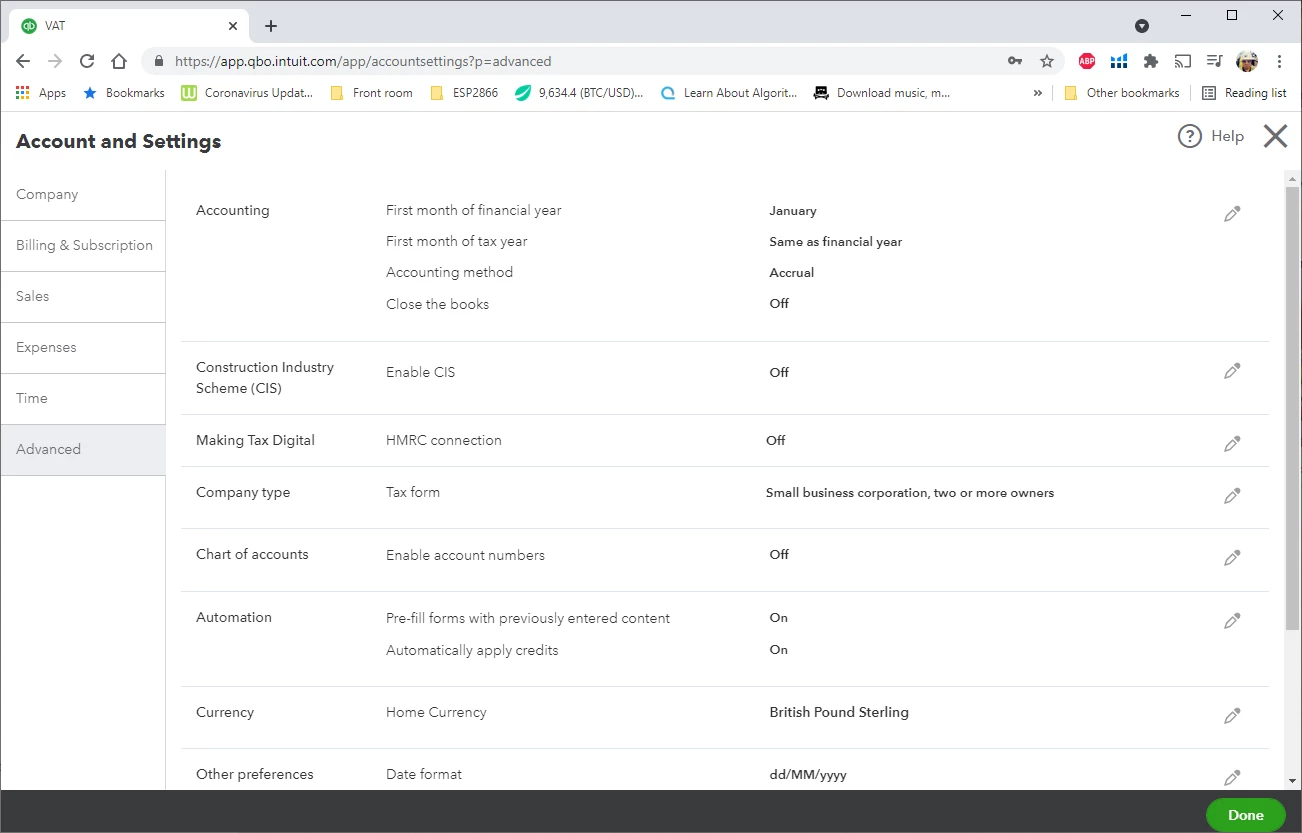
My Default Tax Rate Selection option is missing

  • December 2, 2021
  • 1 reply
  • 0 views

I have a small company that operates below the VAT threshold. I want to set up my VAT rate to 'No VAT' and after reading many articles they all tell me to go in to advanced settings and to set the Default Tax Rate selection box in Accounting to be 'No VAT'. However when I go into the settings this option does not exist for me! What do I do?
1 reply

December 3, 2021

Welcome to the Community, Sibzor.


I'd like to share some information about default sales tax settings in QuickBooks Online.


To change the default sales tax rate, make sure you're logged in as admin in the account. That said, it's possible that you only have limited access to the account and the reason why you can't change the default sales tax rate.


Here's an article for more information about the different users: User roles and access rights in QuickBooks Online.


If you're already the admin but still don't have the option to change the default sales tax rate, we can try some troubleshooting steps to check for possible browsing issues. We start by accessing your QuickBooks Online account through a private window for browsers.


These are the keyboard shortcuts that you can use to open a private window for browsers:


  • For Google Chrome and Microsoft Edge - press CTRL + Shift +  N.
  • For Internet Explorer or Firefox - press Ctrl + Shift + P.
  • For Safari - hold down Command + Shift + N.


If it works and you're able to change the default sales tax rate, you can go back to your regular browsing window and clear your browser's cache. This removes unnecessary files from the browser which causes odd behaviors.


Let me know how it goes by clicking the reply button below. I'll be around if you need help. Have a nice day!

SibzorAuthor
December 3, 2021

Hi Archie_B,


I have logged in in incognito mode and the setting is still missing.


By the way, I am new to Quickbooks, so I there is only myself who has an account and I dont remember playing around with any admin settings. I added my accountant, but that is all.


December 3, 2021

Thanks for getting back to us Sibzor, the VAT settings will only appear once VAT has been activated on the account, this is done by selecting the 'Taxes' tab on the main left-hand navigation menu and completing the required fields on the pop-up window. When you select the Taxes tab, are you directed to compete this?