Tags are our awesome new customizable labels that can be used to track your invoices, expenses, and bills, and get insight into how your business is doing. I love that you want to make use of this cool new feature in QuickBooks Online. Let me show you how.
To turn on the new Tags feature, please follow these steps:
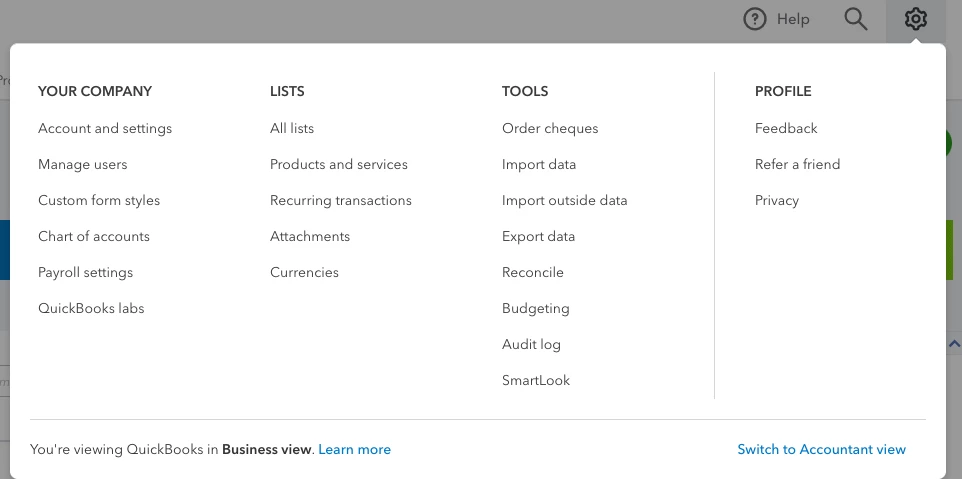
Navigate to the Gear icon.
Choose QuickBooks labs under the Your Company header.
Find the section for Tags and turn the switch to the right to the ON position.
Hit Done.
Navigate back to the Gear icon.
Look for your new Tags option within the Lists header.
I'm confident that this will have you set and ready to use tags in no time. I want to share a few great articles that'll help you get started: