Solved
Can I change who reconciled an account on the reconcilement report?
I need to change the email address that is showing up on the Reconciliation Report. It is from a previous manager.


I appreciate you for sharing a screenshot of the details you'd like to modify, ed.cottle45. I'm here to provide the steps to update the Reconciled by section.
The email address that is shown in the Reconciled by field can be edited in the Manage users window. It is the name used by the person who reconciled the account. I've added the steps below to change it:
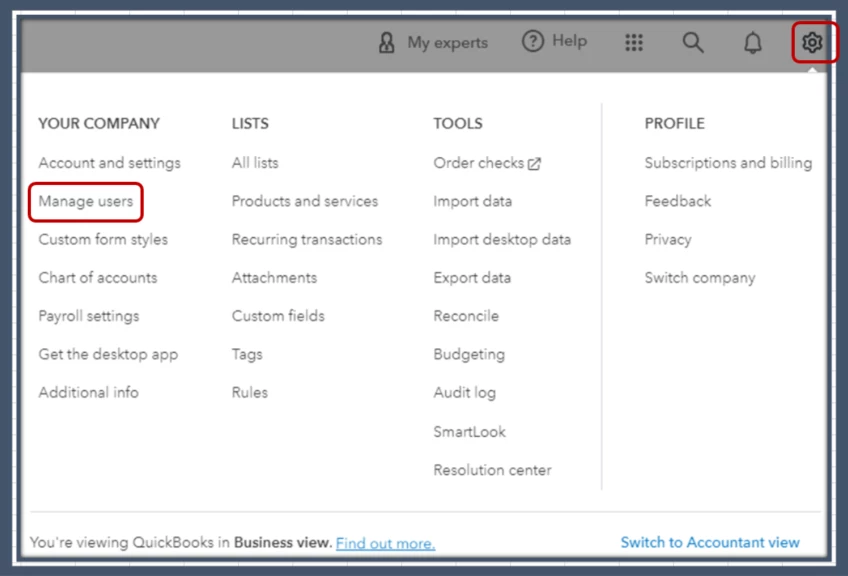
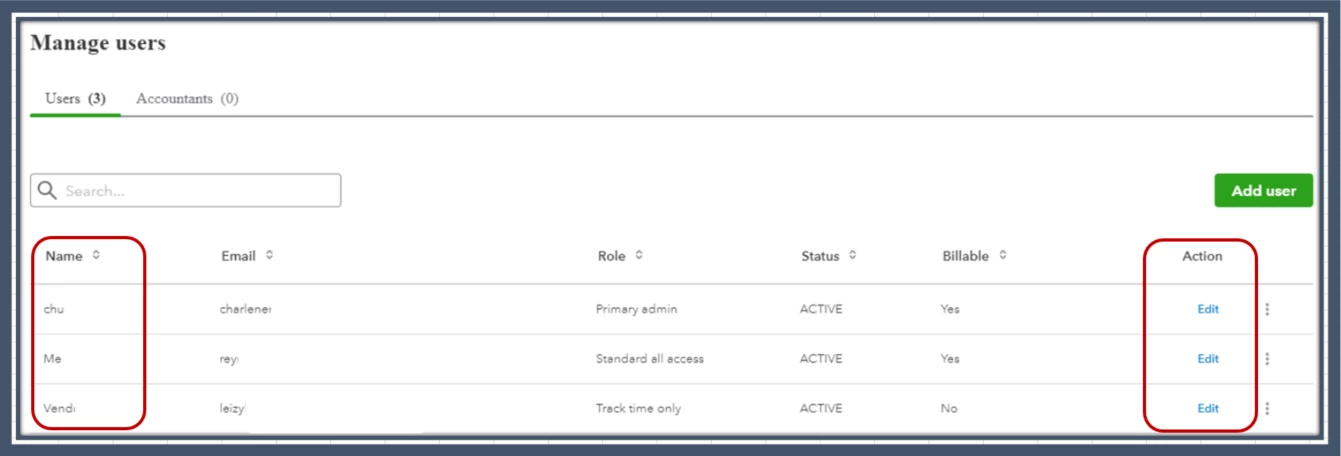
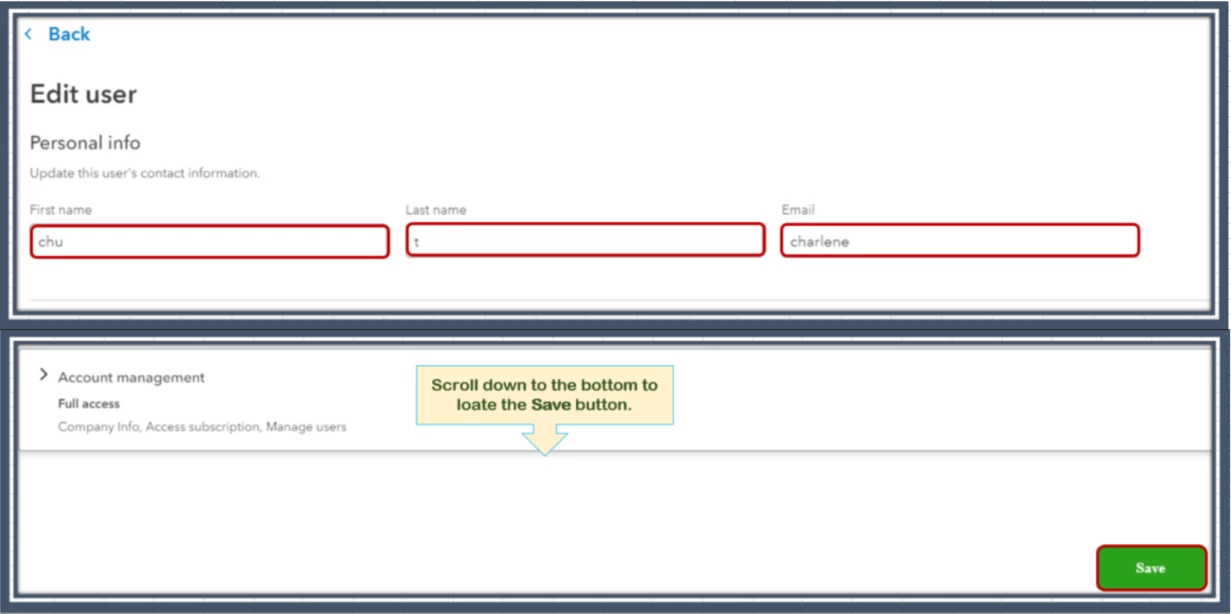
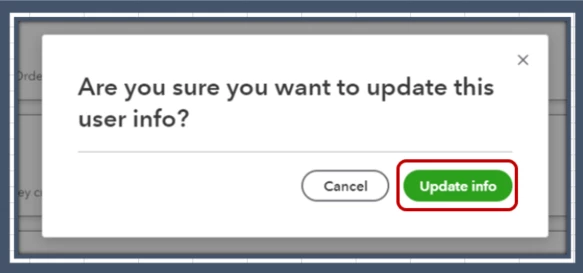
Once done, refresh the page to make sure the changes are applied. Then, pull up the Reconciliation report to check if the details have been changed.
Additionally, we've deleted the image you provided to keep your info secure. Your security is our utmost priority.
Finally, I've added this resource to help you determine how to save a copy of the report: View, Print, or Export a Reconciliation Report.
Please keep me posted on how it goes, ed.cottle45. My main goal is to ensure I can provide all the assistance you need.
Enter your E-mail address. We'll send you an e-mail with instructions to reset your password.