Solved
Can I have a report that shows sales by customer and product ?
Original commenter did not share additional details


Yes, you can, @ascal-levy.
We can customize the Sales by Customer Detail report to view the product and service that were sold to your customers. Let me show you how:
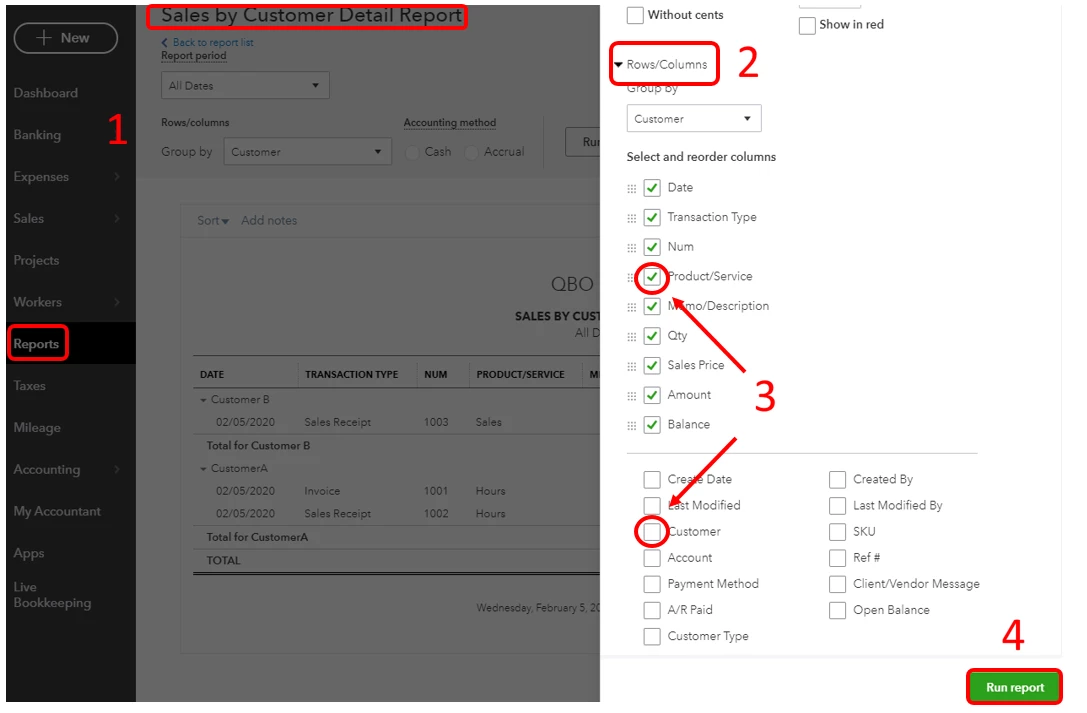
If you don't want to use the existing report groups in QuickBooks, you can add a new one and use it for saving memorized reports.
I'm always here to help if you have any other concerns or questions in customizing your reports in QuickBooks. Just tag my name in the comment section and I'll get back to you as soon as I can.
Enter your E-mail address. We'll send you an e-mail with instructions to reset your password.