


Can no longer send invoices using Gmail/G Suite account
Hello everyone,
I hope that you and your families are all well, healthy and safe in this craziness we're all going through!
I have QB 2018 premier edition and have been using the email feature with my G Suite account (same as Gmail settings) which had worked great for years even in previous version of QB.
Today I tried to send out an invoice and got a login window (as I sometimes did before) but it looked a bit different.
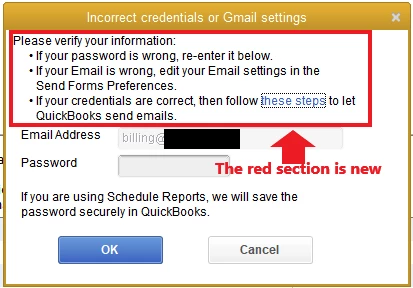
I entered my password as usual but kept getting the above window. I know I had the right credentials so I then clicked on the "these steps" link which just brought me to the GSuite/Gmail "less secure" configuration explanation for APPS which is not my case.
I suspected that this was because G Suite is no longer letting me connect less securely via the email configurations in QB. so I then went into the email settings in QB and selected the more secure way to connect.
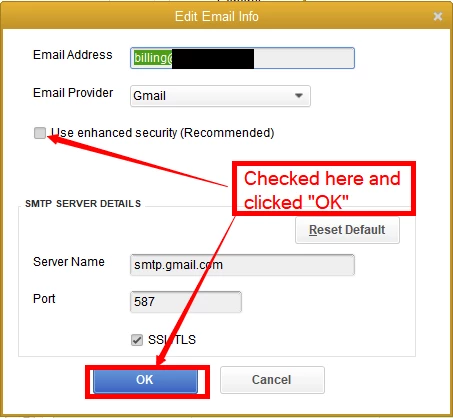 then the login window appeared but I could not change the email address in the "login" ( one was already filled in) window that popped up. I've tried every way to china to change it without success and even went to the account section to do it and no luck.
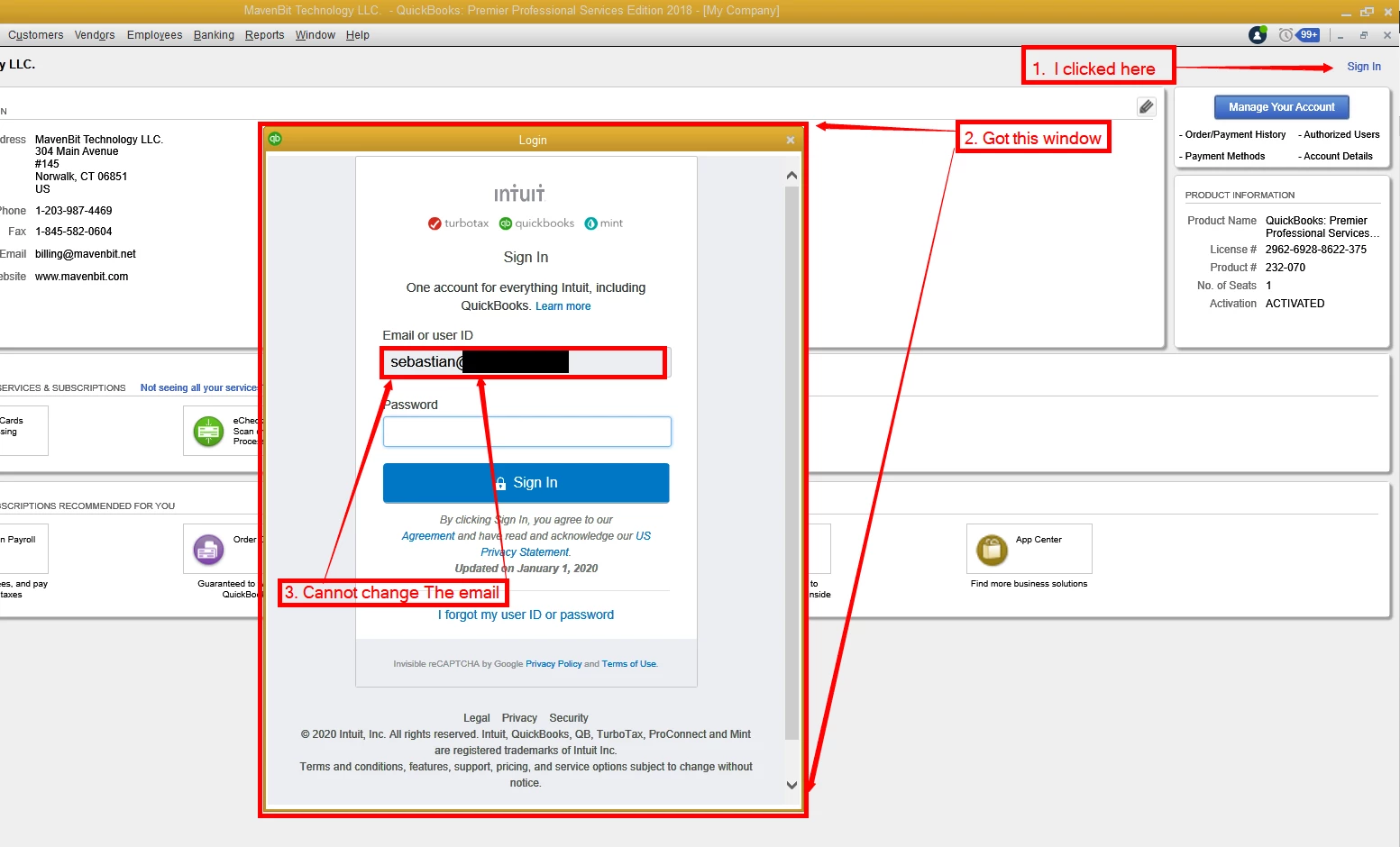
I have no idea where the software is pulling the account (email) in the window from. It is a legitimate email address but not the one used in QB (QB ID). I suspect it's the email I used to originally register the software but cannot tell for sure since it's a while back.
Can someone please let me know how I can change the email to the correct one so I can start using the more secure way to send out my invoices?
Thank you for your help, it's much appreciated!!
Stay safe out there!
Seb