I'm here to share some details about deleting jobs in QuickBooks, denisf.
There isn't an option to directly delete a job. The only way to remove it is by deleting the transactions linked to them or converting them as customers. Though, this will affect your checking account. Before doing so, I'd suggest securing a backup file.
If you'd like to delete the transactions, I'd suggest following the steps below.
- Delete the transactions linked to your jobs.
- Then, go to the Customers menu and then select Customer Center.
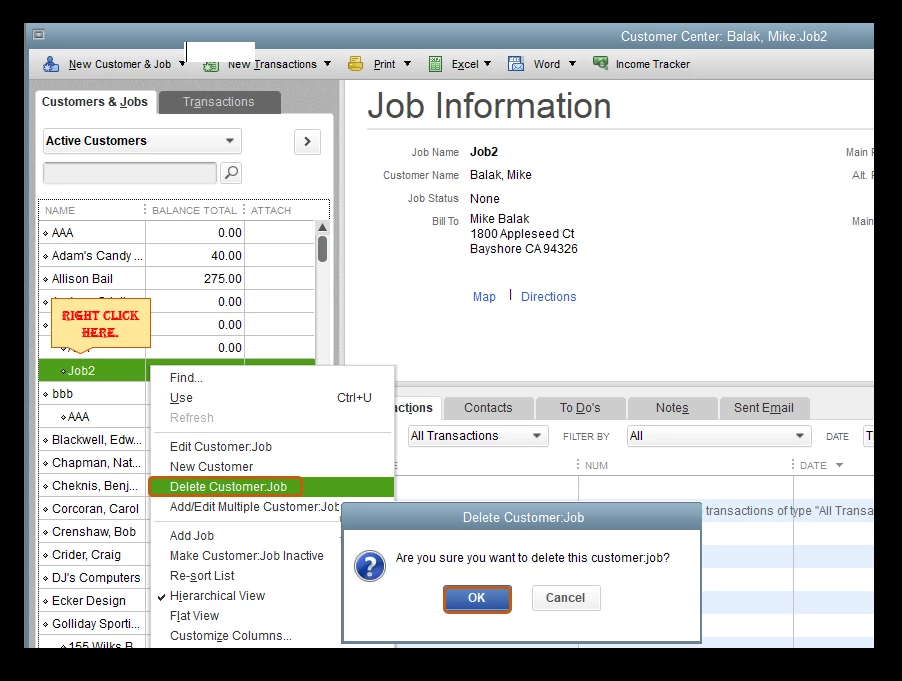
- Locate the name of the job you'd like to delete.
- Right-click the name, then select Delete Customer:Job.
- Once done, click on OK.
If you'd like to convert your jobs as customers, I'll gladly show you how.
- From the Customers menu, select Customer Center.
- Locate the job you'd like to convert.
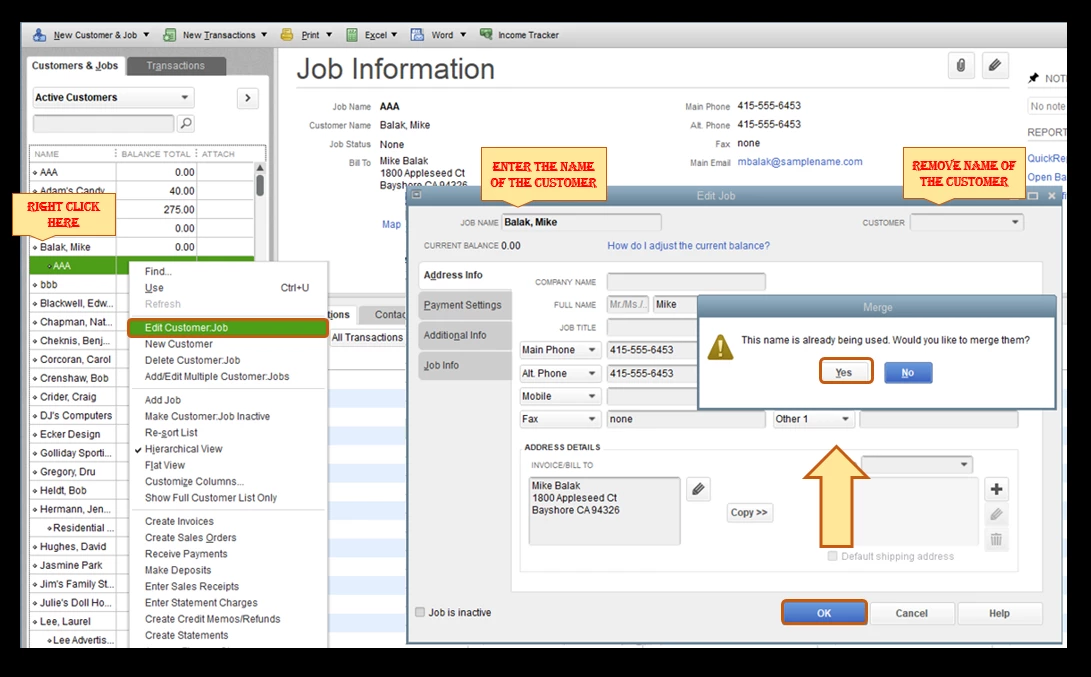
- Right-click the name, then click Edit Customer:Job.
- Enter the customer name in the Job name filed.
- On the Customer field, remove the name of the customer.
- Once done, click on Ok.
- On the pop-up message, click Yes.
Additionally, you can run and personalize reports in QuickBooks. This helps you focus on the information that matters most to your business: Customize Customer, Job, and Sales Reports.
I'm only a few clicks away if you need assistance with your other QuickBooks tasks, denisf. It's always my pleasure to help you out again.
@CharleneMaeF
RE: There isn't an option to directly convert a job to a customer.
Sure there is. There always has been. There are multiple ways. I mentioned one in my previous post on this thread. Another way is right on the customer center: Click and drag the little diamond next to the job to the left and it will become a customer. This has been true since the very beginning of QuickBooks Windows.
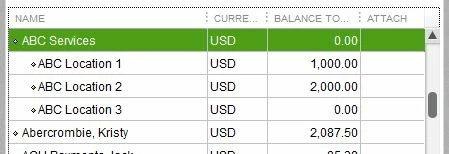
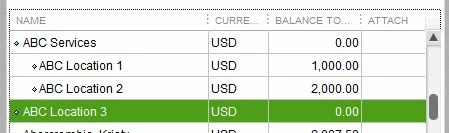
A customer with three Jobs:
Click the diamond next to the Job and drag left:
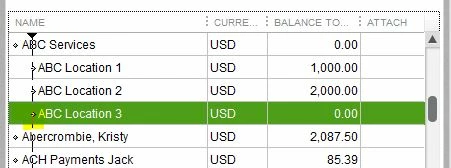
Presto. Now it's a customer:
RE: The only way to remove jobs is by deleting the transactions linked to them.
Not true. There are other options: 1) Change the name on the transactions, 2) Merge the unwanted name away, for a job, perhaps into its customer.
RE: Though, this may affect your checking account.
May? Of course deleting transactions in your bank account will impact its balance. It'll be all screwed up. Deleting old transactions manually in order to delete a Job is an awful idea.
I will note that I was wrong before about the necessary steps. It's even easier to merge a Job into a Customer than I remembered: There's no need to edit and save and then edit again. All you have to do is edit the Job once and save it and it'll be merged into the customer.
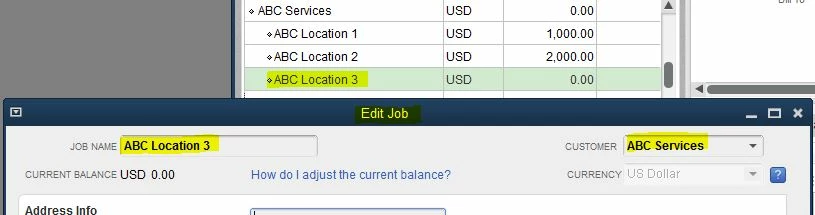
1) Edit the Job, and note the highlighted Fields:
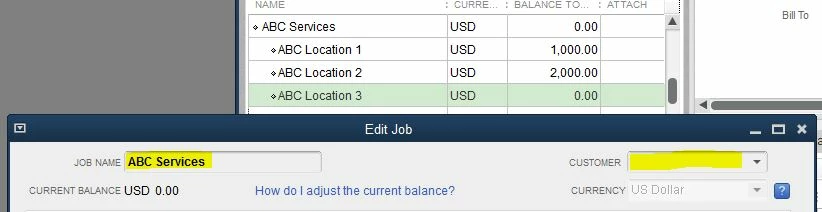
2) Copy the Customer Name field to the Job Name and then clear the customer field:
3) Click OK to save the change. QuickBoooks prompts you and asks if you'd like to merge the names:

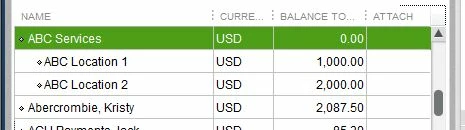
4) Answer Yes and the Job is merged into the Customer:
It has always been this way. How can it be that Intuit doesn't know this?

