Solved
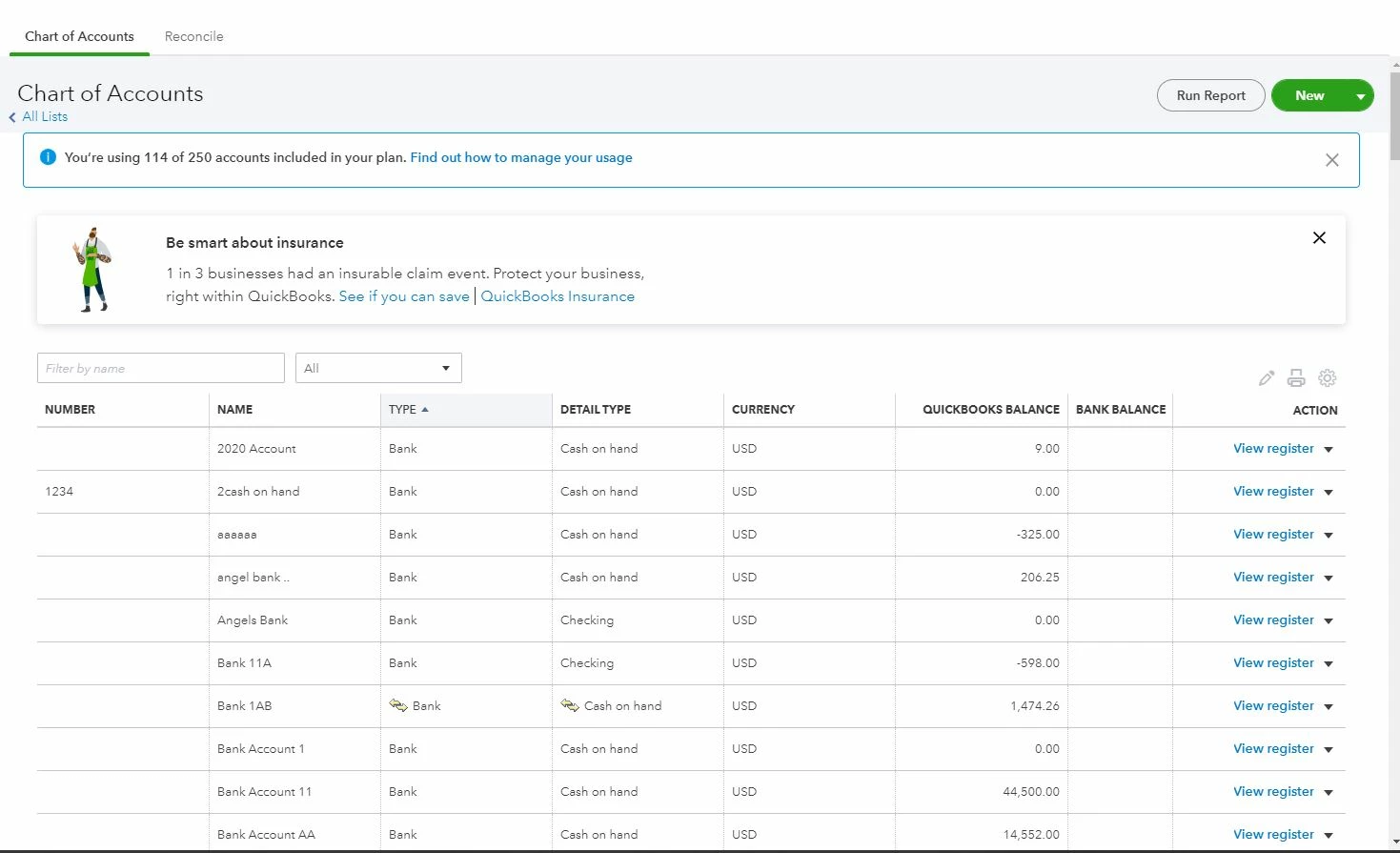
Working on setting up a more detailed Chart of Accounts in QBO. I want to include numbers however when editing the individual account, the number is combined in the Name field as well. When going back into the record, the Name field doesn't show the number. When chatting with the support they explained this is how QBO works and submitting to the engineering team. Does anyone have a workaround besides not using numbers?

Welcome to the Community space, @b54341.
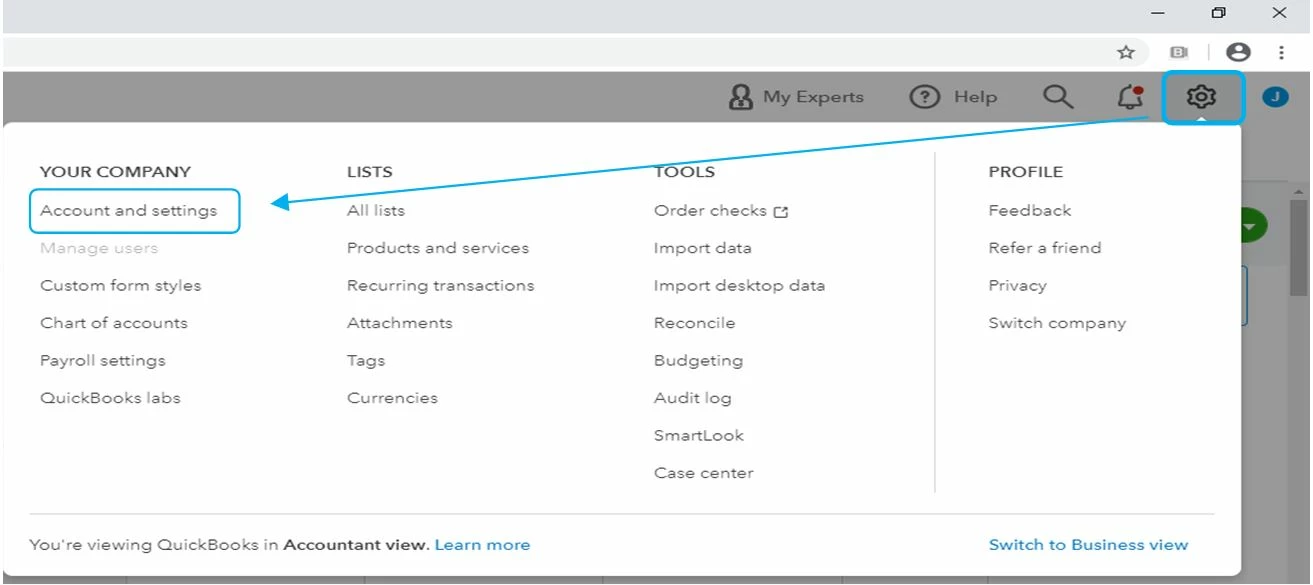
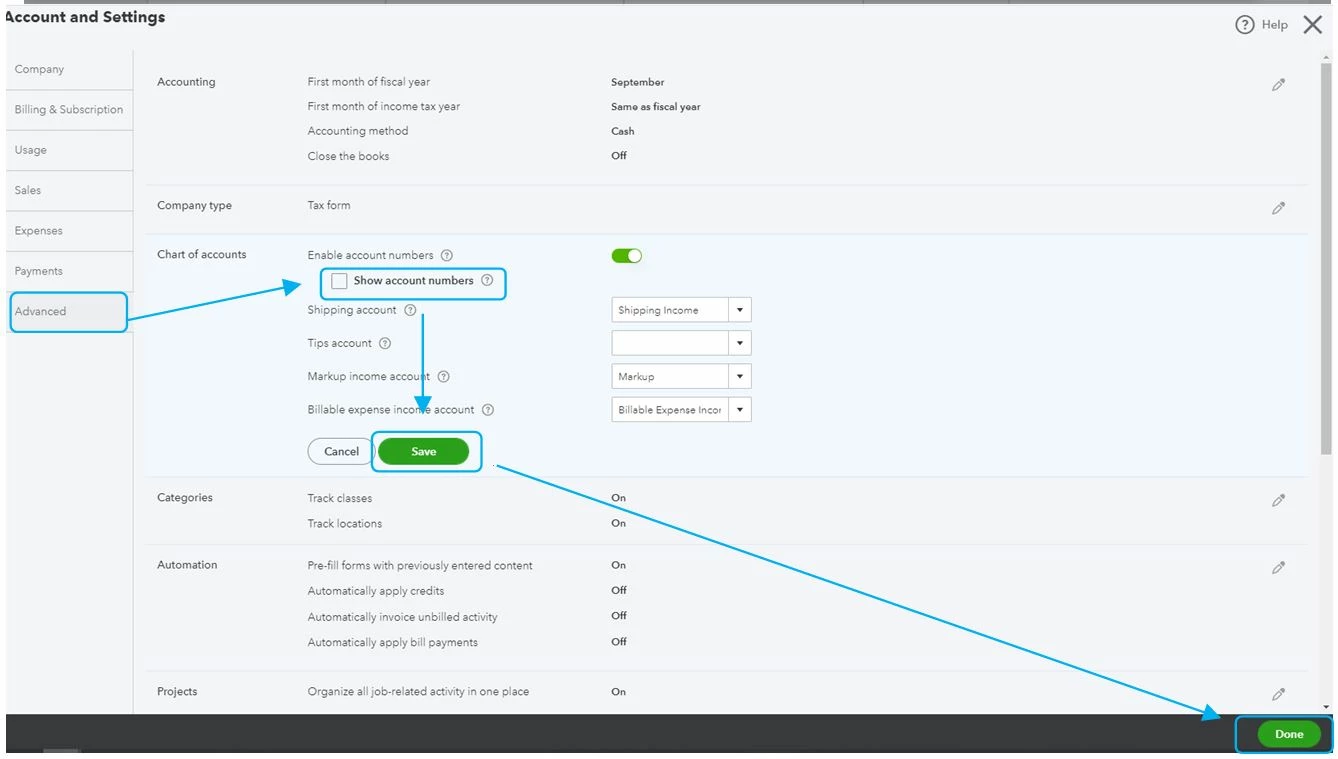
I've got the steps that you need to clear the account number from the Name column. Just uncheck the Show account numbers in the Advanced tab. Let me guide you how:
- Go to the Gear icon and select Accounts and Settings.
- Select the Advanced tab.
- From the Chart of Accounts section, uncheck the Show account numbers box.
- Select Save and Done.


Once done, you can now edit your individual accounts.

As a future reference, you can also check out these articles to keep your chart of accounts organized:
Keep in touch if there's anything I can help you with. I'm always around to provide further assistance. Have a good one.
Enter your E-mail address. We'll send you an e-mail with instructions to reset your password.