Hello, Tembo1.
I'm dropping by to help you change the date periods in your reports.
Changing the closing date (in your Preferences) won't affect the report dates when running reports or creating a budget.
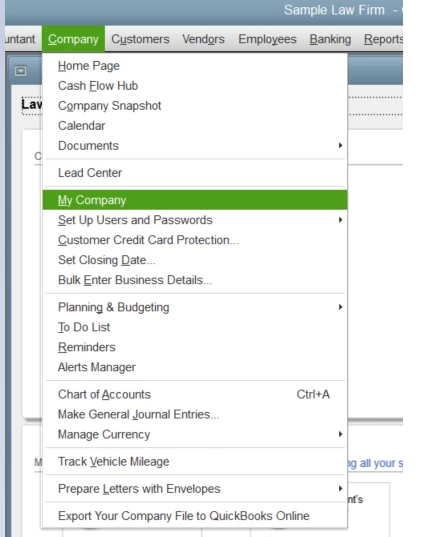
So aside from manually changing the period on your report, we'll want to change the Fiscal Year from the My Company settings. Here's how to do it:
- Go to the Company menu, then select My Company.
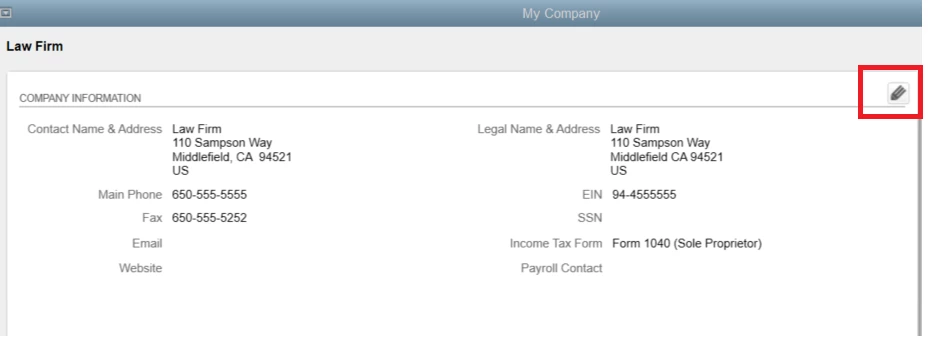
- Click the Pencil icon on the Company Information screen.
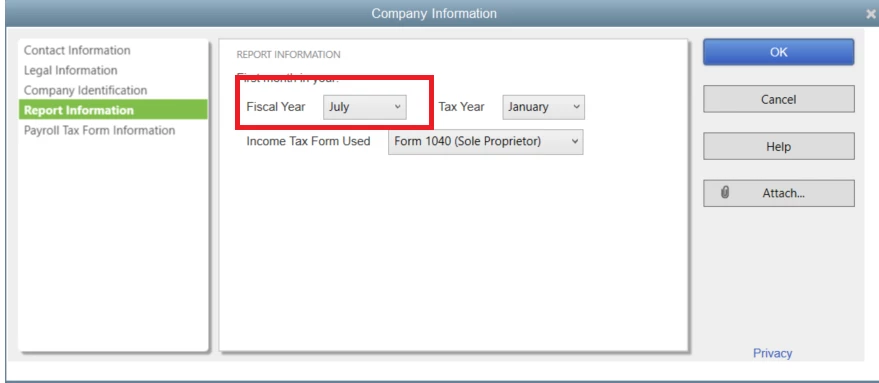
- Go to Report Information.
- Select the month under Fiscal Year (since you want it to end on June 30th, select July).
- Once done, hit OK.
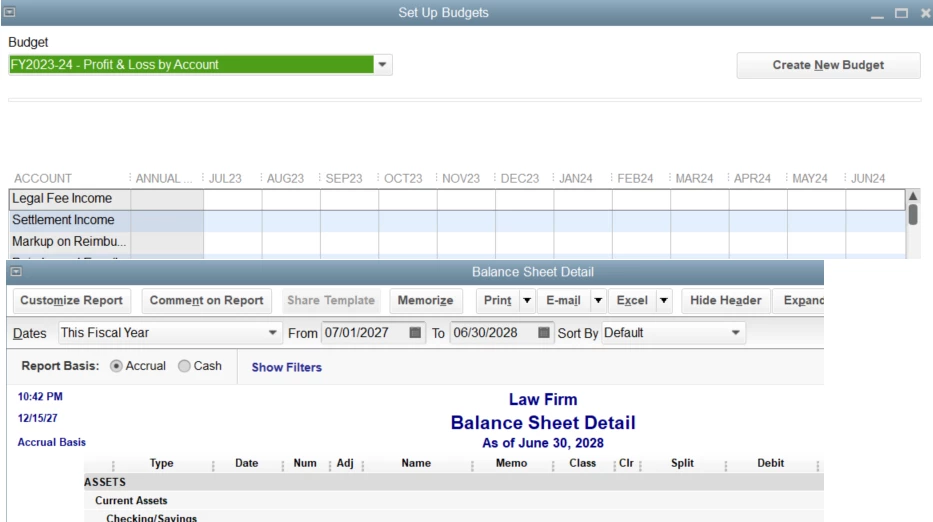
When you create a budget, the dates would show as July 1st to Jun 30th. The same would happen if you set Fiscal Year for the Dates drop-down menu when running reports such as the Balance Sheet.
If you need some supplemental details about the closing dates or closing your books, check out these articles:
If you're ready to create a budget sheet or reconcile your accounts for the current period, I'll add these articles:
Is there anything else you'd like me to assist you with? Let me know and I'll cover topics ranging from reports to your entries. I'm here to help.

