Yes, you can change the received from field on your check, @Erika L. I'll share some steps to ensure that you're able to make any changes to your reconciled transactions.
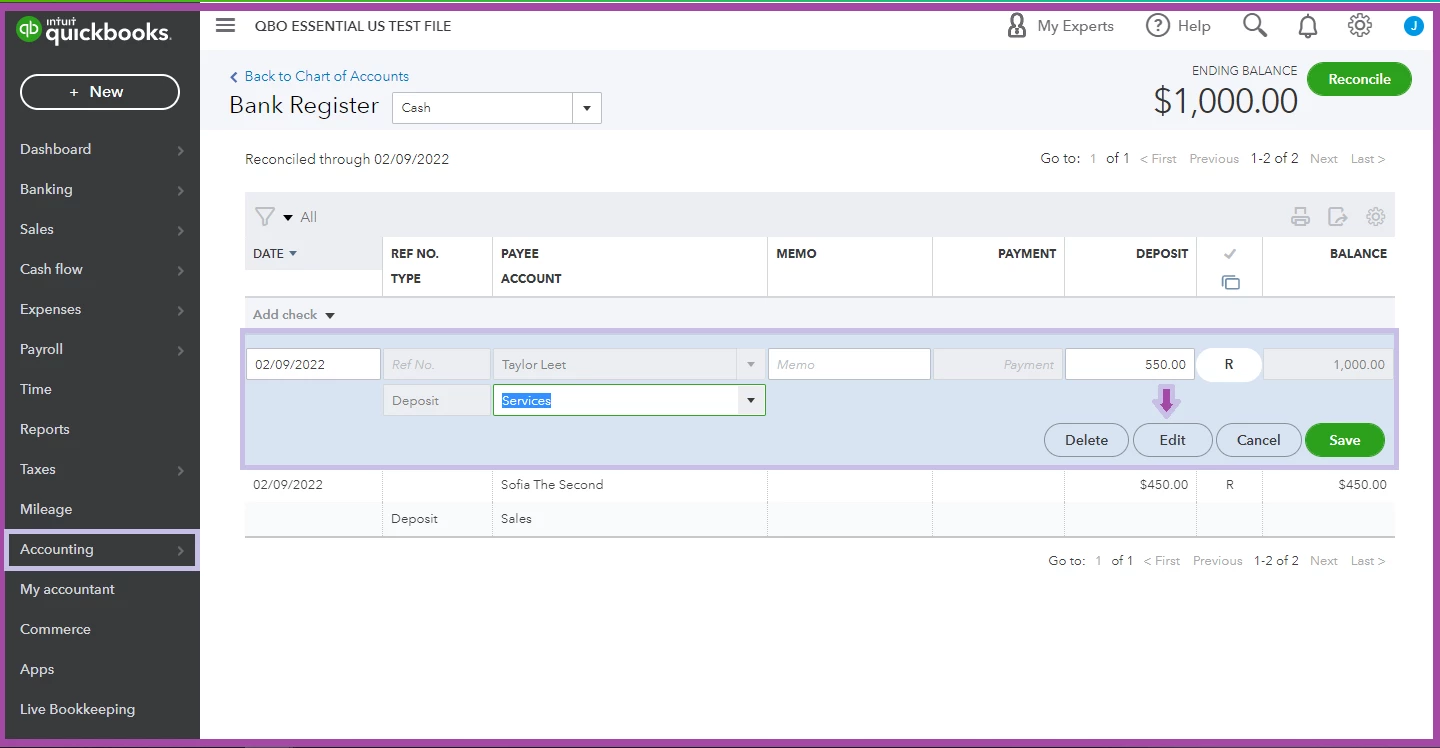
You can look for the reconciled deposit under the Register section. From there, you can then change the entry to the correct customer. Keep in mind that you can edit anytime as long as the Date, Bank account, Amount and Reconcile status remain the same. This won’t cause any discrepancies either.
Here’s how:
- On the left pane, go to the Accounting menu.
- Select Chart of Accounts.
- Look for the correct account of the transaction in question.
- From the Action column, select View register.
- Locate the reconciled deposit and click Edit.
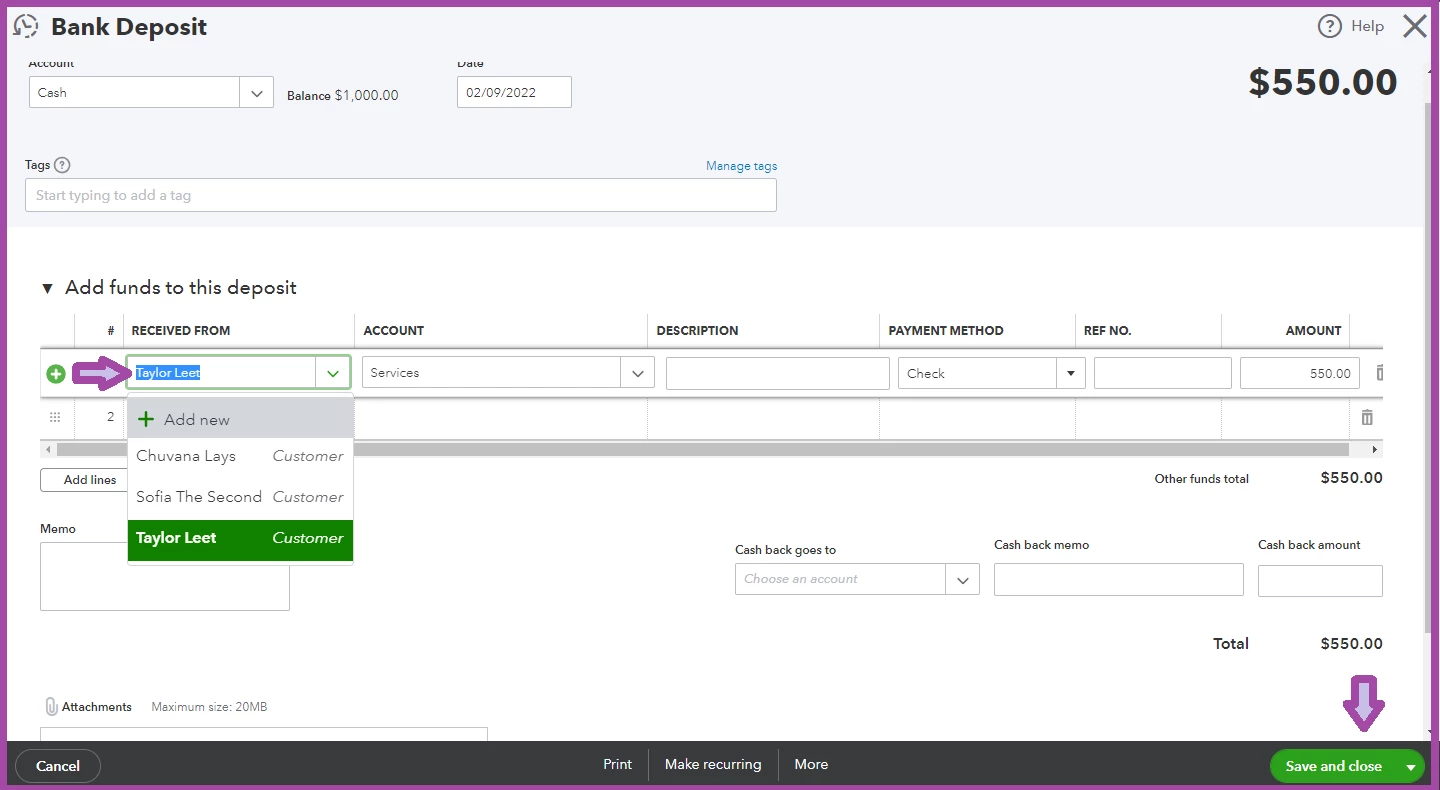
- From the Bank deposit page, edit the received from field to select the correct customer.
- Tap Save and close.
I've added some snapshots below for your reference:
Since you're trying to edit a reconciled deposit, you'll be warned that your modifications can result in an out-of-balance the next time you reconcile. With that, I'd recommend reaching out to your accountant to find out the best action when editing reconciled transactions.
Additionally, you can also find, review, and edit transactions in account registers.
Feel free to use these articles to help you manage your reconciled transactions:
I want to make sure your reconciled deposit concern is fully addressed. Kindly drop me a line if you have any other transaction concerns. I'll be sure to get back to you. Keep safe!

