

December 27, 2020
Solved

Error 213. Duplicate Name Error. Neither Renaming nor Merging fix issue

  • December 27, 2020
  • 1 reply
  • 0 views

I am experiencing this error:

Error 213
Error: Verify Name list. Duplicate name encountered. Name: Mighti USA Records 892 (553) and 891 (554). To fix, edit this element in the list and change its name.
Details: List: 'Name', record name: 'Mighti USA', List: 'Name', record name: 'Mighti USA'

I found "Mighti USA" and renamed one of them to Not Mighty ASU. Ran rebuild and received same error. Next I renamed "Not Might ASU" back to "Mighti USA" - I received a warning about merging the accounts, and merged. When I run Rebuild, I again receive this error.

Unsure how to proceed and would appreciate any insight.
Best answer by kcroy

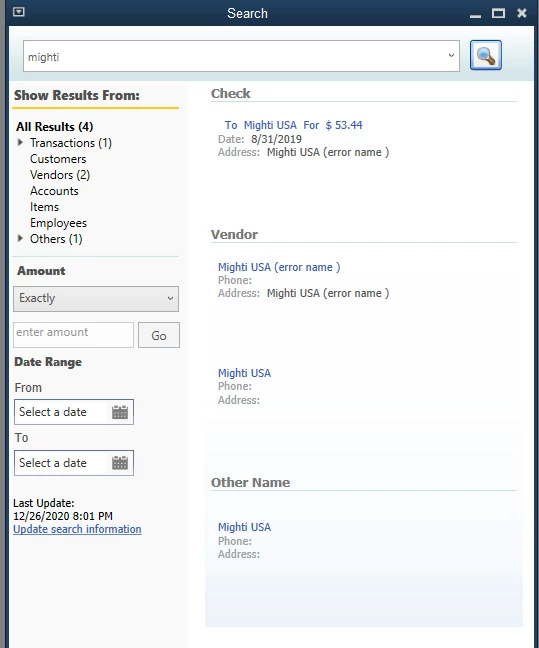
Restarted QB, making sure to run as administrator. Change the payment to this vendor to a dummy account "Nobody". Was able to delete the vendor, and ran the rebuild without error. However a search still brings this up.

1 reply

kcroyAuthorAnswer
December 27, 2020

Restarted QB, making sure to run as administrator. Change the payment to this vendor to a dummy account "Nobody". Was able to delete the vendor, and ran the rebuild without error. However a search still brings this up.

December 27, 2020

Hello there, kcroy.


It's possible that the duplicate name was made inactive. We can review all the lists including the inactive one and edit the inactive name to a different one. Here's how:


  1. Go to the Lists menu and select Item List.
  2. Click the drop-down arrow for the Item tab and check the Show Inactive Items.
  3. Locate if there's a duplicate name for the item. If there is, you can change or delete the name.

However, if there are no duplicates on your inactive items, I'd suggest reaching out to our Desktop Support so they can further isolate this issue. They have useful tools that can help locate and fix this specific error.


Let me know if you have other questions. Take care and have a great day!

kcroyAuthor
December 27, 2020

Yes, I was checking all vendors, not just active. I have already deleted the vendor, changed the transaction that listed their name, and deleted them off the  "Other Name" list but they still show up on search.