

September 4, 2022
Question

Has anyone been able to get rid of popups and login requirements?
  • September 4, 2022
  • 1 reply
  • 0 views

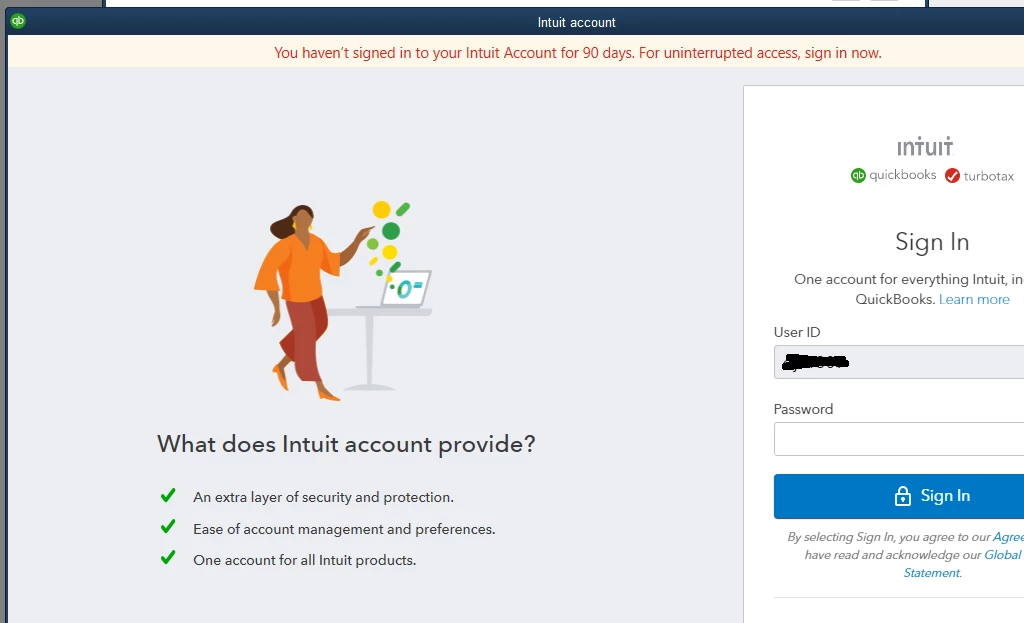
I want to know if ANYONE has been able to get rid of these intrusions when trying to work with Quickbooks. They give 3 reasons for having to sign in - ALL LIES. LIE #1 - "Extra layer of Security and Protection" - How is having my name out on a PUBLIC web site adding a layer of security and protection. Hackers have broken in to the Department of Defense. Breaking into QuickBooks and stealing my information would be a piece of cake in comparison. LIE #2 "Ease of account management and preferences" - My online account does not offer any additional methods to TURN OFF all the popups and sales oriented garbage. "Buy your checks from us", "Try our CC payment", "Sign in for added protection", etc. etc. LIE #3 - I have QuickBooks (Account #1) on my computer. Why do I need a 2nd "account" to get the first account to work?


Can't wait to find a good alternative to Quickbooks. Over the years it has gotten too expensive and too intrusive. Time for a change.

1 reply

Fiat Lux - ASIA
September 4, 2022

@@djc13 wrote:

Can't wait to find a good alternative to Quickbooks. Over the years it has gotten too expensive and too intrusive. Time for a change.


Are you using QBD Pro/Premier? Consider switching to QB Online or another cloud-based accounting app. Purchase a third-party conversion service if needed. Nobody bothers to develop an accounting program to run on an operating system unless it's designed for ERP. Developers are fed up with dealing with cracked licenses.

DivinaMercy_N
September 4, 2022

Hello there, @djc1309. I appreciate you sharing detailed information about the popup login issue you're having. I understand the importance of getting this resolved as soon as possible. That's why I'm here to help you.


In QuickBooks Desktop (QBDT), when a user is logged in with a Windows user account, they must enter their username and password to sign in. The program has improved user experience and security protocols that require account holders to register with Intuit when accessing the company file. To get rid of the login prompts, you can follow these steps:


  1. In your QBDT account, go to the Company menu.
  2. Next, select the My Company option.
  3. From there, log in to your account.
  4. You can save your Primary Admin credentials and will be asked to log in every 180 days.


On the other hand, you can stay logged in to your company file without entering your credentials each time by following the detailed instructions in this article: Stay logged in to the QuickBooks company file (sign in without entering your password).


Additionally, you can also reach out to our Desktop Support Team to look into your account and investigate your concern further. This way, they can provide other solutions to fix this issue.


Please let me know how this goes. I appreciate any updates you can provide. Also, if you have any other QuickBooks concerns, feel free to leave a reply below. I'm just around the corner to lend a hand. Keep safe and have a good one. 

January 3, 2023

I run QB desktop.  I have zero interest in QB online.  I can't find anywhere to remove the intrusive popup trying to get me to use Online.  How do I turn it off?