February 12, 2020
Solved

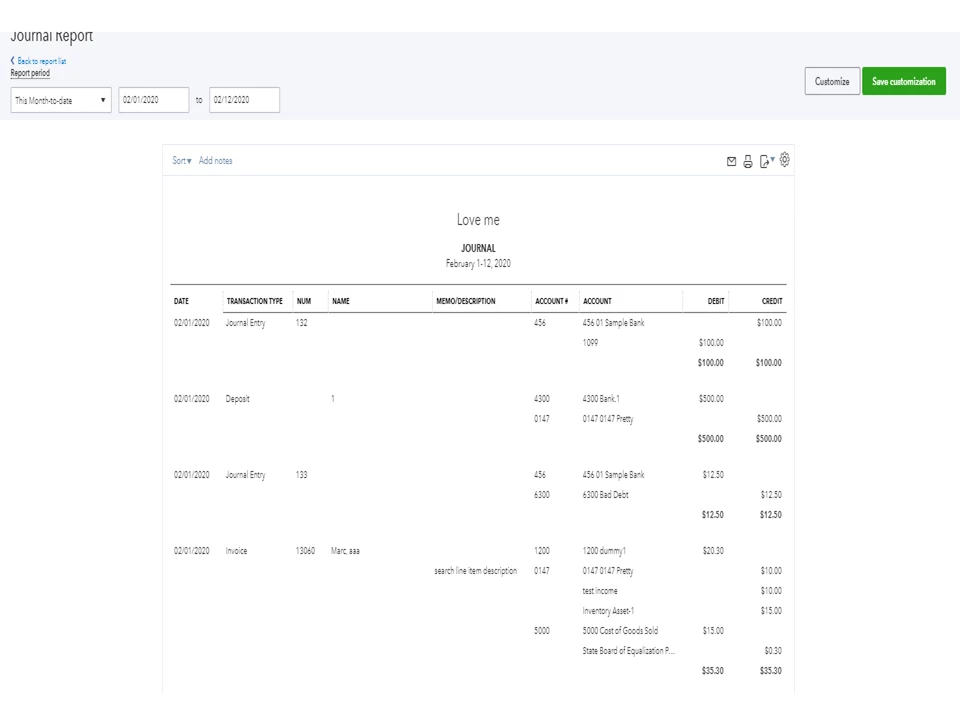
How do you print of journal entry report to include the account no and description in the report?

  • February 12, 2020
  • 1 reply
  • 0 views
Original commenter did not share additional details

Best answer by Rasa-LilaM

It’s great to see you in the Online Community, sweilers5.


Let’s use the Customize feature to include the account number and description in the report. This process can be done with just a few clicks.
 
Here’s how:          
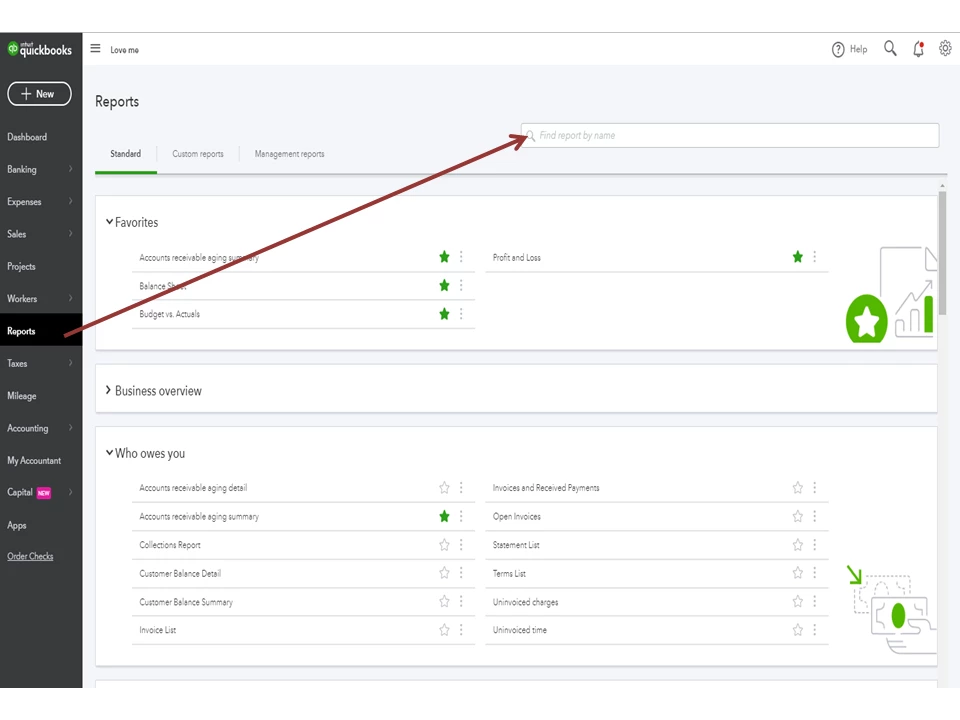
       

  1. Go to the Reports tab on the left panel to enter Journal in the Find report by the name field.
  2. This will open the Journal Report page.
  3. From the Report period drop-down, select the correct date range and then tap the Customize menu in the upper right corner.
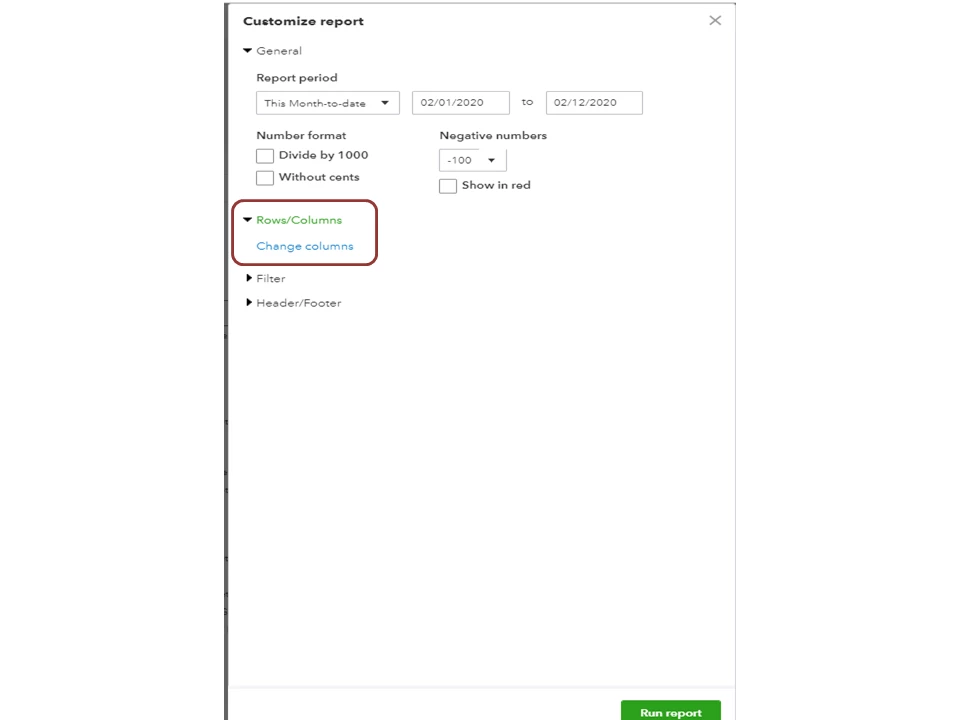
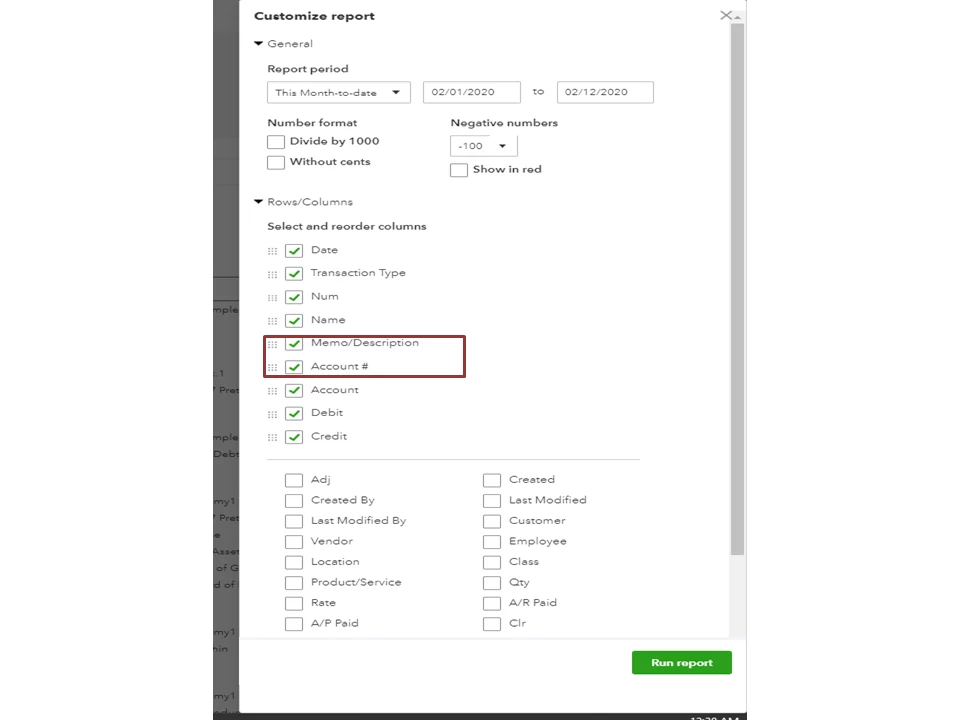
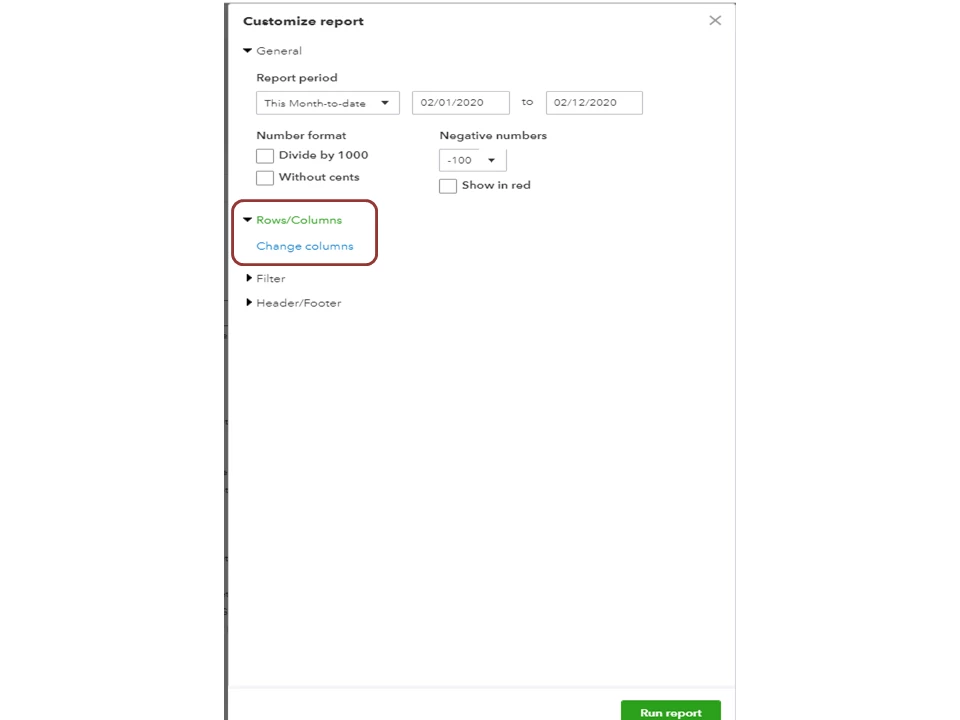
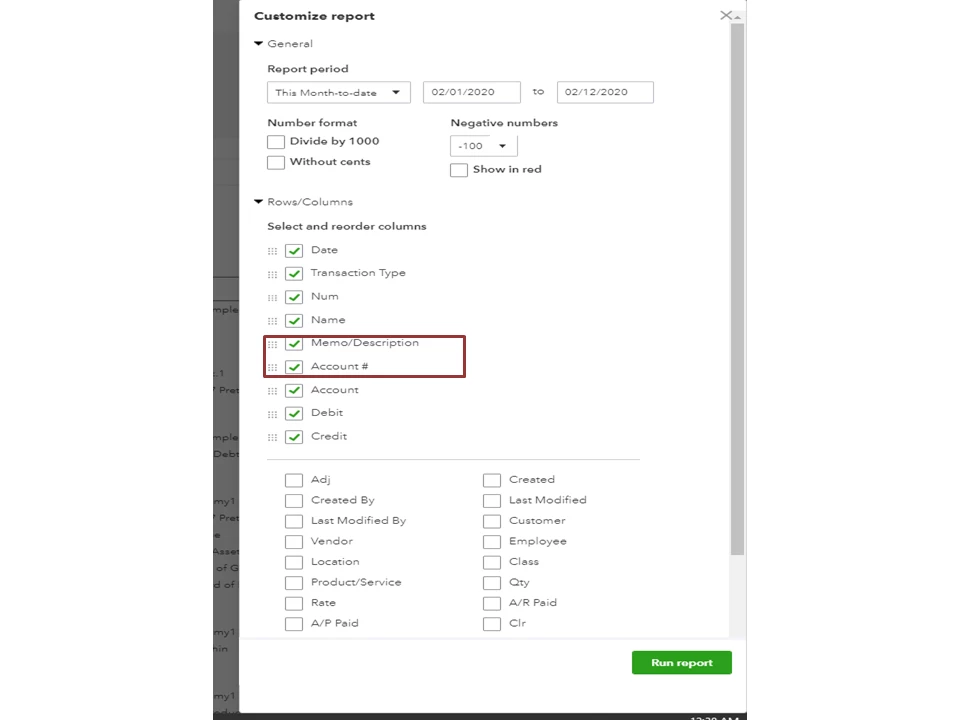
  4. In the Customize report window, choose Rows/Columns to display the Change columns link and then click on it to mark the following boxes: Memo/Description and Account #.

  5. Click Run Report to view the changes.

 
For additional resources on how to tailor the information displayed on the report, check out this article: Customize reports in QuickBooks Online.


If there’s anything else I can help you with, leave a comment below. I’ll be right here to assist further. Enjoy the rest of the day.

1 reply

February 12, 2020

It’s great to see you in the Online Community, sweilers5.


Let’s use the Customize feature to include the account number and description in the report. This process can be done with just a few clicks.
 
Here’s how:          
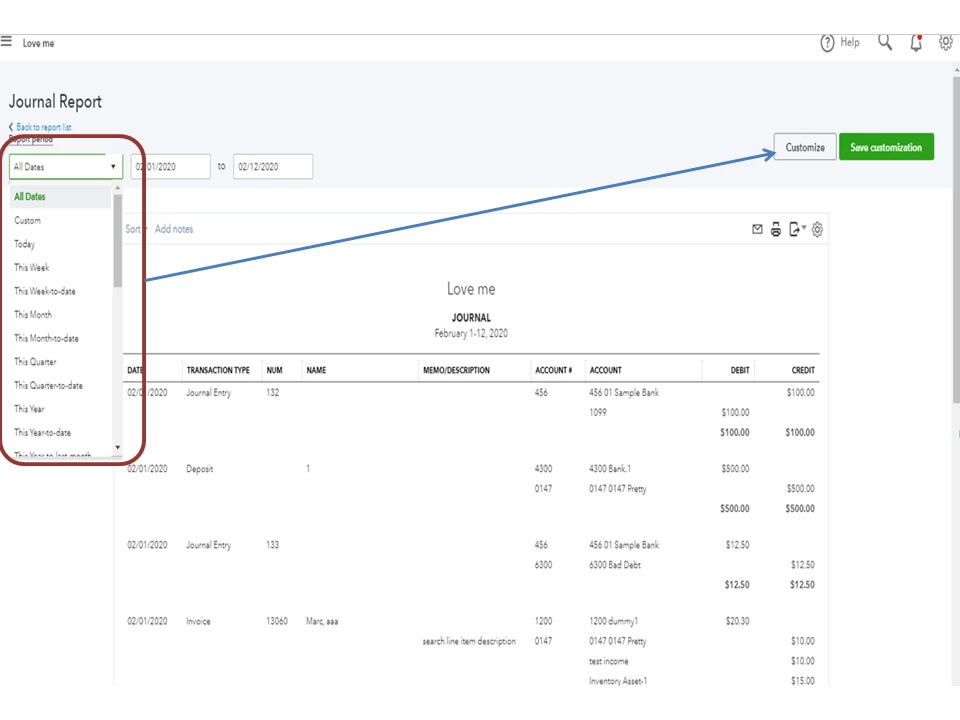
       

  1. Go to the Reports tab on the left panel to enter Journal in the Find report by the name field.
  2. This will open the Journal Report page.
  3. From the Report period drop-down, select the correct date range and then tap the Customize menu in the upper right corner.
  4. In the Customize report window, choose Rows/Columns to display the Change columns link and then click on it to mark the following boxes: Memo/Description and Account #.

  5. Click Run Report to view the changes.

 
For additional resources on how to tailor the information displayed on the report, check out this article: Customize reports in QuickBooks Online.


If there’s anything else I can help you with, leave a comment below. I’ll be right here to assist further. Enjoy the rest of the day.

November 11, 2020

Hi, I am also trying to view memo/description for a customer report.  I go to Transaction List By Date and follow your instructions of clicking Customize and the checkbox for memo/desc.  The memo/desc field appears, but it's blank for every transaction!  When I click on the transaction, the Description field has data in it.  How do I view this data in a report??

Kristine Mae
November 11, 2020

Let me ease your confusion, OTJohn.


The Memo/Description column in the Transaction List By Date report will show the info in the Memo or Message on Statement box. 


You'll want to enter the details in that box so it will show on the report. You can easily open the transaction from the report, then transfer the info. 
 

Aside from customizing the report, you can memorize it as well. It lets you save the customization settings and lets you open the report anytime. 


If any questions arise, you can always reply to this thread. We're just one comment away.