Solved
I have changed my bank account log in information. How do i change it in QBO?
Original commenter did not share additional details


You're in the right place for help, drstewart512. I have the steps to ensure you have updated bank account sign-in information in QuickBooks Online.
You can edit your sign-in credentials for your connected bank account in a few steps. Here's how:
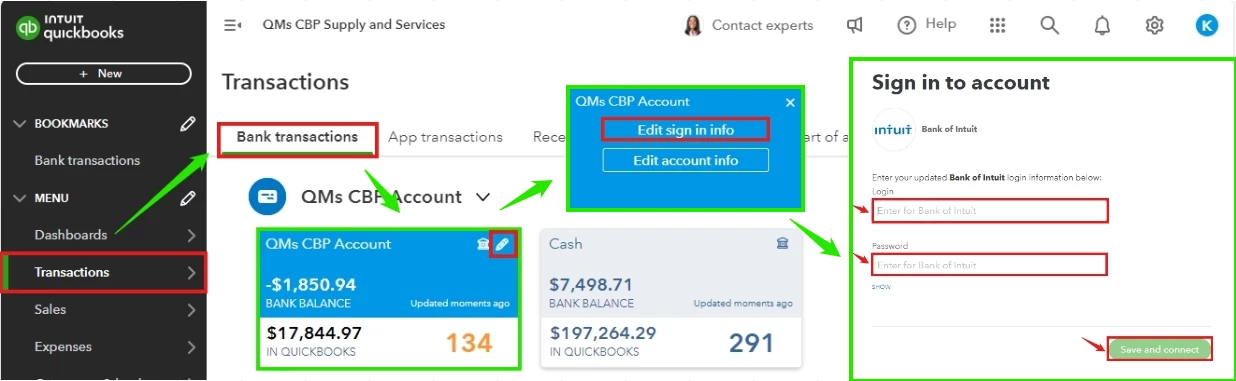
On the other hand, after downloading your transactions, you'll need to categorize them to track your income and expenses accordingly. You can then reconcile them to ensure they match your real-life statement and keep your account balanced.
Keep us notified if you have additional questions when updating bank information or other related concerns in QuickBooks Online. We'll be around to help.
Enter your E-mail address. We'll send you an e-mail with instructions to reset your password.