Solved
Is there a report I can use to compare multiple years actual income and expenses?
Original commenter did not share additional details


Hi @useraimeesapp,
Welcome to the Community. I'm here to share some information about how you can compare multiple years of income and expenses in QuickBooks.
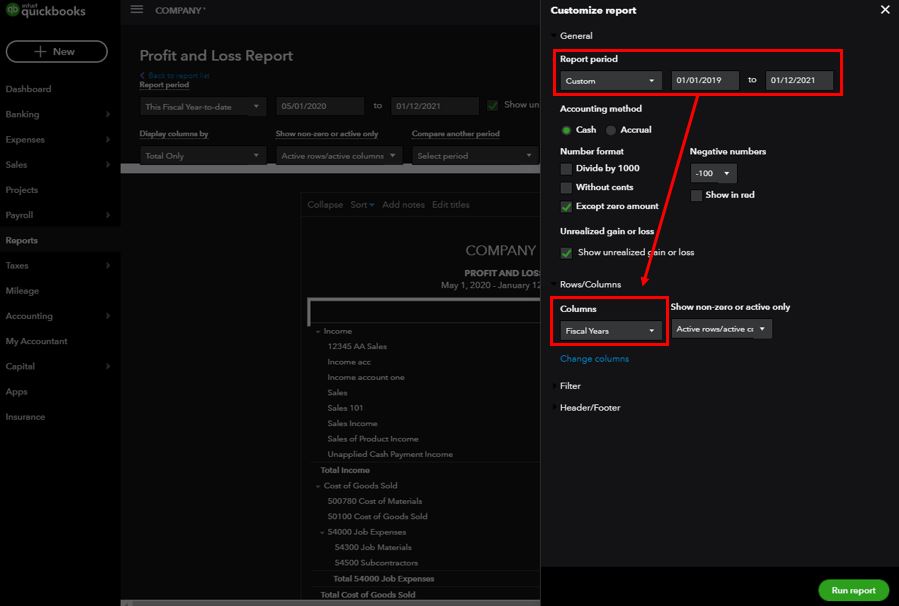
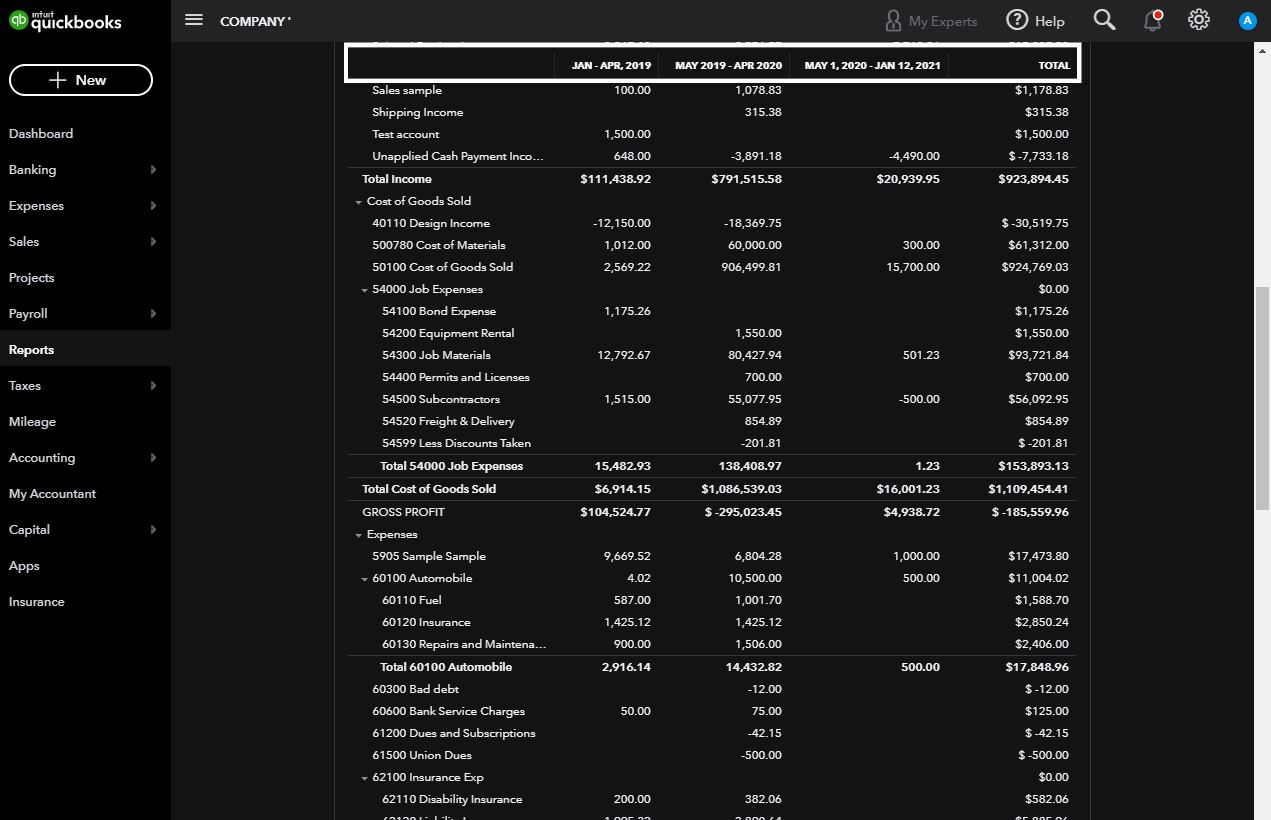
You can run the Profit and Loss report to acquire the data you need in the system. There's an option to filter the details and show them separately on each year.
Here's how:
For additional reference, you can use the following article to learn more about how you can personalize reports in QuickBooks: Customize reports in QuickBooks Online.
Leave a comment below if you have other concerns regarding running the report. The Community and I will be around to help you.
Enter your E-mail address. We'll send you an e-mail with instructions to reset your password.