

February 9, 2023
Question

Once Custom Forms /invoices

  • February 9, 2023
  • 1 reply
  • 0 views

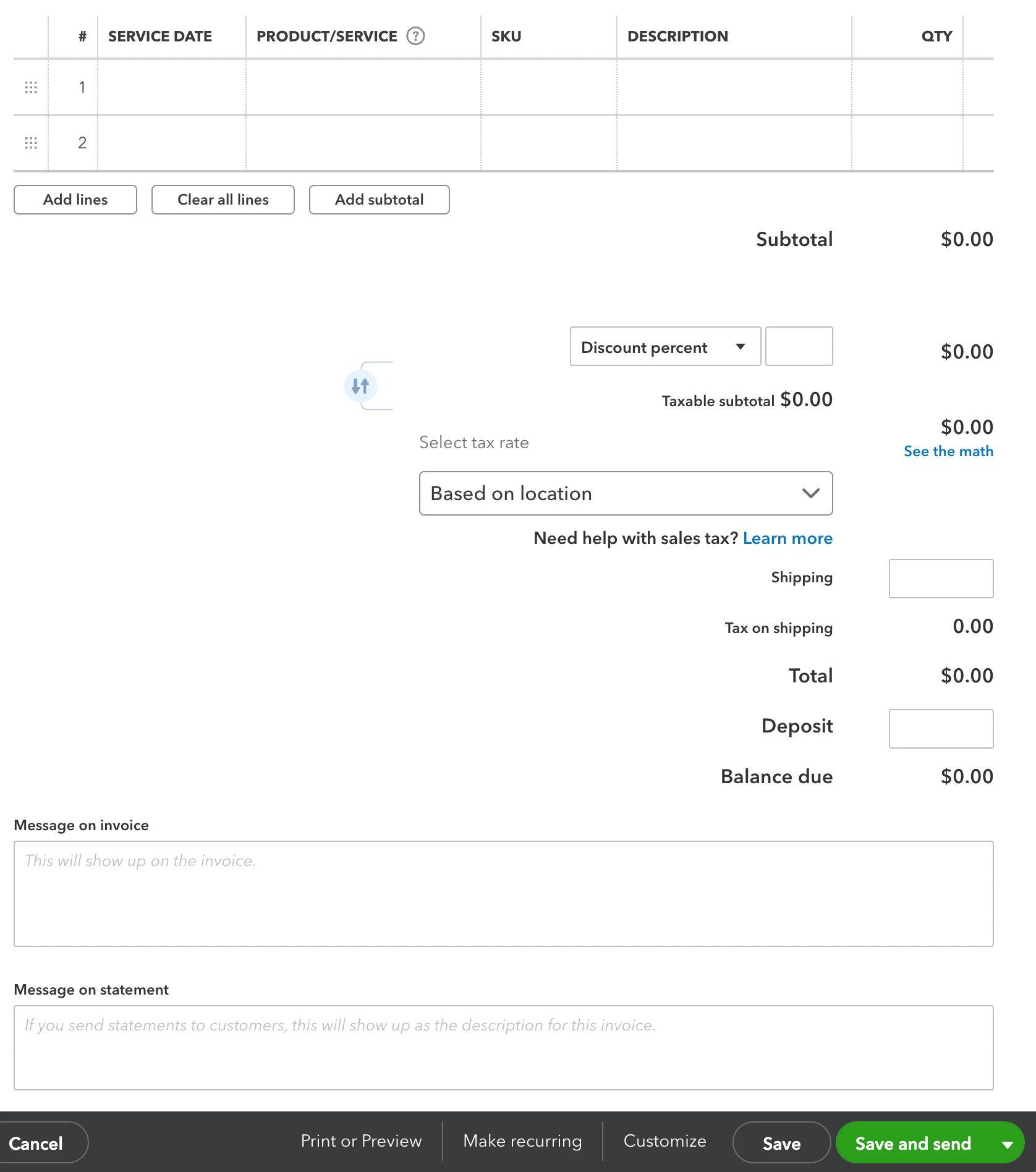
My team with sales manager permissions can't see the customize button at bottom of the open Invoice in order to choose a different invoice template. What permission can i give them so they can do this without them viewing or seeing payroll?


1 reply

February 9, 2023

Thanks for getting back to us. @dhuntley ,


I'll help and guide you with the steps on how to see the customize button on invoices. Let's perform the browser troubleshooting steps to resolve this unexpected behavior. Open your account using a private browser or the incognito window. This browsing doesn't store data and helps the page load without issues.


Here's how:

  • Press Ctrl + Shift + N (Google Chrome).
  • Hold Ctrl + Shift + P (Mozilla Firefox).
  • Hold and press Command + Shift + N (Safari).
     

After logging in, go back to checking the Customize button again. If you're able to view it, it's a good idea to clear your browser's cache. This process helps the browser to fetch the latest version of the web page and faster browsing experience.


If you're experiencing the same result, please contact our QuickBooks Customer Care Support. This way, we can check your account and investigate further.


To reach out:


  1. Go to (?) Help, then Contact Us.
  2. Enter a brief description of your case, then hit Let's talk.
  3. Choose Get a call. Type in your call information.
  4. Click Confirm my call.
     

To get more details on how to create and manage custom roles, click here: Add and manage custom roles in QBO.


Aside from that, I also want to give you additional references in case you might need them when managing users in QBO:


Let me know how it goes or if you have other questions or concerns. I'll be around to assist you every step of the way. Take care and have a great rest of the week.