Solved
packing slip leaving off ship to address. Where can I adjust?
Where can I check settings to have ship to addressed added back to packing lists? All of a sudden QBO stopped printing it


Where can I check settings to have ship to addressed added back to packing lists? All of a sudden QBO stopped printing it
There are several ways we can ensure that the Ship to address is applied, Jeff. We can check and customize the invoice settings, check the template settings, or create a new Custom Form Style. Let's dive in through your options.
I'll add a step-by-step guide to ensure the Ship to address is included correctly. First, let's check if this is enabled in the specific invoice:
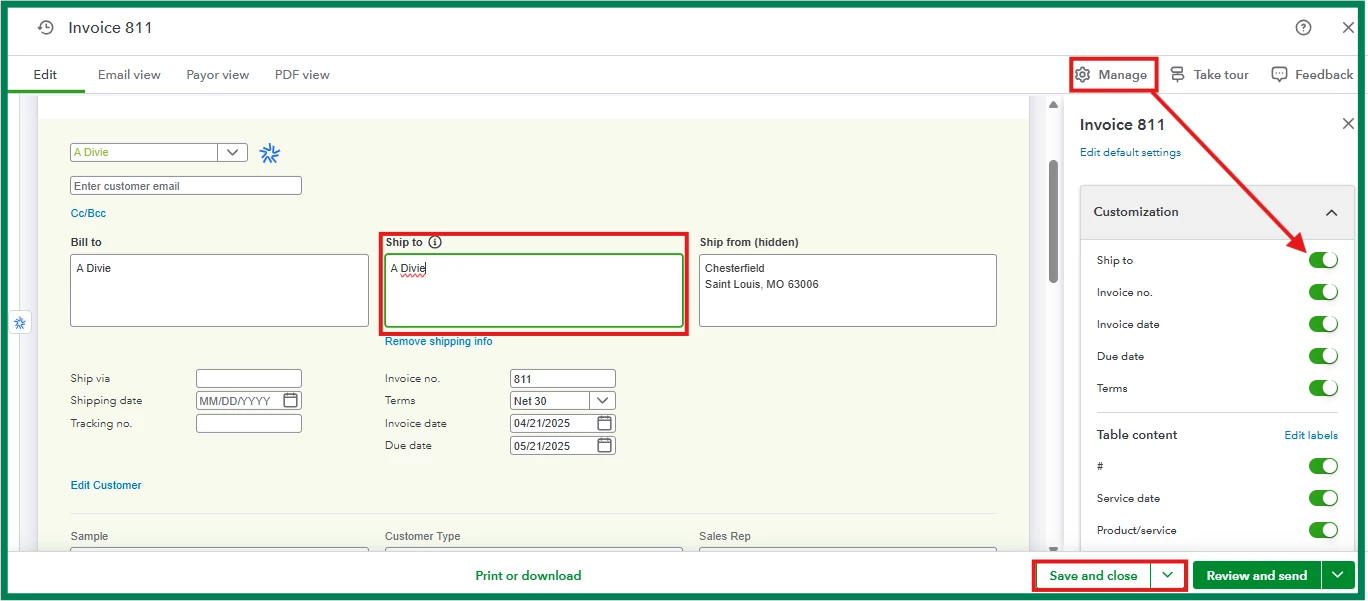
Next, make sure the correct template is selected to add the details in the packing slips:
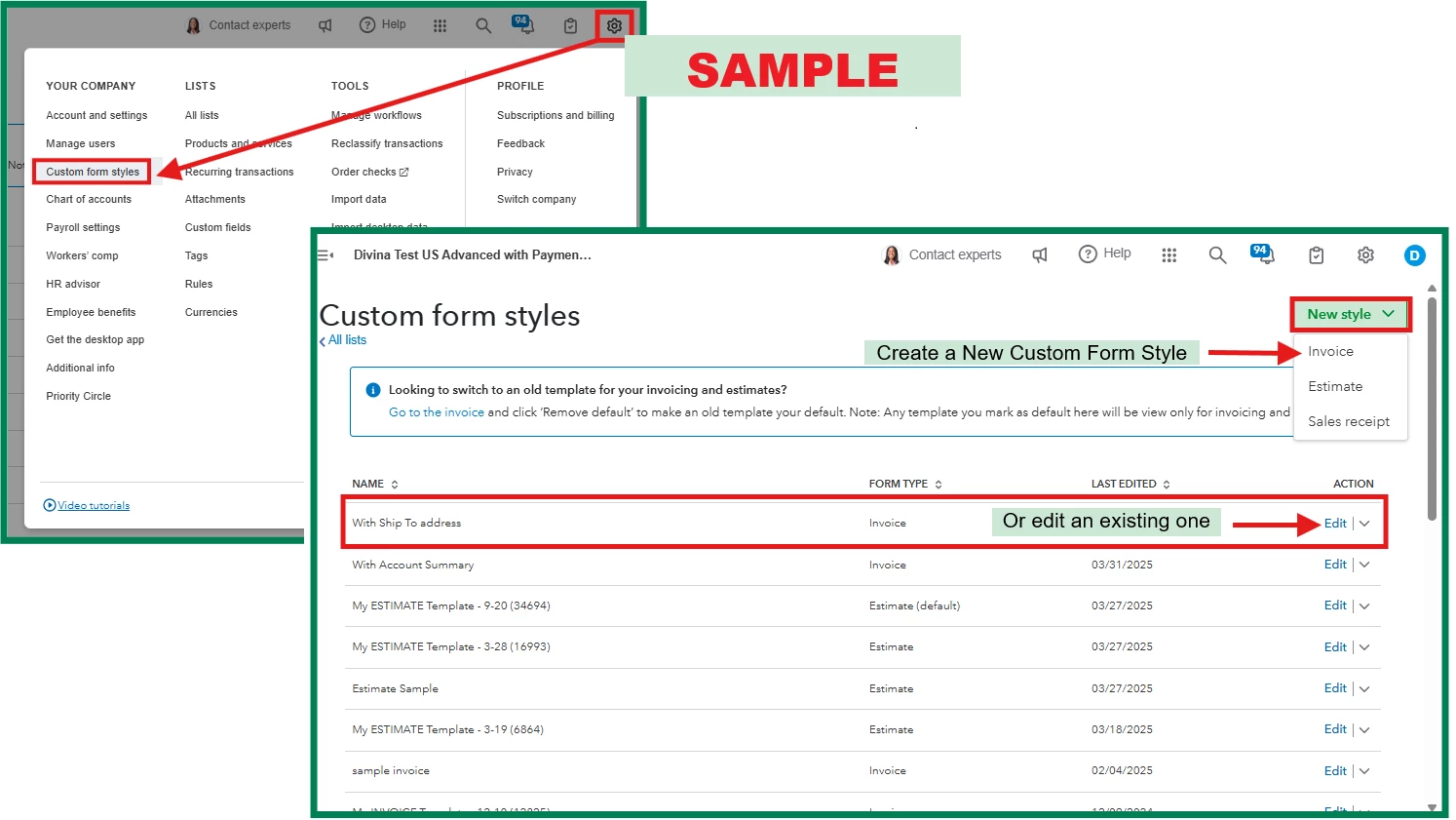
On the other hand, you can also create a new custom form style or edit an existing one to ensure the ship-to address is included.
Furthermore, let me share this helpful article you can refer to for processing customer payments: Receive and process payments in QuickBooks Online with QuickBooks Payments.
Lastly, I'm pleased to inform you that you can elevate your financial management with the help of our QuickBooks Live Expert Assisted team. They specialize in helping you transform your financial management and provide personalized advice for your business's specific demands. Feel free to check them out anytime.
Please feel welcome to return in the comment section if you need further assistance or have other queries about managing your transactions, Jeff. The Community is available around the clock to help you.
Enter your E-mail address. We'll send you an e-mail with instructions to reset your password.