

November 6, 2021
Question

Payroll Settings is unavailable for several minutes: https://app.qbo.intuit.com/app/payrollsettings

  • November 6, 2021
  • 1 reply
  • 0 views

Both in Chrome and Safari, Payroll Settings ( https://app.qbo.intuit.com/app/payrollsettings ) is unavailable and fails to load for 2-3 min, if at all.


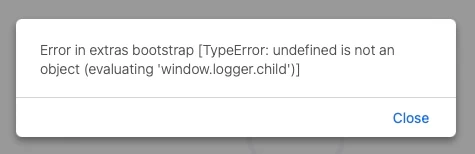
Once it does, both Chrome and Safari (latest versions) offer the following error:


Error in extras bootstrap [TypeError: undefined is not an object (evaluating 'window.logger.child')]


1 reply

November 6, 2021

Let's get rid of the error so you can get back to working order, @ATSiem.


The error you've received may cause by the browser data issue. Let's log in to your QuickBooks Online (QBO) account using a different or private browser. To do so, press this shortcut key on your keyboard:


  • Google Chrome: Ctrl Shift N
  • Mozilla Firefox: Ctrl Shift P
  • Safari: Command Option P


If this works, it means that you need to clear the browser's cache so the system can start fresh. 


If the issue persists, I recommend contacting our QuickBooks Support Team. This way, they can further look into this matter and provide additional troubleshooting steps to get this resolved. They can also create an investigation ticket if other users are experiencing the same.


Once everything's fixed, you can now access the Payroll settings in your QBO account. Also, you might want to run payroll reports in the future. This helps you view useful information about your business and employees.


Keep in touch if you need more help with payroll. Of course, I am always here ready to help you whenever you reach out.