

February 12, 2025
Question

Unable to view 1099s even though the role permission includes 1099 workflow

  • February 12, 2025
  • 1 reply
  • 0 views

Hello,

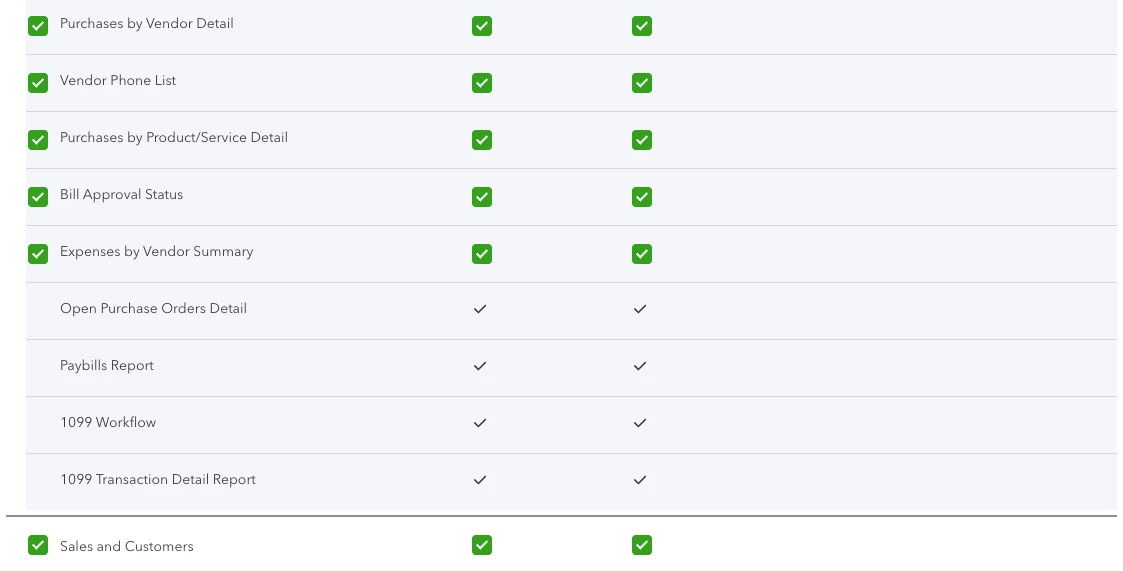
I am a super admin on QB. I added a user with role that includes 1099 workflow, access to all vendor details, etc. However, the user is not able to access the 1099 section at all. It says they have no permission when they click ont he 1099 tab. 
1 reply

February 12, 2025

Thanks for your detailed information and screenshot, tara78.


Since you've already confirmed you set the user up with the appropriate permissions, I'd initially recommend having them sign out, then back in, to confirm their account registers your recent changes.


If it continues occurring, they can try some of our recommended browser troubleshooting and make sure they meet the system requirements for QuickBooks.


In the event none of the above-mentioned troubleshooting processes get their permissions working properly, you'll want to get in touch with our Customer Care team. They'll be able to pull up your account in a secure environment, conduct further research with you, and create an investigation ticket if necessary.

They can be reached while you're signed in.


Here's how:


  1. Use the Help (?) icon.
  2. Click Contact Us.
  3. Enter a description of your situation in the What can we help you with? field, then hit Let's talk.
  4. Select Start messaging or Get a call.


Be sure to review their support hours so you'll know when agents are available.


I've also included a detailed resource about working with user roles which may come in handy moving forward: User roles & access rights


I'll be here to help if there's any additional questions. Have a wonderful Wednesday!