

October 5, 2022
Question

When I log into QBO, I get a "We couldn't find" error

  • October 5, 2022
  • 1 reply
  • 0 views

When I log in I'm suddenly faced with this warning:
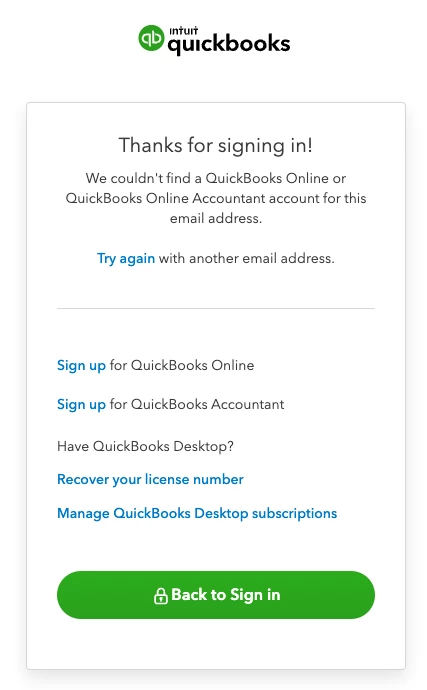
 

This is the account we've used for YEARS. Nothing has changed on our end. We've tried multiple computers and browsers, and they all successfully log in, only to find "We couldn't find a QuickBooks Online Account"

What do I do?

1 reply

AlcaeusF
October 5, 2022

I appreciate you sharing a screenshot of the error you're getting, BoomRQ.


I'm here to help ensure you can log in to your QuickBooks Online (QBO) account.


We haven't received any similar reports regarding the error you've encountered. Since the issue persists after trying multiple computers and browsers, I highly suggest contacting our Support team. They have tools such as screen-sharing (remote access) that can pull up your account in a secure environment and check the cause of this odd behavior. They can also perform other troubleshooting steps if necessary.


Since you can't log in to your QBO, you can use our test drive account to reach our Support team. Here's how:


  1. Go to: https://qbo.intuit.com/redir/testdrive.
  2. In the test drive account, click the Help (question mark) icon at the top right.
  3. Select a suggested option, or type a question or topic you need help with.
  4. Tick Contact Us and choose a way to connect with us.


I also recommend visiting our website for more tips and other resources you can use in the future: Self-help articles.


Please let me know if you have additional questions about this or anything else QuickBooks. I want to make sure everything is taken care of for you. Stay safe.