February 2, 2023
Solved

Will QBO add "Department" to the list of Filters in the "Budget vs. Actuals" report?

  • February 2, 2023
  • 1 reply
  • 0 views
Currently only "Account" and "Class" are offered.
Looks like Budget can be "Subdivided" by Department at creation, so both budgets and actuals could be filtered by Department, or multiple departments included.
    Best answer by jamespaul

    Hello, treasurer84.


    I'd like to help you out and clear up some things about the list of filters in the Budgets vs. Actuals report. 


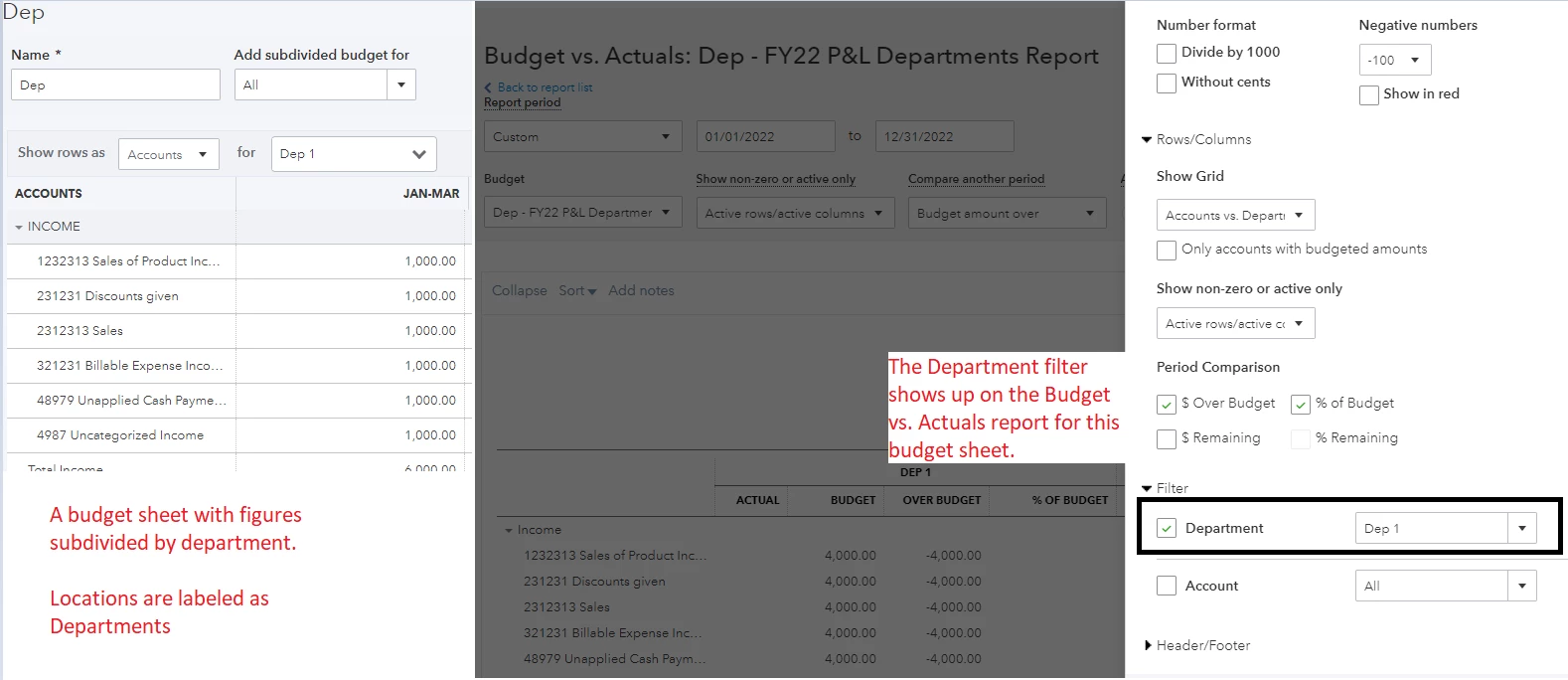
    From your last post, I see that you've used the Locations feature and selected the Department label. The Location or Department filter does exist in the Budget vs. Actuals report. 


    The filter would only show up if you've subdivided the numbers when creating the budget sheet. 


    If you've pulled up the report for an existing sheet (without subdividing the numbers by department), it doesn't appear as a filter on the Budget vs. Actuals report. 
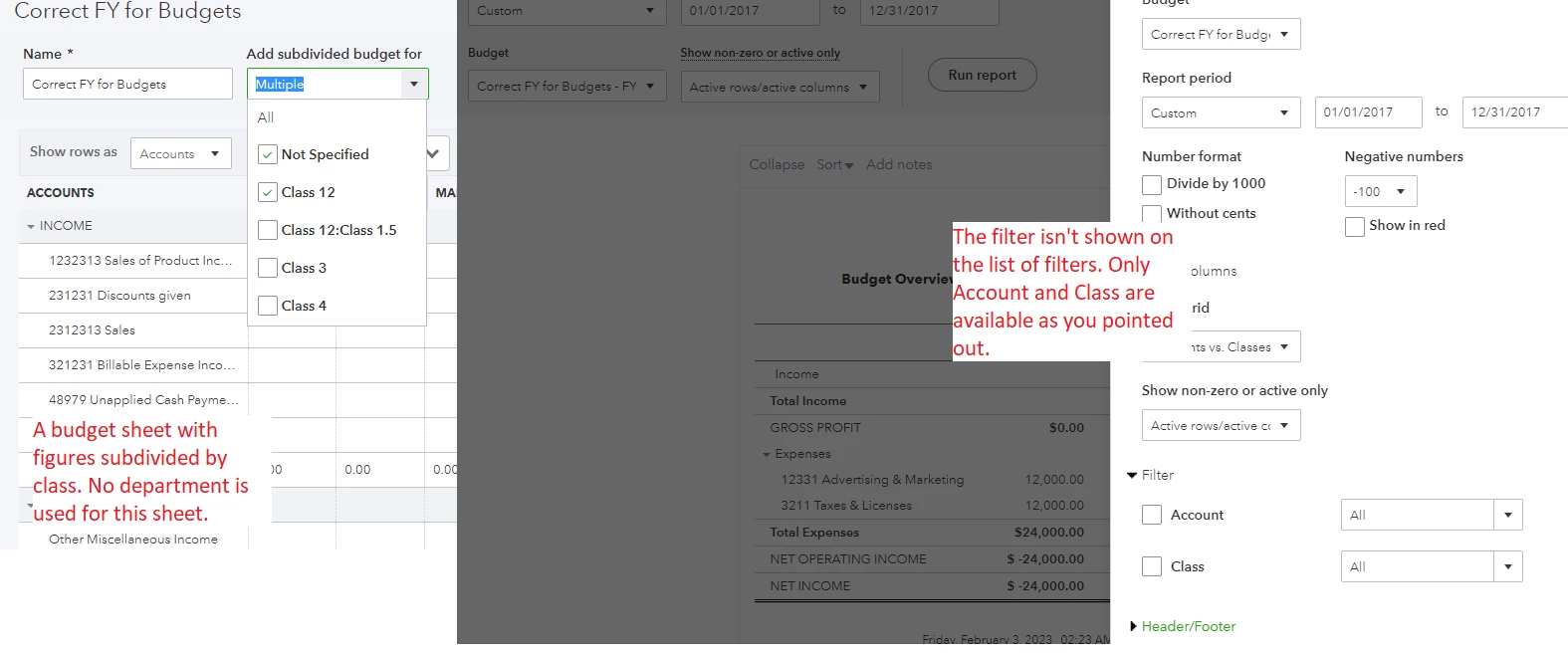


    Since you need to add Department to the list of filters, we'll want to create a new budget sheet. Then, subdivide the data by department. 


    I should also point out that we're unable to edit an existing budget sheet to add the data for the departments. 


    Need help creating a budget sheet? I'll add this article for a guide: Create budgets in QuickBooks Online.


    Would you like some assistance in managing and sending out statements to your customers? Take a look at this article for a guide: Create and send customer statements in QuickBooks Online.


    Also if you're still using the nonprofit version for QuickBooks Online, here's an article to help you track funds from donors: Track funds you receive from donors in QuickBooks Online


    Do you have more questions about managing your budgets? Or do you need to run some other reports and enter some records? Fill me in with the details and I'll help you out again.  

    1 reply

    jamespaulAnswer
    February 2, 2023

    Hello, treasurer84.


    I'd like to help you out and clear up some things about the list of filters in the Budgets vs. Actuals report. 


    From your last post, I see that you've used the Locations feature and selected the Department label. The Location or Department filter does exist in the Budget vs. Actuals report. 


    The filter would only show up if you've subdivided the numbers when creating the budget sheet. 


    If you've pulled up the report for an existing sheet (without subdividing the numbers by department), it doesn't appear as a filter on the Budget vs. Actuals report. 


    Since you need to add Department to the list of filters, we'll want to create a new budget sheet. Then, subdivide the data by department. 


    I should also point out that we're unable to edit an existing budget sheet to add the data for the departments. 


    Need help creating a budget sheet? I'll add this article for a guide: Create budgets in QuickBooks Online.


    Would you like some assistance in managing and sending out statements to your customers? Take a look at this article for a guide: Create and send customer statements in QuickBooks Online.


    Also if you're still using the nonprofit version for QuickBooks Online, here's an article to help you track funds from donors: Track funds you receive from donors in QuickBooks Online


    Do you have more questions about managing your budgets? Or do you need to run some other reports and enter some records? Fill me in with the details and I'll help you out again.
