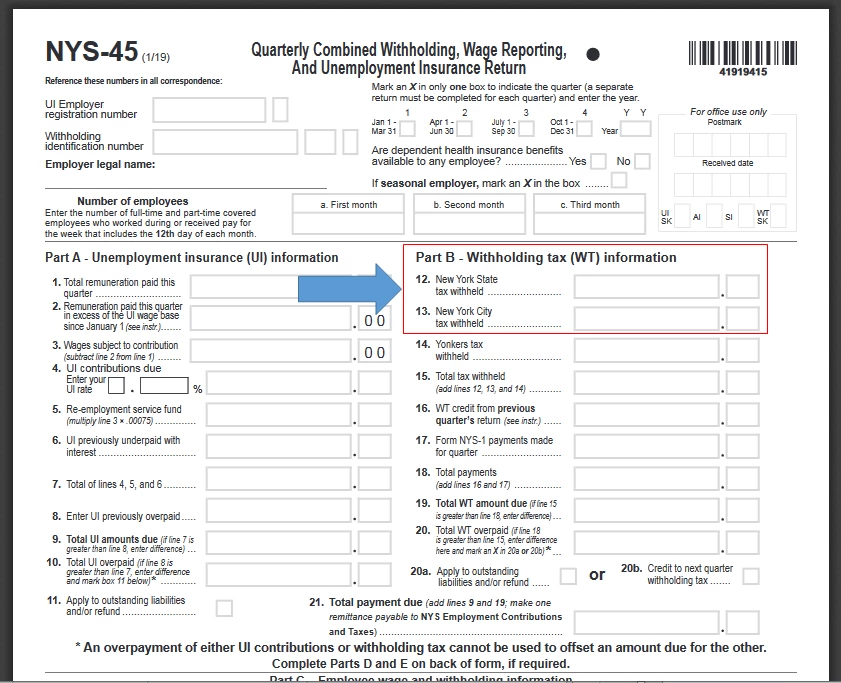
I'll provide the details on how to get the Part B Line 12 and 13 amounts using QuickBooks Online Payroll (QBO) reports, @ThatBkkpr.
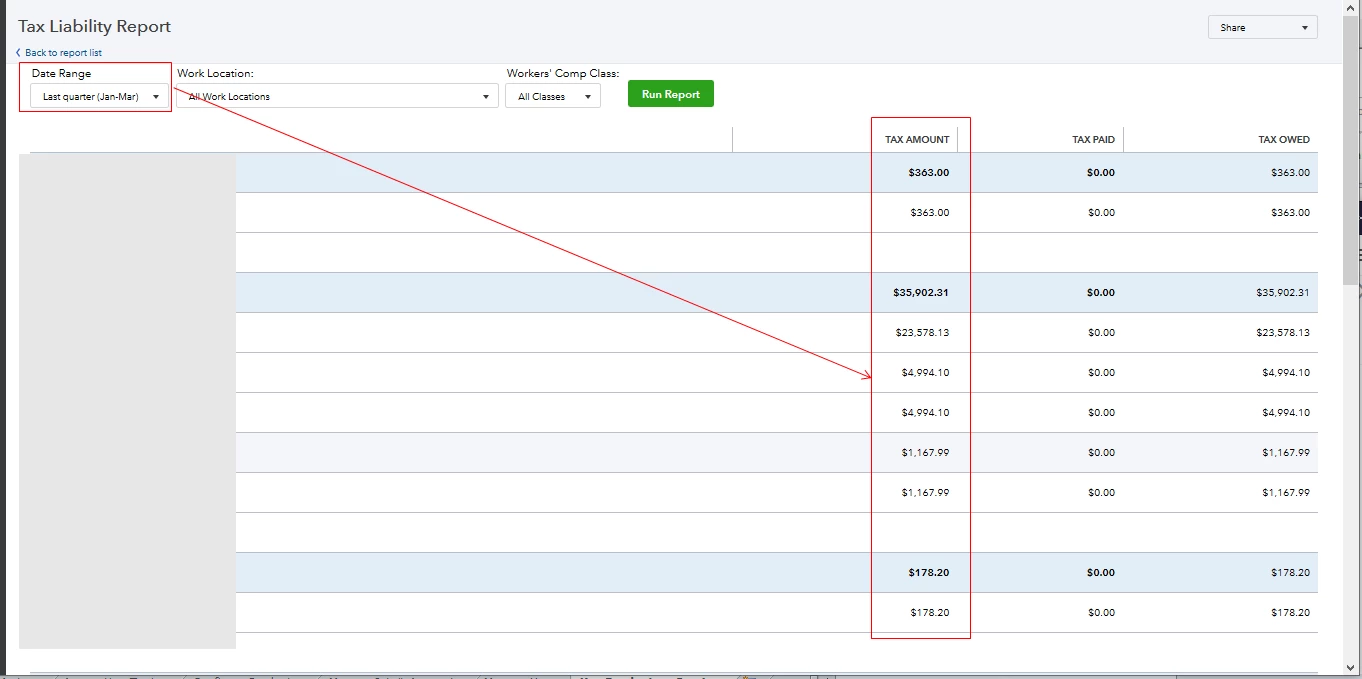
Yes, you're running the correct report to use when filing the NYS-45 online. The Payroll Tax Liability report displays your state and federal taxes withheld, paid, and owed within a particular period. You can also pull up Tax and Wage Summary to help you complete your state tax forms.
I'd recommend setting the Date Range to Last Quarter (Jan-Mar) on the report. Then, use the figures in the Tax Amount column (see the first screenshot below). From there, you'll be able to enter the total New York State tax withheld for the entire quarter in the Line 12 box. For Line 13, type in the total New York City tax withheld for last quarter. The second screenshot below serves as your visual guide.
Aside from the two reports above, I'd suggest running other ones in QBO. These will help you get specific information about your business and employees. To access them, visit this article: Payroll Reports Overview. You'll also find steps on how to customize, print, and mark the reports as favorites.
We always want to make sure we're compliant with the state rules and regulations. With this, you can visit this website: New York Payroll Tax Compliance. Just go to the NYS-45 (Filing) section under Tax Forms. It also has in-depth details about withholdings, unemployment, other taxes, e-file, pay information, the state agency, and employer registration.
I'll be around to help if you need anything else. Keep safe always. Stay healthy, @ThatBkkpr.

