I have the information on why you have a different result from your previous payroll processing in QuickBooks Desktop, wpampell.
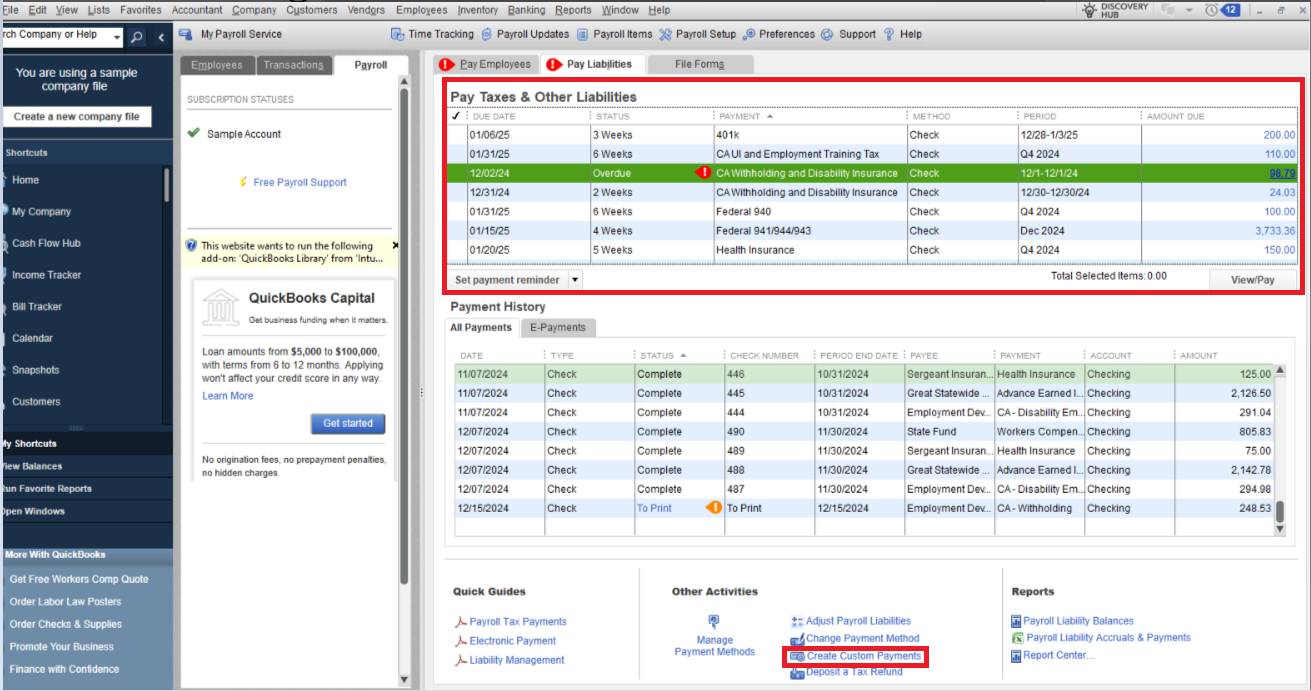
If you have two different payroll items and process paychecks in the Pay Taxes and Other Liabilities tab, the system will automatically generate two separate checks. It's a default function of the system. However, you can utilize the Create Custom Payments option if you prefer to combine both payroll types into a single paycheck. This feature allows you to consolidate multiple payroll items into one payment, providing flexibility in managing your payroll processing.
Please refer to the screenshot below:
I've also included a detailed resource about working with liabilities which may come in handy moving forward: Pay your non-tax liabilities
You're always welcome to post in our Community space if there are any additional payroll-related questions. I'm committed to helping you resolve your QuickBooks challenges. Take care.

