I appreciate you for providing further details, @SLC100001. To correct the check, you'll have to delete you initially created by going to the detailed report. I'd be glad to show you the process.
It’s essential to delete the check you initially created and recreate then record it under the vendor’s account in QuickBooks Online (QBO). This ensures the transaction is accurately reflected in your financial records.
Here's how to delete the Check:
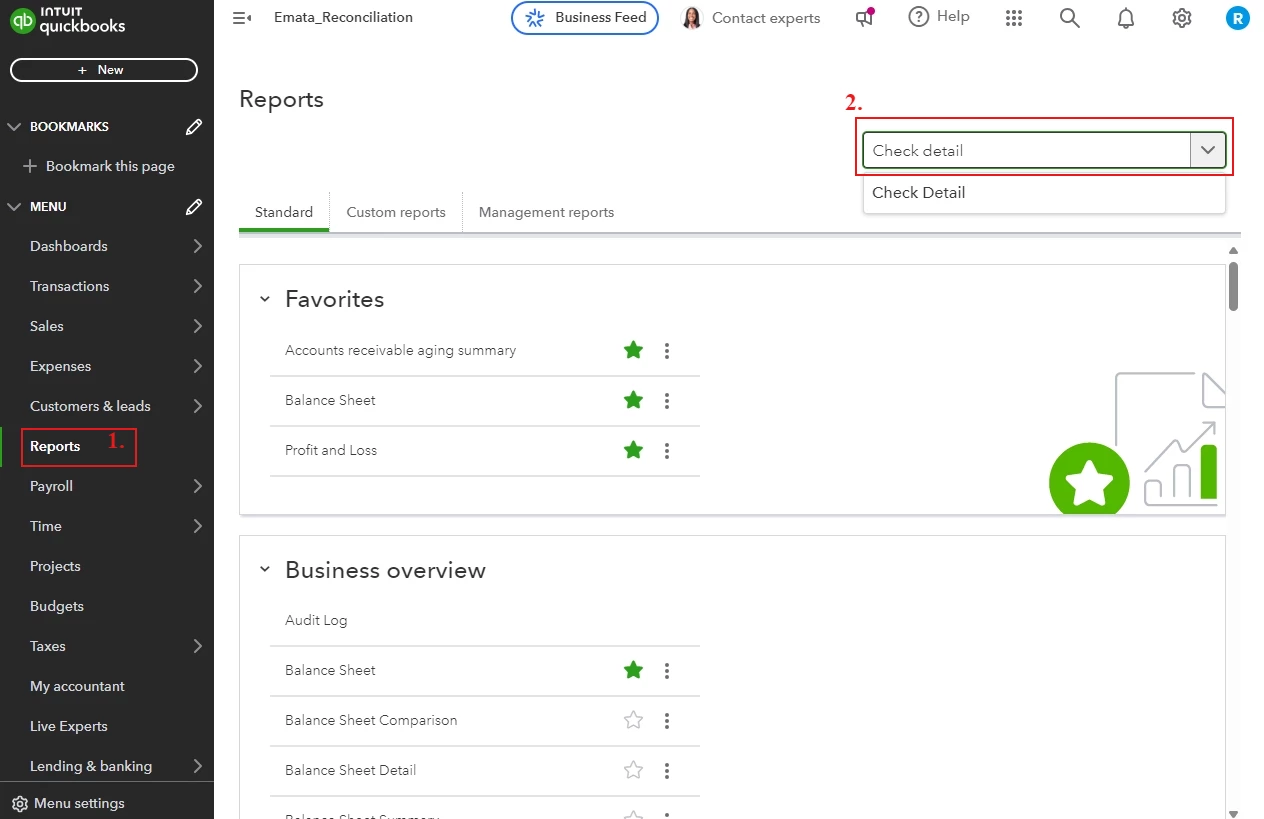
- Go to the Reports tab.
- In the search tab, type Check Detail Report.
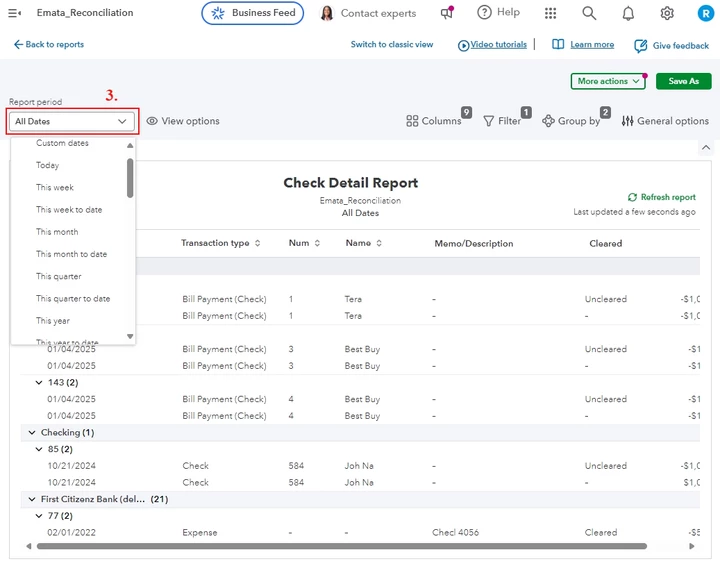
- Filter the date of the check in the report period.
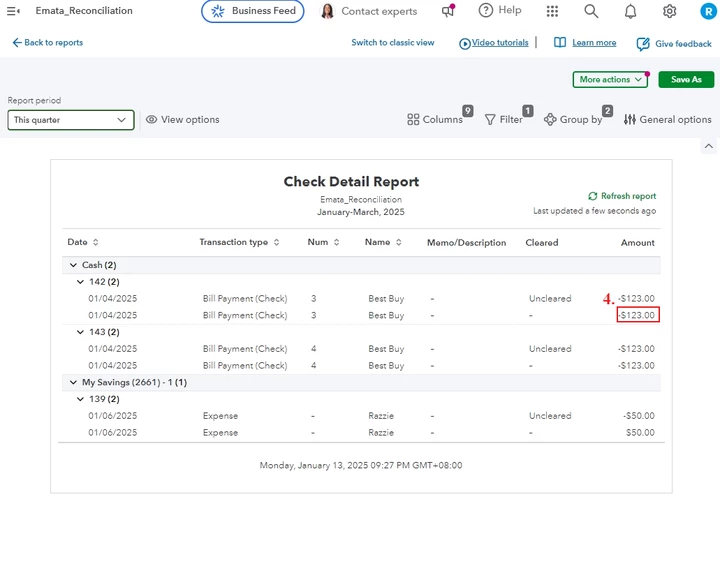
- Navigate to the incorrect check and click the Amount.
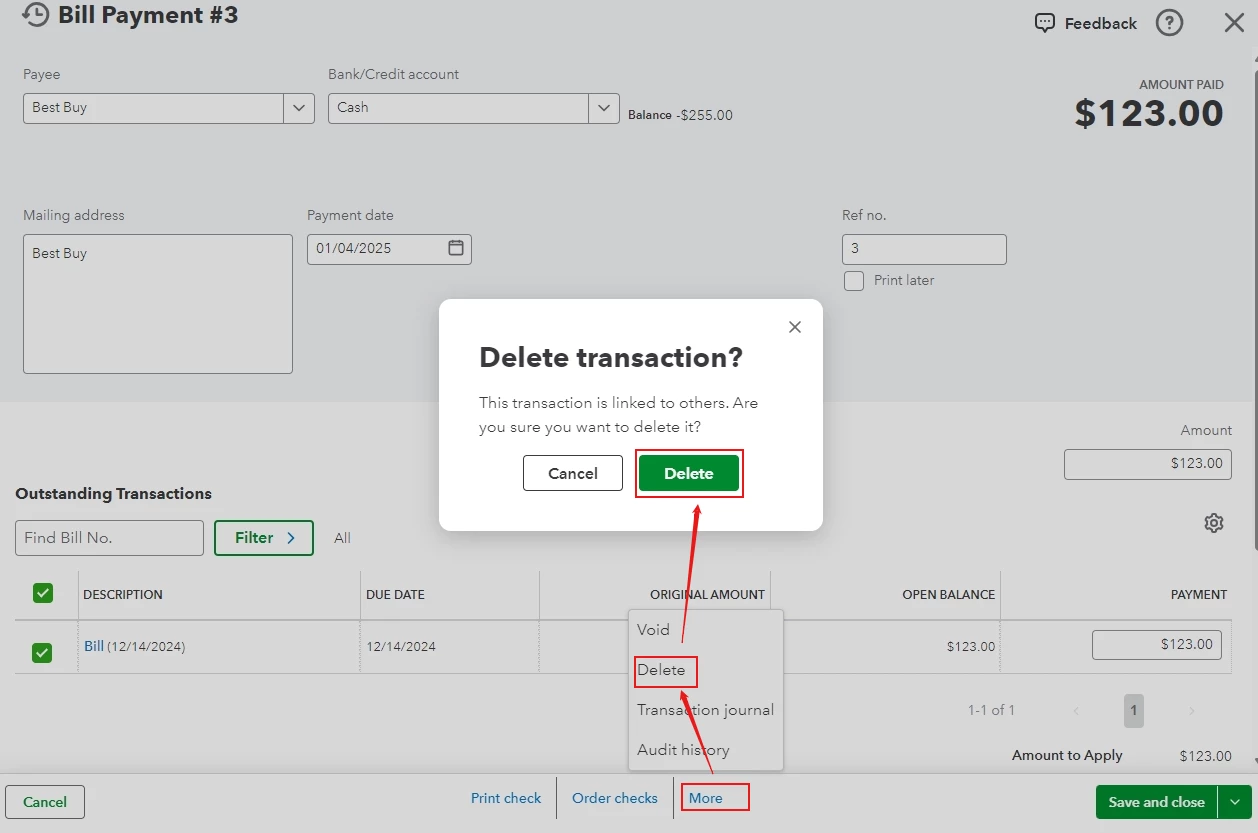
- Click More, then choose Delete and delete the transaction. (Note: Remember the amount of the check, as we need this amount for the recreation).
Steps to re-create the Check:
- Go to the +New button, then choose Check.
- In the payee field, set up the vendor by selecting Add New and fill in the necessary information, once done hit Save.
- In the category details, fill in necessary information and re-enter the amount of the check previously deleted.
- Once complete, click Save and Close.
Following these steps ensure your check is recorded correctly and assigned as a Vendor.
You can visit this helpful article to review your books, financial records and prepare your tax return: Year-end guide for QuickBooks Online.
For further assistance, you can explore our Live Bookkeeper Expert. They provide the expertise to organize your books and maintain their accuracy.
You can reply below if you have further questions about your checks in QBO. I'll keep the thread open so you can comment back. Have a nice day!

