Hello there, Mike. I’ll guide you through a systematic approach that you can use to allocate overtime hours to various jobs based on time spent manually.
In QuickBooks Online (QBO), there isn't an automated feature for allocating overtime hours to different jobs based on the percentage of time spent on each job. However, you can do this allocation by following a clear process.
Here’s how you can handle the overtime allocation:
- Record total hours worked per job by each employee during the pay period using a timesheet or an integrated tracking tool.
- Divide the hours worked on each job by the total hours worked across all jobs. For example:
- Total hours = 40
- Hours on Job A = 20
- Job A Percentage = (20 / 40) * 100 = 50%
- Note the total overtime hours logged by employees in QuickBooks Online.
- Use the percentages to allocate overtime. For example, if 10 hours of overtime were worked and Job A's percentage is 50%:
- Overtime for Job A = 10 * 50% = 5 hours
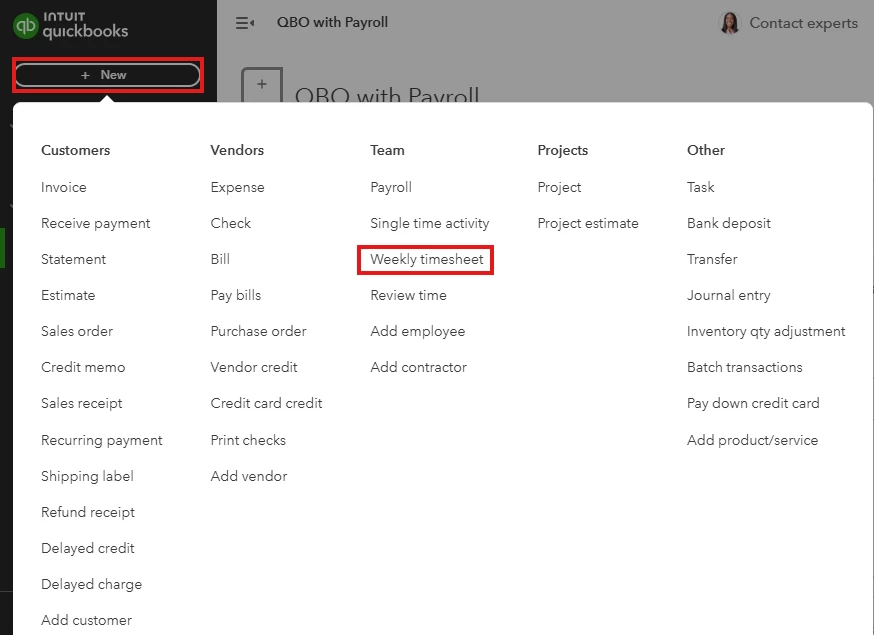
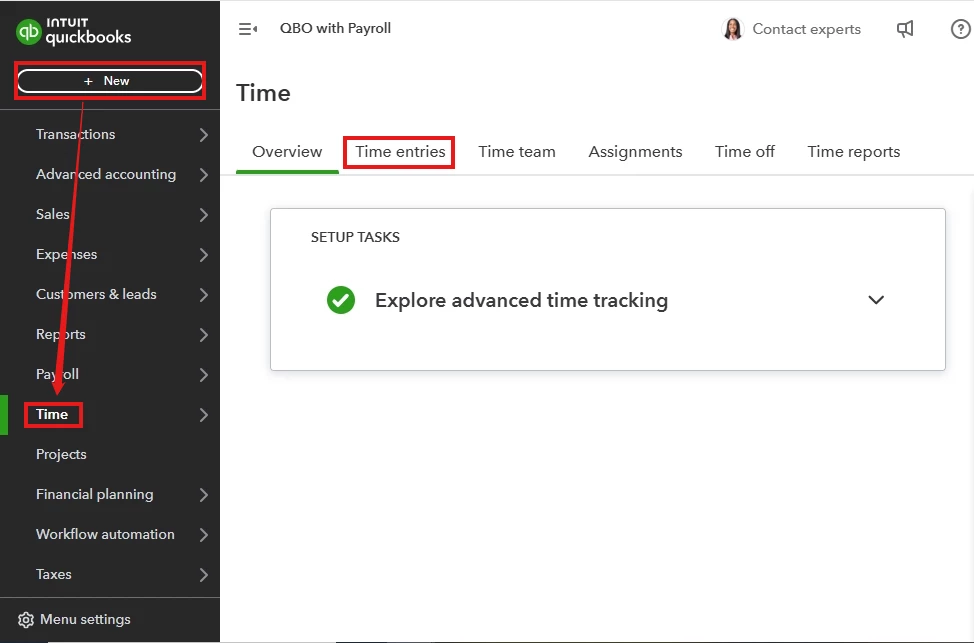
- Log regular and calculated overtime hours for each job using “Time Entries” or “Weekly Timesheet” under the “+ New” menu.
- Then, process payroll based on recorded hours to ensure the correct allocation of overtime.
Moreover, elevate your financial management to new dimensions with the guidance of our Explore QuickBooks Payroll team. Our experts excel at refining your financial processes and imparting personalized advice that aligns with your business objectives. A click is all it takes to embark on a journey toward financial excellence.
Here’s an article you can read to learn more about processing or running payroll in QuickBooks Online.
Also, let me share these additional articles that can provide guidance and reference when generating reports in QBO:
By following these steps, you can accurately allocate overtime hours to the respective jobs in QBO, ensuring that your payroll records remain precise and reliable. Thank you for your attention, Mike. I hope you find this information helpful in managing your payroll tasks!

