Hi Tera-Lite,
Thank you for sharing this behavior in the Community.
If you haven't already, you can update your QuickBooks to fix any damaged program components that are causing the behavior. However, if it's the same thing, please contact our QB Desktop Support to check this further in a more secure environment.
To update QuickBooks:
- Click on Help and choose Update QuickBooks Desktop.
- Go to the Update Now tab. You can select the Reset Update checkbox to clear all previous update downloads.
- Select Get Updates.
To contact Support:
- Click on Help.
- Choose QuickBooks Desktop Help.
- Choose Contact us.
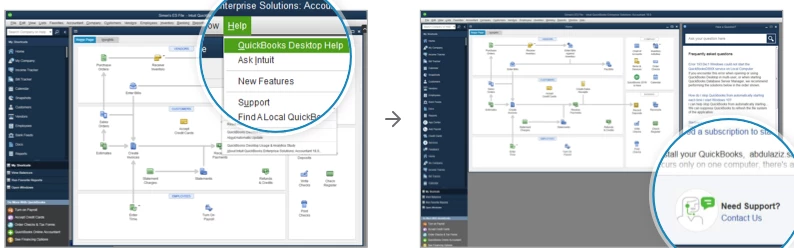
- In the description field, enter a summary of the scenario and hit Continue.
- Click Message an agent.
Let me know if you have any other questions in mind.