

August 25, 2023
Question

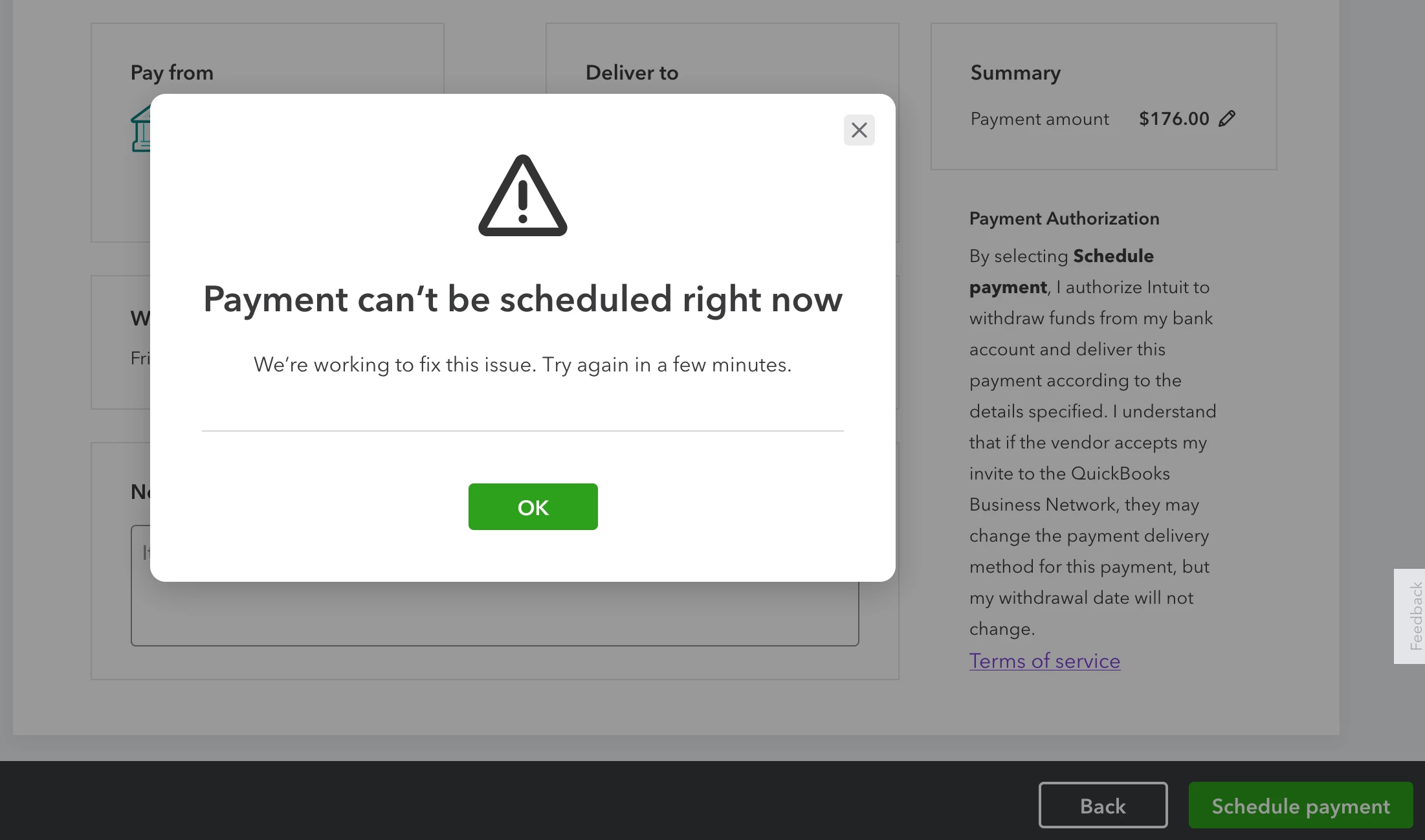
Can't schedule bill payment. Error: "Payment can't be scheduled right now."

  • August 25, 2023
  • 2 replies
  • 0 views

Trying to use Bill Pay for the first time, I keep getting the error: "Payment can't be scheduled right now. We're working to fix this issue. Try again in a few minutes."
Before you suggest it, yes, I have cleared my cache and cookies. I've tried it in both Firefox and Chrome.


Anyone know of a fix?


Related: In the Contractors tab there's a button called "Pay Contractors". There's a pair of contradicting messages on that page:
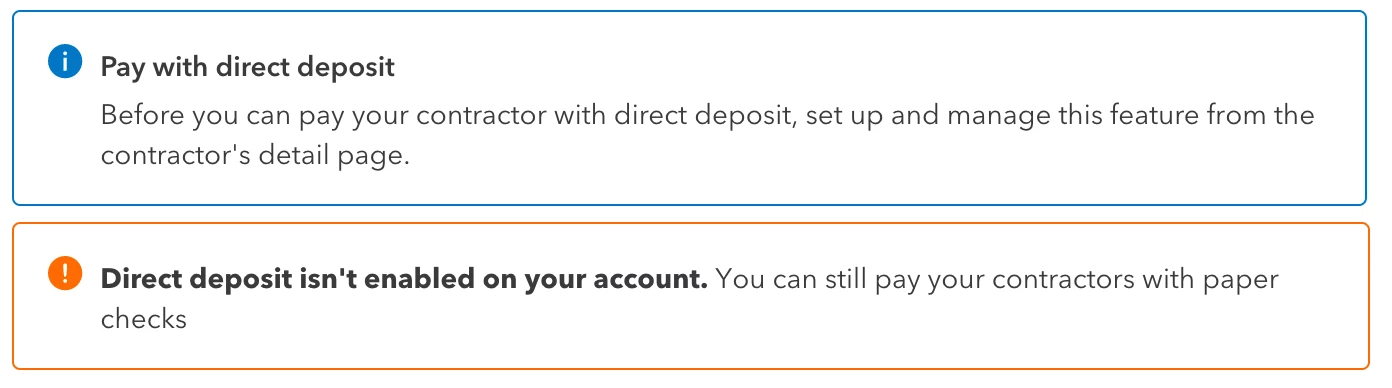
I don't have QB Payroll, just QB Plus. Does that mean I can only pay bills to contractors via ACH Bill Pay, but not "direct deposit" on this Pay Contractor page?

2 replies

Fiat Lux - ASIA
August 25, 2023

Try opening your QBO account on any private/incognito browser. Did you encounter the same error?

JoesemM
August 25, 2023

Hello there, @wegerm. I appreciate the screenshots you've provided, along with the detailed information about the error message you received and the steps you've taken to resolve this. They give me a clearer understanding of how to assist you with your concerns.


Upon checking here, I've found out that there's an ongoing investigation about the error message: QB Bill Pay "Payment Can't be scheduled right now. Our Engineers are aware of the issue, and it is in the process of being prioritized/investigated. Although this is being actively looked at, we do not have an ETA for resolution at this time.


For now, I recommend that you contact our Customer Care Team. They will keep you updated on any developments regarding the issue. By reaching out to them, you can be added to the list of affected users, and they will notify you via email about any updates regarding the resolution. You can present this investigation number (INV-90612) to our representative to speed up the process. 


Here's how:


  1. Go to the Help icon to connect to a live support agent.
  2. Click on the Contact Us button and provide some details about this concern.
  3. Provide us some information about your concern in the What can we help you with? box and click on Continue.
  4. You'll now be provided options on how to connect to our Customer Support.


Please check out our support hours to ensure that we can address your concerns on time.


On the other hand, since you're not using QuickBooks Payroll, you can choose between ACH Bill Pay or paper checks to pay your contractors. The prompt message you received indicates that the system has detected that you haven't used the direct deposit option. For more details about using a paper check when paying a contractor, see this article: Pay a contractor with a paper check.


In case you want to turn on the payroll option in your QBO account so you can pay your contractor using direct deposit, from the  Workers (Payroll) menu, click Employees. Tap the Get Started button and select the payroll service of your choice.

Let me also share these resources that will guide you in recording your bills and setting up your company for direct deposit:


We appreciate your patience in this matter. Please know that you're always welcome to post a reply if you have any other questions about paying your bills and contractors. I'll be here ready to assist you.

October 16, 2023

I too am new to Quickbooks bill pay and I'm getting the same error. I was told the next update in November 3, but I can't wait that long. Are there ANY possible solutions?

Bryan_M
October 16, 2023

Hello, @mgrissmer. Thanks for raising your QuickBooks Bill Payment concern here. I understand that being new to this product isn't simple at the beginning. However, I assure you it's easy in the long run. 


Concerning the error you encountered, let me share the info below that will be helpful on your end. 


Currently, there's an ongoing investigation (INV-93660) about the QuickBooks Bill Pay "Payment Can't be Scheduled Right Now" error. You can be sure that our Product Development Team is doing its best to find a resolution. 


However, there's no exact time frame for when this will be fixed. With that in mind, I recommend contacting QuickBooks Online (QBO) Live Support, so that you'll be added to the affected users. And once an update is available, you'll be notified through email:


Here's how to contact our live team:


  1. Go to (?) Help icon.
  2. Choose the Search option. Click Contact Us below.
  3. Enter a brief description of your concern, then Continue.
  4. Select either Have us call you or Chat with us.


To learn more about the basics of QB Bill pay, check out these articles;


Thank you for utilizing QB Bill Pay to manage your daily financial routines. Click the Reply button below, and we'll reply to that. Take care, and have a great day ahead.