February 27, 2019
Question

Can't show my pay stb
  • February 27, 2019
  • 5 replies
  • 0 views


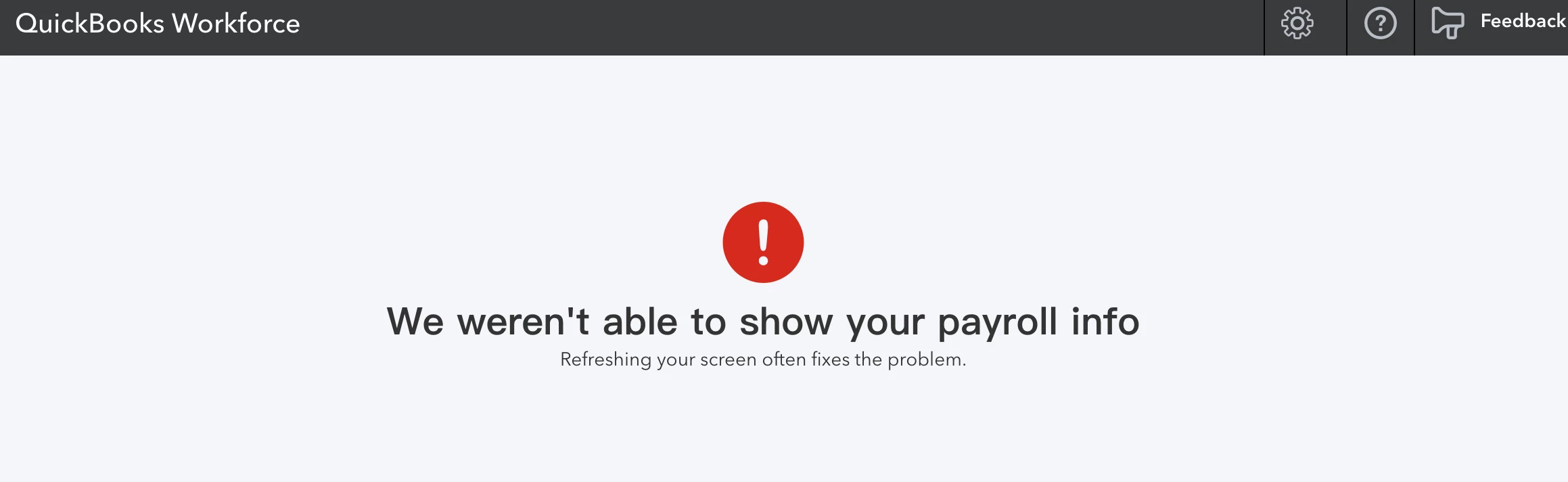
I've tried many times but the page still showed " we weren't able to show your payroll info", could you please help on this? I really need my pay stub for immediate and important use. THX!


5 replies

February 27, 2019

Hey there, QI Duan.


Thanks for reaching out the Intuit Community. Let me help get past the error so you can view the paystubs.


I looked into this and we don't currently have open investigations about the We weren't able to show your payroll info error. I recommend trying some troubleshooting to see if this is browser related.


To start off, access the QuickBooks Workforce website using a private browser or an incognito window. This is a feature on the web which allows you to browse without storing any data history.


Here’s how:


  • For Internet Explorer or Firefox, press Ctrl + Shift + P.
  • For Chrome, press Ctrl + Shift + N.
  • For Safari, hold down Command + Shift + N.

If you are able to log in to the QuickBooks Workforce site smoothly, go back to your regular browser and clear the cache to boost the overall performance of the application. Here’s an article that will guide you through the process: How do I clear temporary internet files and cache?


After performing these steps, you should see your paycheck information online.


Let me know if you get the chance to try all these suggestions and what the results are. I'll be right here to assist you further. Have a good one.


June 11, 2019

I am having the same issue and also tried all the above that was suggested.  The Error is still showing every time I try to login.  Any suggestions?

IamjuViel
June 11, 2019

I thank you for sharing the troubleshooting steps you’ve performed on your end, @ChristinaBoyer22.

 Currently, there's an ongoing investigation regarding accessing and viewing your user's payroll information. Our Product Engineers are working on releasing a permanent resolution about this issue.
 

Since we don't have a specific time frame on when this will be resolved, I'd suggest contacting your employer and ask for a paper copy of your paystub.


In addition, so you’ll be added on the affected user’s lists, I’d recommend contacting our Customer Care Team. Rest assured, once an update is released about these ongoing investigation, you’ll be notified via an email.


Here’s how to contact us:

  1. Visit: QuickBooks Workforce Support.
  2. Click on Live Chat link.

Keep me posted if you have other questions. I’m just a few posts away.

June 27, 2019

I am unable to see my pay stub and I have tried your trouble shooting etc any other ideas?

JaneD
June 27, 2019

Thanks for joining us in this thread, MKB1016.


This issue is still ongoing and our engineers are continuously working to implement a fix. As a workaround, you can ask a paper copy of your paystub from your employer.


To receive updates on this, I recommend contacting our QuickBooks Workforce Support Team. You can provide this escalation number: INV-28047.


Here's how to get in contact with them:

  1. Go to QuickBooks Workforce Support.
  2. Click on Live Chat link.

As soon as the resolution has been released for this, I'll also update you on this thread.


I appreciate your patience. Leave a comment below if you have any other concerns. I'm always around to help. 

July 18, 2019

I'm also having this issue, what is the status of getting it resolved?

PreciousB
July 19, 2019

Thanks for joining this thread, galvin.


I've checked my resources and our Engineering Team is still looking for a permanent resolution and currently, we are unable to tell its time frame.


I'm asking for your patience while we're continuing to fix this. I’ll keep you posted on this thread as soon as we receive an update.


If you have contacted us using the steps provided by my colleague above, you should receive an email notification once we have resolved the paystub error.


Our team is actively working on a permanent solution and we should see a fix soon.


Please reach out to me if there is anything else you need about QuickBooks. I'm here to help. Take care.

July 20, 2019

When I asked my boss for paper pay stub for medical insurance purposes he sent me to Viewmypaycheck. I’m getting the same error as everyone else. If my boss says you guys have my paycheck and you guys apparently don’t, then what am I supposed to do?

November 24, 2019

Cant view my paystubs 

katherinejoyceO
November 24, 2019

Thanks for joining this conversation, @Lindaoil2. I'd like to know if you get any error message when you're trying to view your paystubs? 


For now, I'd suggest you use a private browser or an incognito window to see if it will work. Then, let's perform some troubleshooting steps in your default browser once the browser-related issue is confirmed. 


To open a private or incognito window from any of our supported browsers, follow these shortcut keys below:


  • Chrome simply press Ctrl + Shift + N on your keyboard.
  • Mozilla Firefox and Internet Explorer, press Ctrl + Shift + P.
  • Safari, press Command + Shift + N. Make sure you're using the latest version.


Login to your Workforce and check your paystub. If it works, that means it's a browser-related issue. Go back to your main browser to fix it by clearing its cache and temporary file


If you're still unable to view your paystub, try using a different browser.


I'd be glad to know how it goes, @Lindaoil2. We're always around to help if you need further assistance. 

November 19, 2020

I just started a new job about a month ago, and haven't been able to view my paystub because of this error message. I have tried multiple browsers (Chrome, Firefox, Edge, Safari) both in normal mode and incognito, and on multiple devices (Windows/MacOS), and the result is always the same. 


How is it possible that a financial company responsible for providing payroll information as a service, can't seem to fix an issue like this in over a year 1/2?


Also, expecting the company who you work for to provide paystubs because Intuit can't find a solution to this problem is ridiculous, THEY ARE PAYING YOU FOR THIS SERVICE!


What is the status of finding a fix for this issue?

December 20, 2021

Hi !

JenoP
December 20, 2021

Hi there, Daniel9611.


Can you tell us if you have the same concern when opening your paystub? We just want to make sure that we're giving you the right steps and information that can resolve the issue. 


Please reply below to share more details. 

January 14, 2022

I am having the same issue