July 2, 2022
Solved

Company providing hostel and one time meal to employees, how should i record it and under which category ??

  • July 2, 2022
  • 1 reply
  • 0 views

my company is providing  residence and meal to employee - how should i record it 

Best answer by MariaSoledadG

Let me guide you on how you can record and categorize hostel and meal to employees, Jeehan.


QuickBooks has a native expense account wherein you can specifically categorize the meals to your employees. I've added a screenshot for your guide:
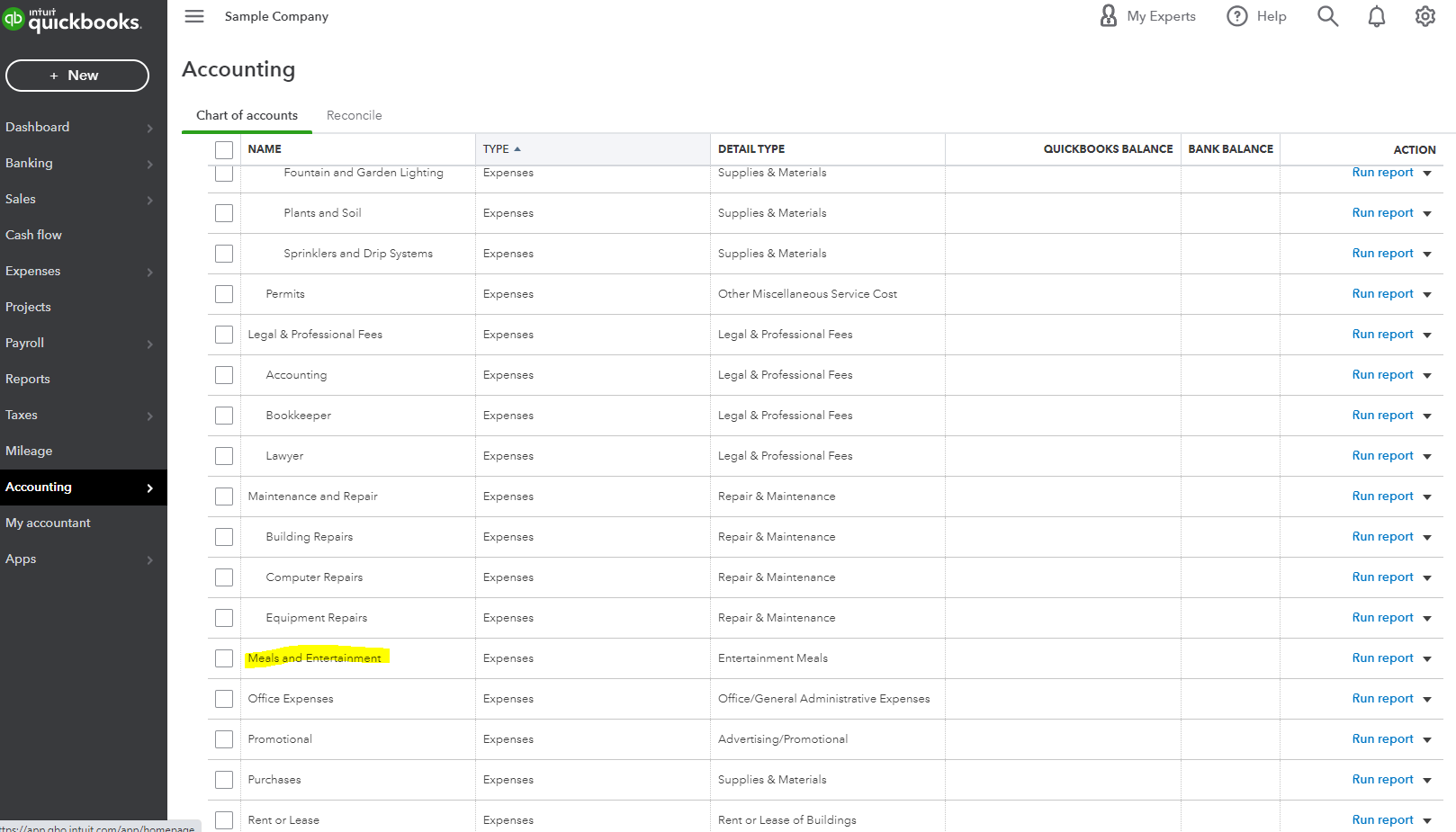


You can enter them as expense transactions . To do this, follow the steps below:

  1. Select + New. Then select Expense.
  2. In the Payee field, select the vendor. Tip: If the transaction covers multiple petty cash expenses, leave this field empty.
  3. In the Payment account field, select the account you used to pay for the expense.
  4. In the Payment date field, enter the date for the expense.
  5. In the Payment method field, select how you paid for the expense.
  6. If you want detailed tracking, enter a Ref no or Permit no. This is optional.
  7. In the Tags field, enter the preferred label to categorize your money.
  8. In the Category details section, enter the expense info. In the Category dropdown, select the Meals and Entertainment expense account  to track expense transactions. Then enter a description. Tip: You can also enter specific products and services in the Item details section to itemize the expense.
  9. Enter the Amount and Tax.
  10. If you plan to bill a customer for the expense, select the Billable checkbox and enter their name in the Customer field. Learn more about billable expenses.
  11. When you're done, select Save and close.


I would also suggest reaching out to your accountant for other ways on how you can do the recording. Furthermore, learn what information that you can get once you've entered the transactions by running reports. You can customize them to get the information you need. Go through this article for more details: Customize Reports In QuickBooks Online.


Reach out to us if you have any concerns pertaining to recording and categorizing meals. We're always here to help.

1 reply

MariaSoledadG
July 2, 2022

Let me guide you on how you can record and categorize hostel and meal to employees, Jeehan.


QuickBooks has a native expense account wherein you can specifically categorize the meals to your employees. I've added a screenshot for your guide:


You can enter them as expense transactions . To do this, follow the steps below:

  1. Select + New. Then select Expense.
  2. In the Payee field, select the vendor. Tip: If the transaction covers multiple petty cash expenses, leave this field empty.
  3. In the Payment account field, select the account you used to pay for the expense.
  4. In the Payment date field, enter the date for the expense.
  5. In the Payment method field, select how you paid for the expense.
  6. If you want detailed tracking, enter a Ref no or Permit no. This is optional.
  7. In the Tags field, enter the preferred label to categorize your money.
  8. In the Category details section, enter the expense info. In the Category dropdown, select the Meals and Entertainment expense account  to track expense transactions. Then enter a description. Tip: You can also enter specific products and services in the Item details section to itemize the expense.
  9. Enter the Amount and Tax.
  10. If you plan to bill a customer for the expense, select the Billable checkbox and enter their name in the Customer field. Learn more about billable expenses.
  11. When you're done, select Save and close.


I would also suggest reaching out to your accountant for other ways on how you can do the recording. Furthermore, learn what information that you can get once you've entered the transactions by running reports. You can customize them to get the information you need. Go through this article for more details: Customize Reports In QuickBooks Online.


Reach out to us if you have any concerns pertaining to recording and categorizing meals. We're always here to help.
