

EWS UEXP Errors - No Payroll and Banking Infromation Access - QB Desktop Premier 2020
We are subscribed to Assisted Payroll. We recently had the need to change our banking information, specifically for payroll.
We went to: Employees> My Payroll Service> Billing/Bank Information - to make the change.
Same issue happens for: Employees> My Payroll Service> Account Info / Preferences
As well as from 'My company' page when pressing one the 'Assisted Payroll' button on the left under 'Manage your Apps, Services & Subscriptions'.
That's were in stops - we are blocked at this message:
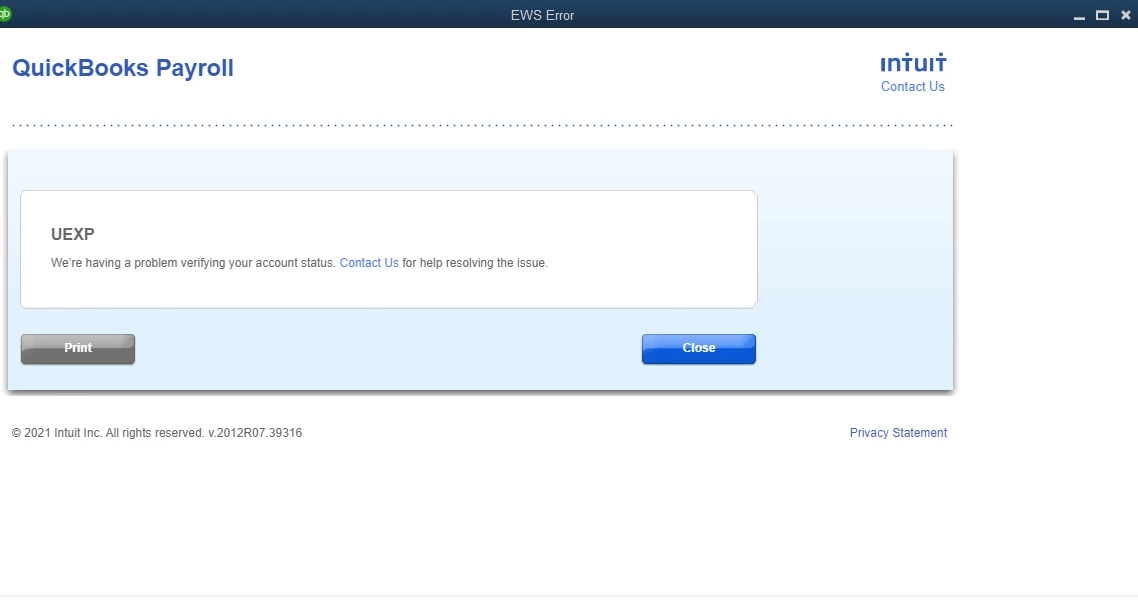
As the message says, we called for assistance. Long story short - after 5 reps and almost 6 hours on the phone trying numerous ways to resolve, including installation of QB, the issue remains unresolved.
While I did get an opportunity to work with two reps who were really nice and tried heavily to correct the issue, the most recent is frustrated by the fact that nothing seems to work. The last rep has escalated to another tier in hopes of finding a fix. The rep has mentioned that there are tickets open for this and that it is a known issue that is on their end, not the user - which makes sense since a QB reinstall did not correct anything.
With the error in place we cannot make any banking changes or correction to any information including email addresses, contact information or name changes. We are prisoners to a QB issue and cannot make any payroll changes.
Nearly 6 hours on the phone and nothing!
Additionally, we also had submitted the banking changes via the form provided to us by the first rep and submitted it back via the specific upload link to QB.
The next day we got this back:
___________________________________
Good day!
We received your Bank Account Change. Due to additional security measures, we are unable to process your request. Your bank account change must be processed inside QuickBooks:
To perform such change, see steps below:
- Select Employees, then My Payroll Service, then Billing/Bank Information to access the Payroll Service Account Maintenance pages.
- Under Bank Account Information, select Edit next to Bank Account.
- Enter your payroll PIN, then select Continue.
- Enter your new bank account info, then select Update. When you receive the confirmation message, select Close.
We apologize for any confusion, should you have other questions in relation to this, by going to QuickBooks Help or press (F1) > Click on Contact Us > enter your question/concern on Ask a question > select Call me back.
Sincerely,
Account Support Team
Payroll Tax Operations
______________________
We need to make changes to our payroll account but now we are going in circles and QB apparently has no exceptions to override policies even in cases like these where a solution is not available to the subscriber to do it themselves.
Is there really no way to escalate issues? What do we do about making these important banking changes?