Solved
Hi all, how can i reprint w2's and w3 form back in 2018? im using qb online thank you
Original commenter did not share additional details


Hello there, dragon1512.
I'm here to ensure you can reprint your 2018 W2's and W3 forms. This way, you'll be able to manage your annual forms and keep it for future use.
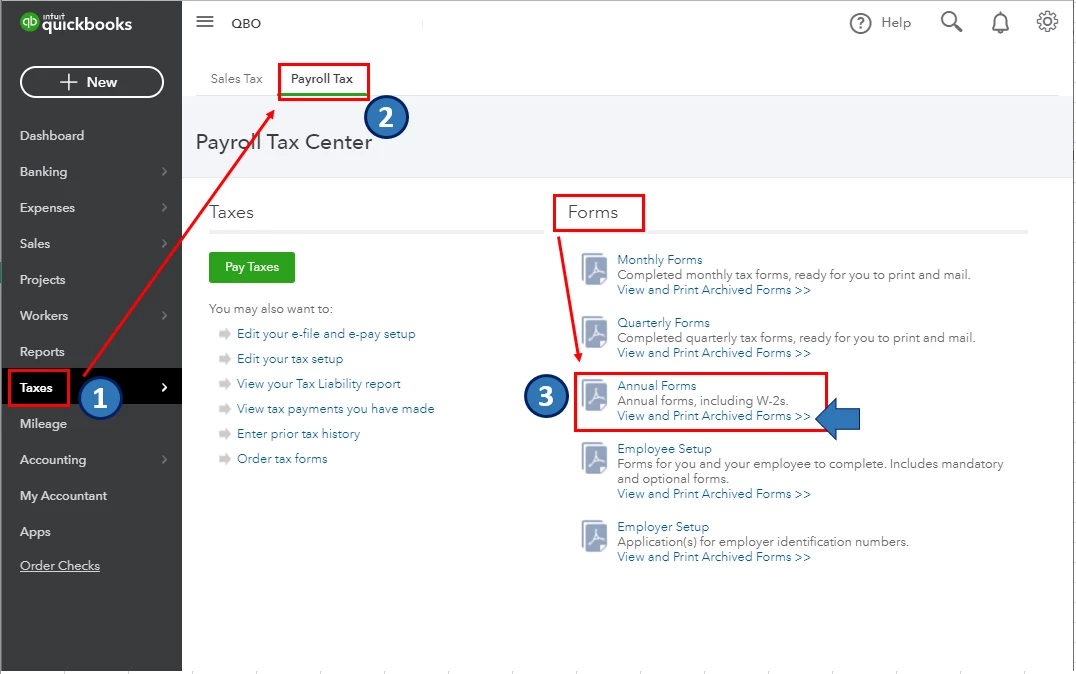
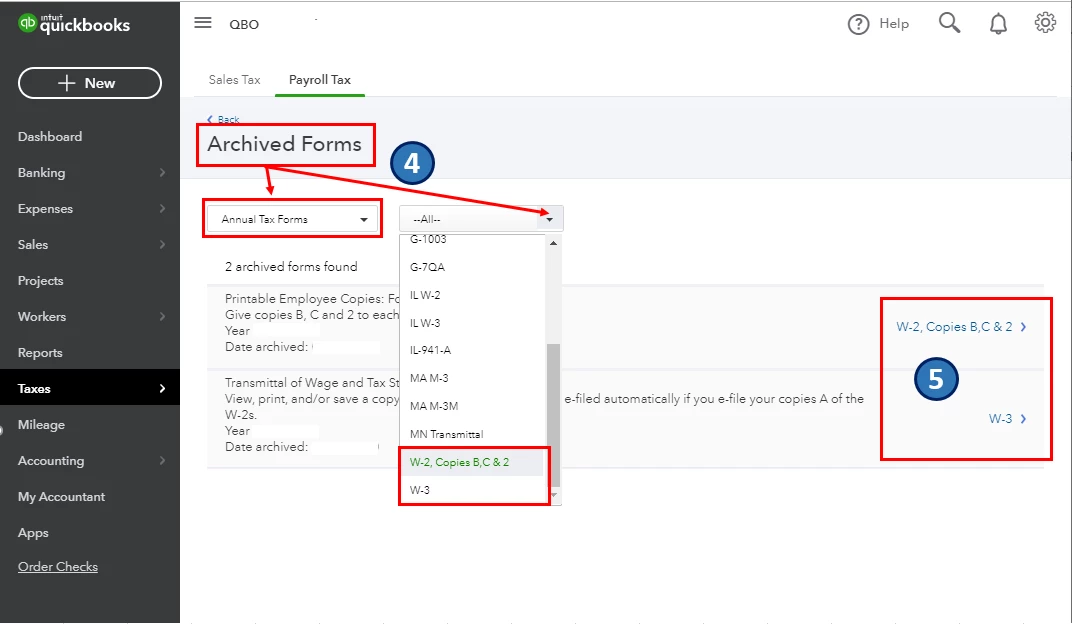
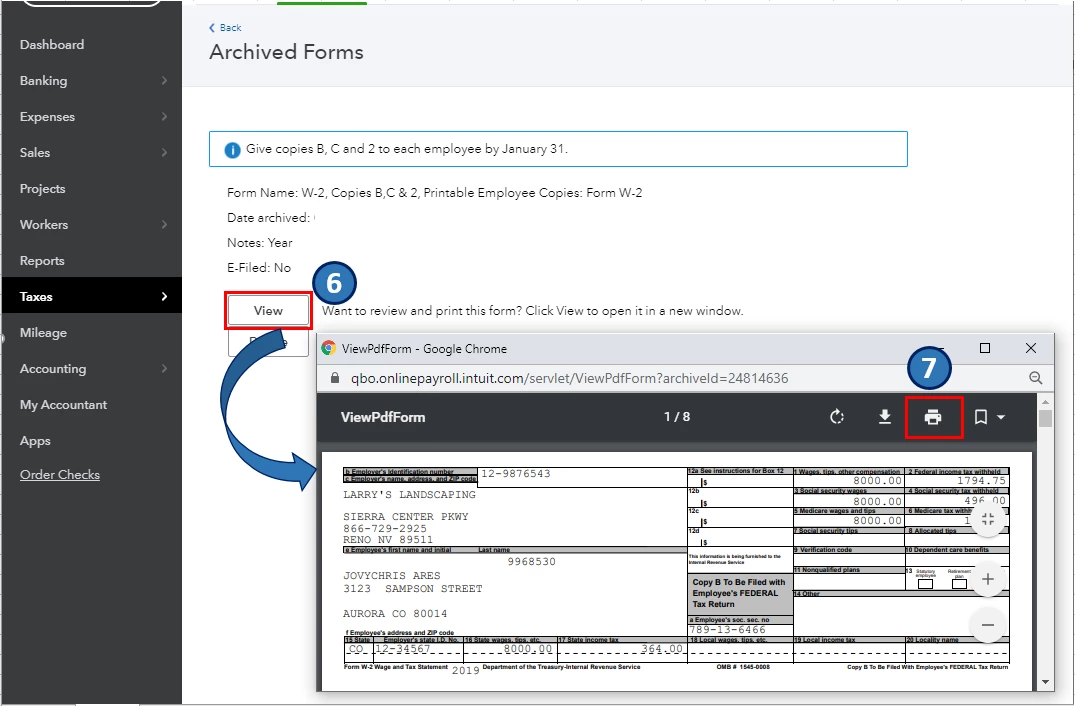
Once you've saved your W2 and W3 copies for 2018 in your QuickBooks account, you can to reprint them in the Archive Forms window. Here's how.
I've attached screenshots below for your reference.
In case you're still unable to locate the forms you need after performing the steps above, I'd recommend contacting our QuickBooks Online Support team. They have the tool to archive your W2 and W3 forms for 2018 and guide you until you've successfully printed them.
In addition, you can also pull up a variety of payroll reports in QuickBooks. This will give you a closer look of your employee's total wages, deductions, and tax information in a certain period. For the complete list of available payroll reports and how to pull them up, kindly refer to this article: Run payroll reports.
Moreover, you can customize then, memorize the report you've selected to save its settings. For the detailed steps, you can check out this article: Memorize reports in QuickBooks Online.
Please let me know if you have other concerns. I'm just around to help.
Enter your E-mail address. We'll send you an e-mail with instructions to reset your password.