It's nice to see you here, @Prespares.
I can help you resolve your overdue payroll issue in QuickBooks Desktop.
Typically, when you process paychecks using a Scheduled Payroll, the system will put an overdue payroll notice to alert that you are beyond the pay run. To remove the alert, let's edit your payroll schedule. Follow the steps below:
- Click the Employees menu at the top.
- Choose Payroll Center.
- In the Pay Employees tab, highlight the specific payroll schedule.
- Click the Payroll Schedules drop-down and choose Edit Schedule.
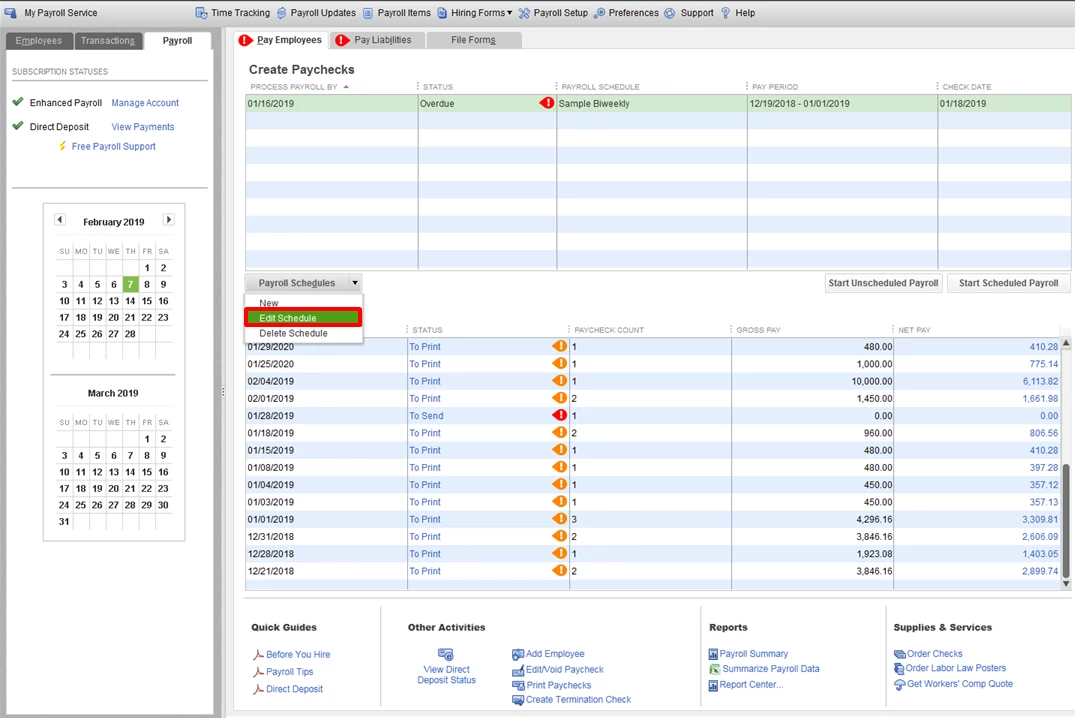
- Update the dates of your pay period end date and paycheck date to the future date.
- Click OK.
You also have the option to delete the schedule if you no longer use it for your employees. First, verify if there are employees associated with the payroll schedule you are deleting.
- Go to the Employees menu.
- Choose Employee Center.
- Double-click the employee's name.
- Select the Payroll Info tab.
- Look in the Payroll Schedule field. If the Payroll Schedule attached is the one that needs to be deleted, remove it by highlighting and pressing on backspace. You can also select another Payroll Schedule from the drop-down.
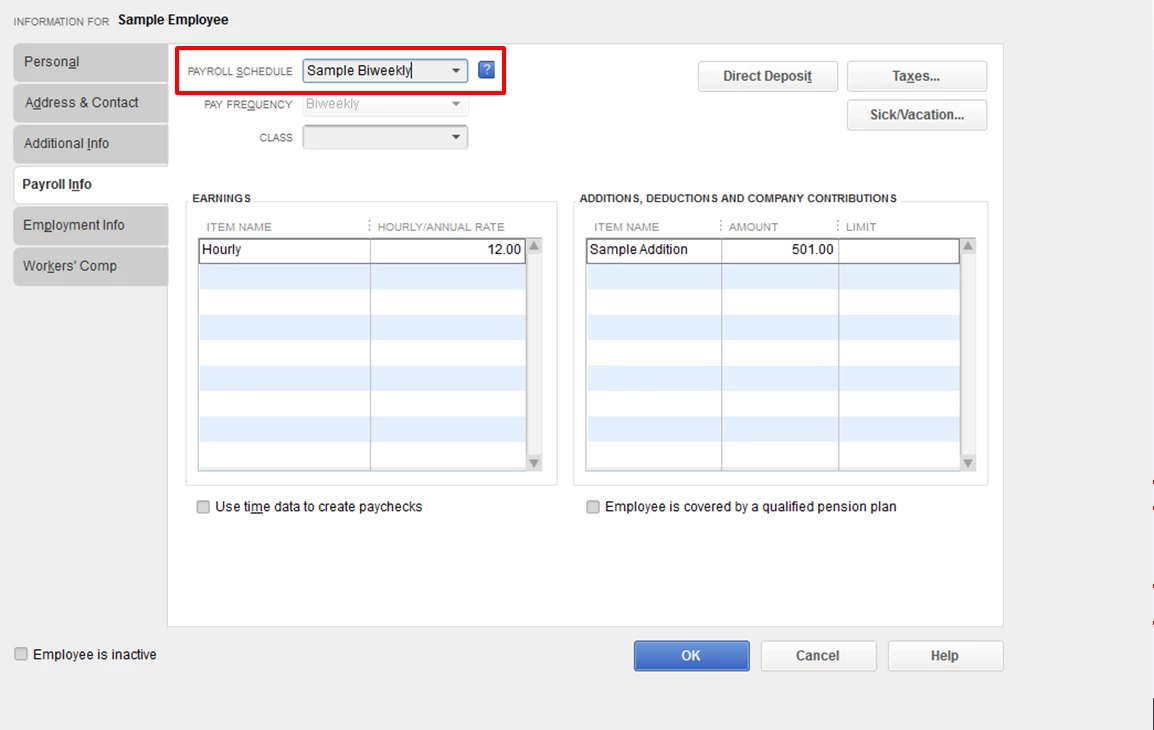
- Do the same steps for the rest of the employees.
To delete a payroll schedule:
- Click the Employees tab.
- Select Payroll Center.
- Choose the Pay Employees tab.
- Under the Create Paychecks table, select the Payroll Schedule that you want to delete.
- Click the Payroll Schedules drop-down.
- Select Delete Schedule.
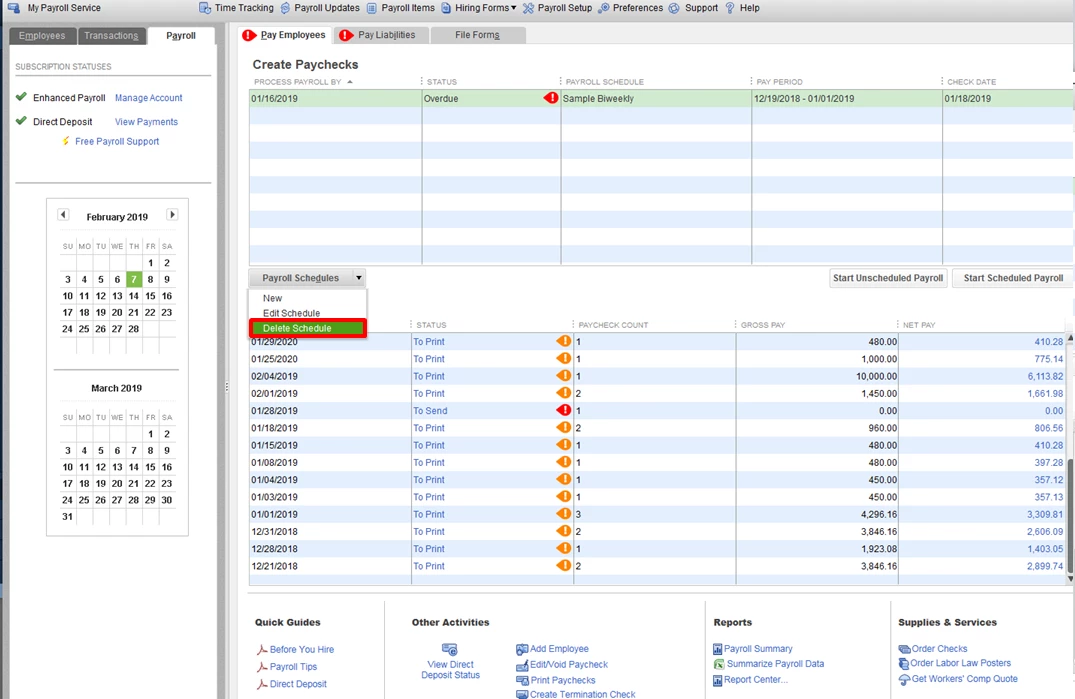
-
Select OK.
Visit us again if you have any other questions or concerns with your payroll processing. I'll be glad to lend you a helping hand anytime. Have a good one!

