You've reached the right support to help you manage your expenses, @tlc3453.
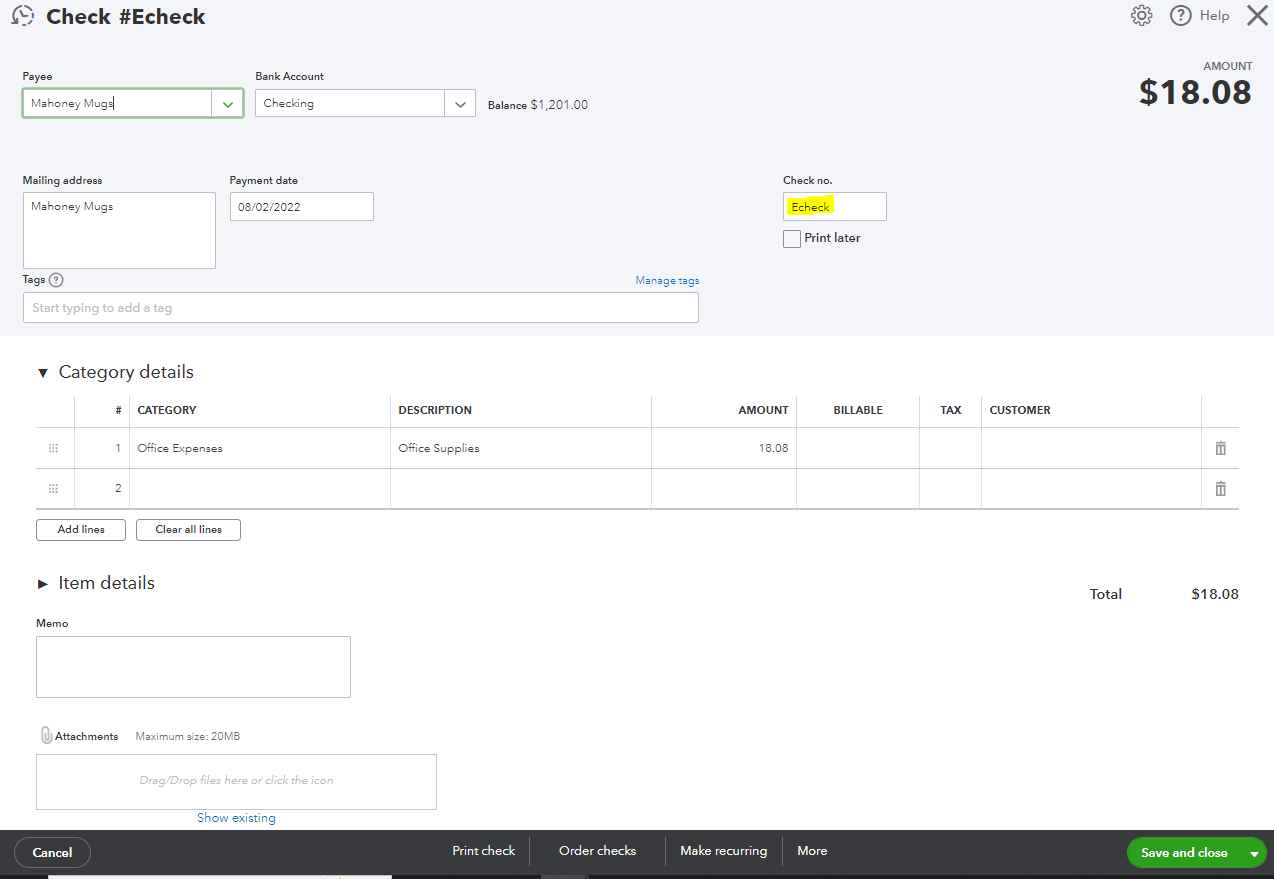
Allow me to help you ensure your expense is recorded properly in the program. If you're okay with the system recording it as a check, you can simply input the word Echeck in the Check no field. See this:
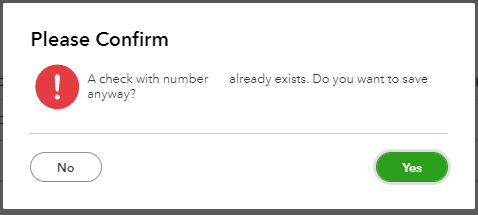
Also, the system will allow you to use duplicate check numbers. When you get the A check with number [XX] already exists. Do you want to save anyway? alert, just click Yes, and it will record the transaction.
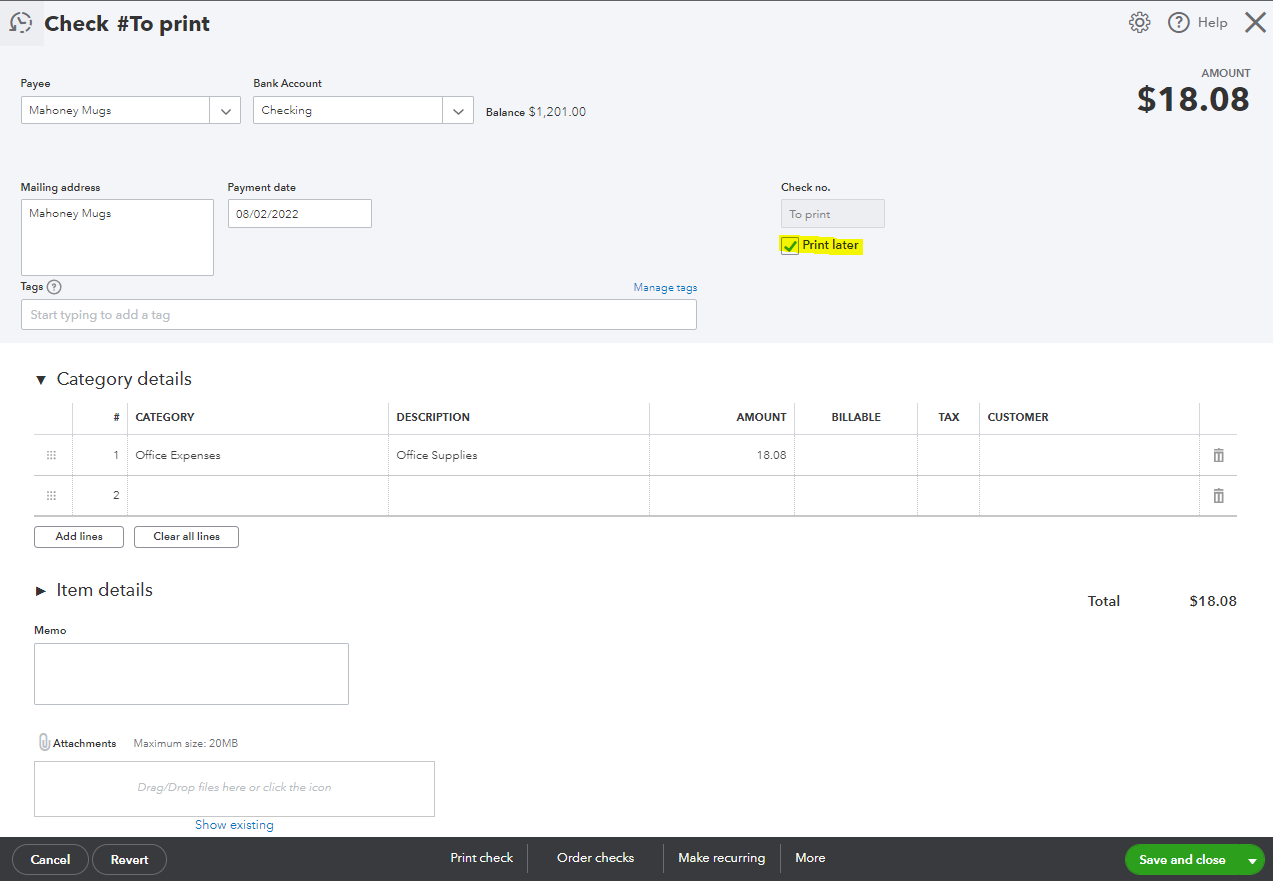
Also, if it shows To print, remove the Print Later check mark aby clicking the tick box. Then, you can enter the number or label you want.
Otherwise, you can delete the transaction an record it as an expense/expenditure. To delete the entry, click More at the bottom then Delete. Once you're ready to recreate the entry, use the + New icon then choose Expense.
Comment back here about the result of the troubleshooting or if you need further assistance. I'll be more than happy to help you out. Have a good one!

